Sorting Order of the Columns in the Result View is not Persistent #32

Description

- In Metadata Browser tool, load entities.
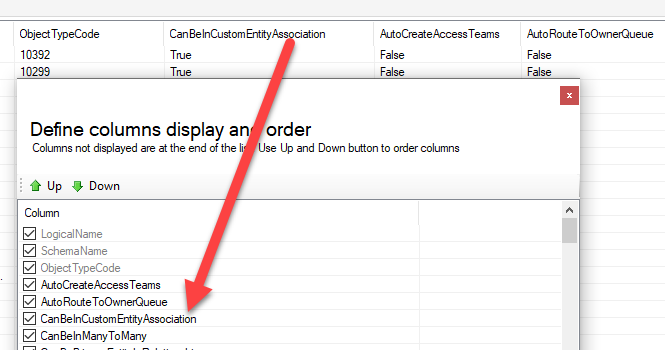
- Click on "Columns..." to define columns order.
- Move one of the columns all the way up (below key columns with grey colours).
- Click OK.
- The column in the step 3 is displayed as the 4th column.
- Click on "Columns..." button again
- The column in the step 3 is now back to its default order in the column configuration even though it is still being displayed properly.
Expected result: The sorting order of the columns configuration remains the same as the order before clicking OK on step 4.
- Deployment: Online
- DB Version: 9.2.23033.188
- Connection Controls Version: 1.2022.10.54
- XrmToolBox Version: 1.2023.2.64
- Tool Version: 1.2023.3.24