You signed in with another tab or window. Reload to refresh your session.You signed out in another tab or window. Reload to refresh your session.You switched accounts on another tab or window. Reload to refresh your session.Dismiss alert
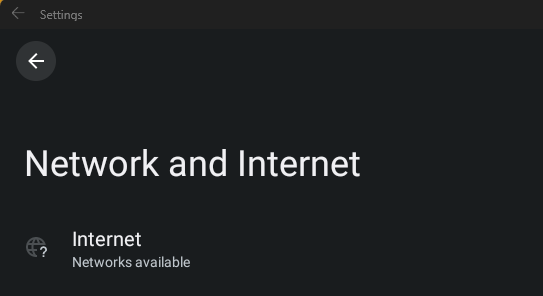
These will be split into multiple solutions due to the different causes of the problem of no internet on Windows Subsystem for Android (WSA) and Windows Subsytem for Linux (WSL)
Fix #1: Uninstalling Hyper-V Network Adapters
Some Hyper-V Network Drivers may be interferring with WSA or WSL
⚠️ Carry these instructions out with caution. ⚠️
⚠️ I do not take responsibility for any damage caused ⚠️
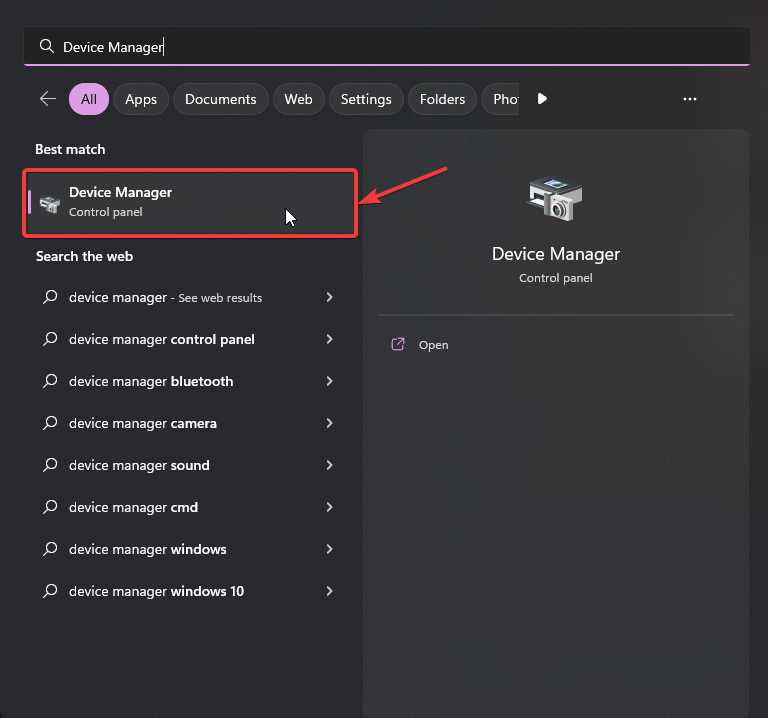
Step 1: Open Device Manager
Using Search or Win + X, open Device manager
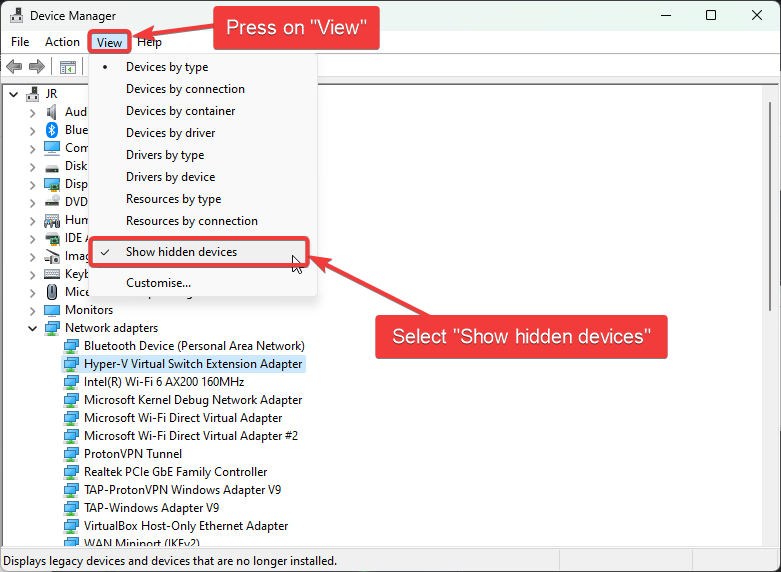
Step 2: Show Hidden Device
Press on "View"
Select "Show hidden devices"
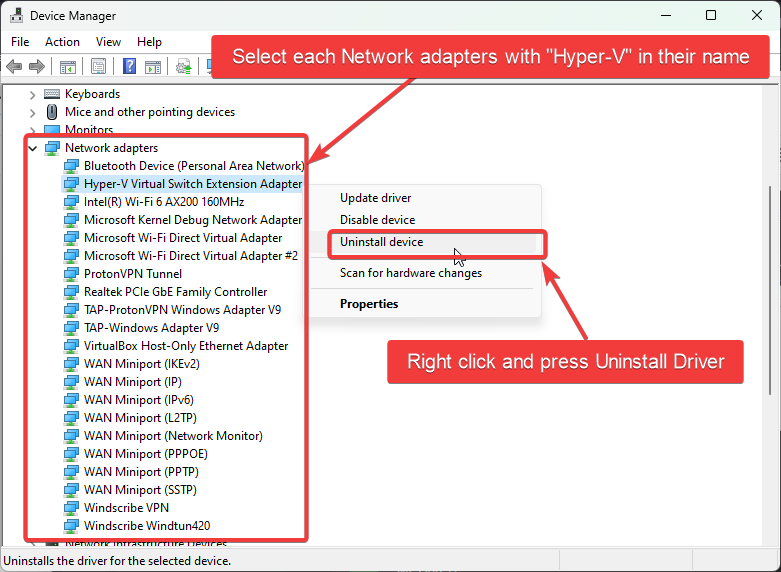
Step 3: Uninstalling All Hyper-V Network Adapter
Select each driver that has "Hyper-V" in its name
Right-Click and select "Uninstall Driver" for each of these drivers
Step 4: Restart Windows
Fix #2: Checking Firewall Settings
Sometimes Windows Firewall and other Firewall tools and software may be the cause of internet issues. It is therefore important that we check them if we are facing issues with internet on WSA.
Users with Windows Firewall
1. Open Windows Firewall by pressing the Windows Key and "R" key, Open Run
4. Find the entries in the list that state: "Windows Subsystem for Android™"
5. Confirm that these entries are Enabled and "Action" is set to "Allow" for both UDP and TCP for all entries (as shown above)
6. Now, go to the "Outbound Connection" tab
7. Find the entries in the list that state: "Windows Subsystem for Android™"
5. Confirm that these entries are Enabled and "Action" is set to "Allow" for both UDP and TCP for all entries (as shown above)
You may not have as many entries for "Windows Subsystem for Android™", as shown in the screenshots provded. These are just for illustration purposes and Firewall entries may look different on your device.
It is a known issue that Bitdefender's firewall can prevent the internet for Windows Subystem for Linux (WSL) and Windows Susbsystem for Android (WSA) from working.
There is currently no easy solution that I know of ( but there may be workarounds floating on the internet which involve whitelisting certain processes to fix these issues), for WSA and WSL, that can fix these issues other than the Bitdefender team fixing this at their end or the user having to turn off their firewall when using WSA or WSL.