Author: Aditya Jaiswal Internship Track: Full Stack Development
Watch the full execution and code walkthrough here:
Click to Watch on YouTube
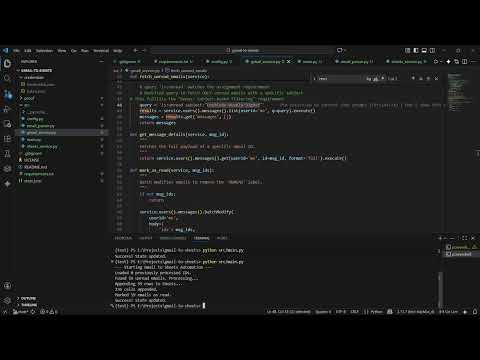
This tool automates the workflow of tracking specific email notifications. It connects to the Gmail API to fetch unread emails, parses relevant data (Sender, Subject, Date, Body), and logs them into a Google Sheet.
Key Use Case: In this implementation, the system is configured to track "LeetCode Weekly Digest" emails, allowing a developer to automatically archive their coding progress while ignoring other inbox noise.
 (Note: Please find the architecture diagram in the
 proof/ folder as requested.)
Flow:
- Auth: User authenticates via OAuth 2.0 (Google Cloud).
- Fetch: Python script queries Gmail for
is:unread+subject:"LeetCode Weekly Digest". - Parse: Script decodes the payload and strips HTML tags to plain text.
- Store: Data is appended to Google Sheets.
- State: Processed Email IDs are saved locally to
state.jsonto prevent duplicates.
- Python 3.x installed.
- A Google Cloud Project with Gmail API and Google Sheets API enabled.
# Clone the repository
git clone <your-repo-link>
cd gmail-to-sheets

# Install dependencies
pip install -r requirements.txt

## 3. Configuration

1. **Credentials**: Place your `credentials.json` (OAuth 2.0 Client ID) in the `credentials/` folder.
   * Note: This file is ignored by Git for security.
2. **Config**: Open `src/config.py` and update the `SPREADSHEET_ID` with your target Google Sheet ID.

## 4. Running the Project
```bash
python src/main.pyI used the Authorization Code Flow (Desktop App).
- Why: The assignment explicitly forbade Service Accounts. This flow allows the script to run locally and authenticate securely as the user.
- Scopes:
gmail.modify: Required to read emails and change labels (mark as read).spreadsheets: Required to append rows.
- Mechanism: Local JSON file (
state.json). - Why: A lightweight, file-based approach is sufficient for a local automation tool. It stores a list of unique
message_ids that have been successfully processed. - Logic:
- Load
state.jsoninto a Python Set (O(1) lookup). - Check if incoming
message_idexists in the Set. - If new, process → append to Sheet → update Set → save to JSON.
- Load
I implemented a Double-Layer Defense:
- Layer 1 (API Level): The script searches strictly for
is:unread. Once processed, emails are marked as READ. - Layer 2 (Application Level): Even if the "Mark as Read" API call fails, the script checks
state.json. If an ID is found there, it is skipped.
-
Subject-Based Filtering:
- The script uses a precise query (
subject:"LeetCode Weekly Digest") to filter out inbox noise and only process relevant emails.
- The script uses a precise query (
-
HTML to Plain Text Conversion:
- Integrated BeautifulSoup to parse the MIME payload, stripping HTML tags to ensure the Google Sheet contains clean, readable plain text.
Issue: Gmail emails are complex nested structures (multipart/alternative). Raw content is Base64 encoded and often contains HTML.
Solution: I wrote a dedicated email_parser.py that iterates through the payload parts. It prioritizes text/plain but falls back to text/html (cleaning it with BeautifulSoup) if plain text is unavailable.
- Local State:
state.jsonworks for a single instance. If deployed to multiple servers, a database (PostgreSQL/Redis) would be required to share state. - Rate Limits: The script processes emails in a loop; for massive datasets (10,000+ emails), batch processing and pagination would need to be optimized to avoid hitting API quota limits.