Welcome to Tic-tac-toe, also known as Naughts and Crosses, is one of the most widely known games.
Found everywhere from the temples of ancient Egypt to the medieval cathedrals of England, tic-tac-toe has entertained people for centuries.
While tic-tac-toe is now considered to be a child's game, it was not always the case.
In the past, the game was linked to pagan rituals dedicated to the magic properties of the nine-square grid.
The grid was known as the Magic Square because the numbers 1-9 could be arranged so that their sum is the same horizontally, diagonally or vertically.
-
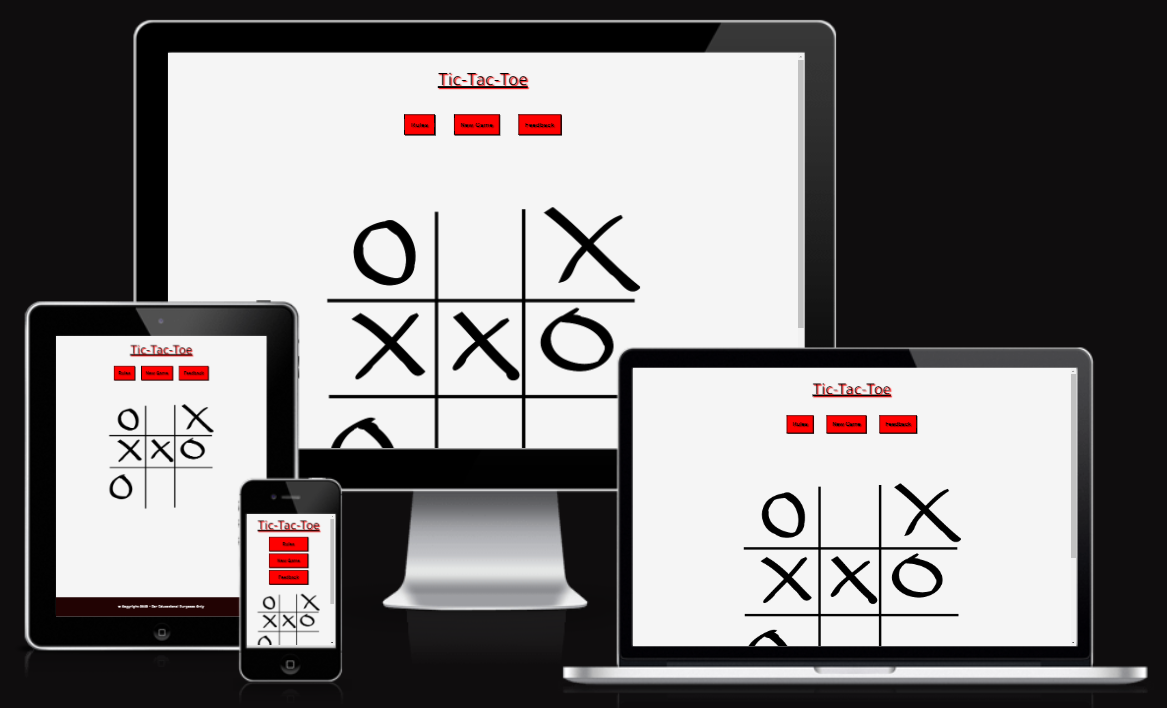
The website provides a structure easy to understand and navigate.
-
Contains colors and interactivity to engage the player in the game play.
-
Responsive design to make the game accessible on different devices.
-
Incorporates a rules section that is easily accessible to the player.
-
A feedback section is provided to get comments from the player in order to further develop the website.
-
As a player, I want the game's website to be easy to navigate.
-
As a player, I want the game to be interesting and engaging.
-
As a player, I want to have easy access to the game rules.
-
As a player, I want the game controls to be easy to access during the game.
-
As a player, I want to receive overall feedback during and after the game.
-
As a player, I want to be able to play the game on different devices.
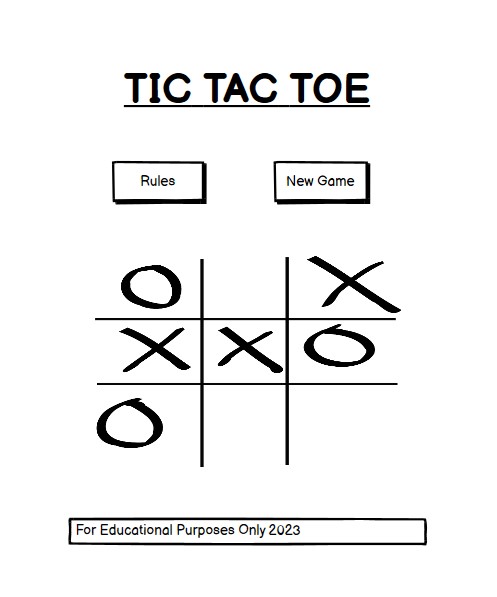
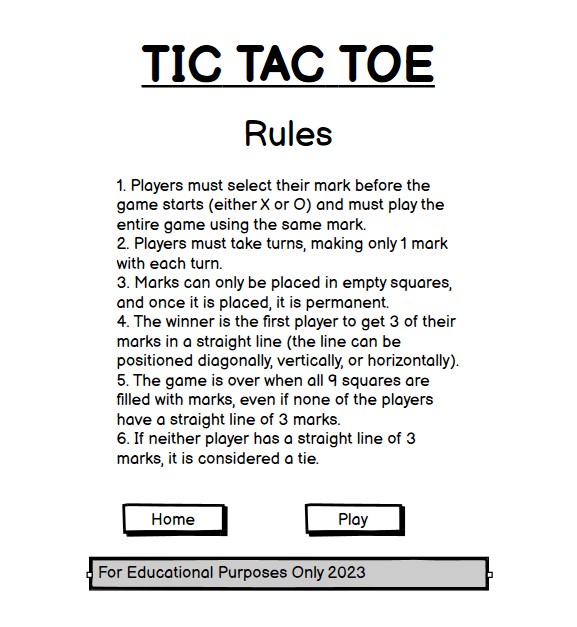
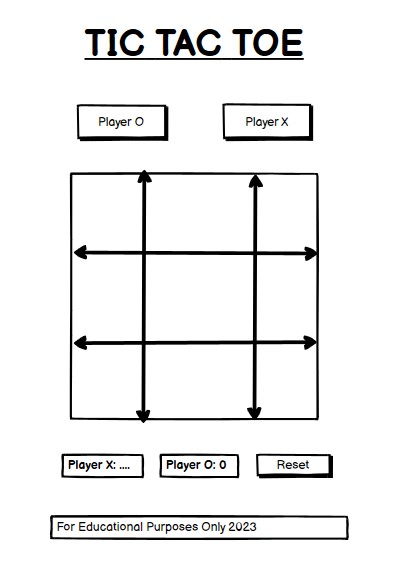
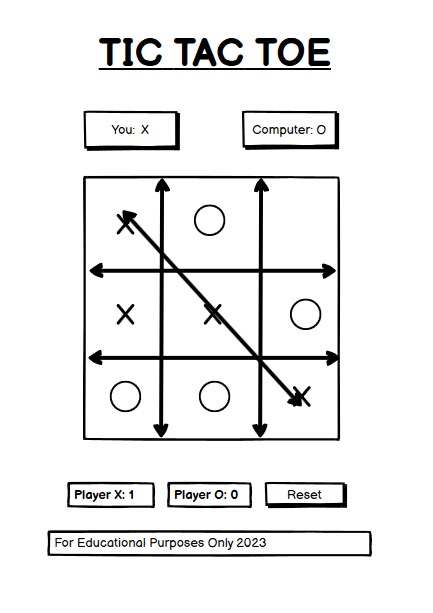
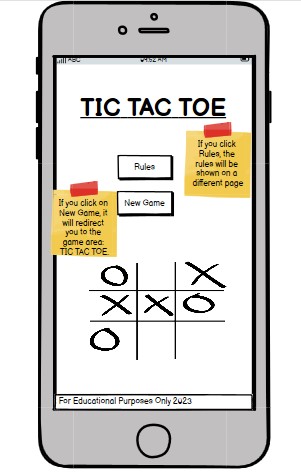
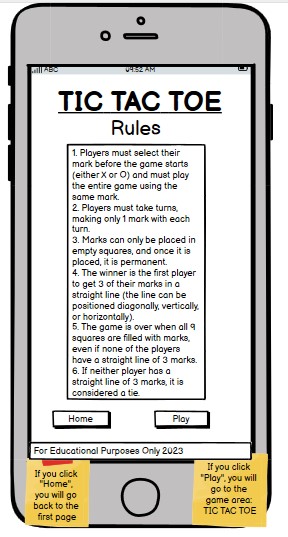
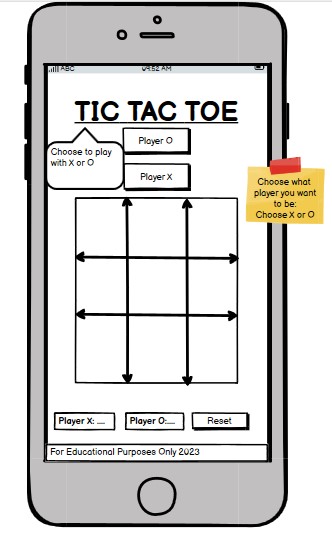
The wireframes for the website were produced in Balsamiq. There are frames for a full width display and mobile devices. The final site varies from the wireframes due to developments that appeared during the creation process.
- Home Page:
- Rules Page:
- Game Board Page:
- Winning the game:
- Home Page:
- Rules Page:
- Game Board Page:
- Winning the game:
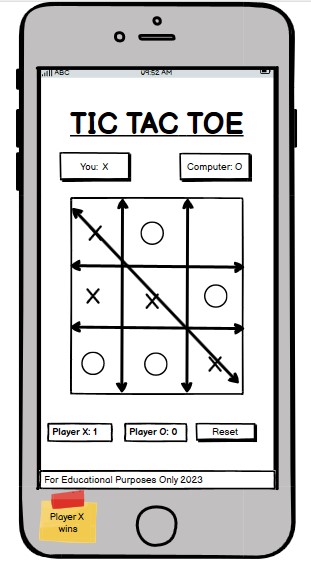
The website has 2 pages. The home page is the default loading page, and the game page is accessible primarily from the buttons on the default loading page.
The font chosen was 'Tanjawan' for the heading and for the body text. They fall back to sans-serif respectively.
- 'Tanjawan' was chosen for the headings to give the user an initial welcoming feel and for the body text as it goes along nicely with the heading whilst being easy to read for all.
The colour scheme eventually chosen is one based on black, whitesmoke, red. The black colour contrasts with the images on the home page and the game page and it is an easy color to read. Red colour was used to catch the user's eye and to draw their attention to the heading of the game.
This game is primarily for everyone who likes to be challenged. The game offers information about the rules of the game and how to play it. Additionally, the game includes a score board, where each player will see their score after winning a game.Overall, the game is for anyone who is interested in challenging their brain on how to win against the other player.
-
Header:
- Featured on both pages, it is full responsive heading and is identical in each page to allow for easy navigation.
-
Rules Button:
-
The rules button navigates the user to the instructions of the game.
-
The user will have access to this button on the game page.
-

-
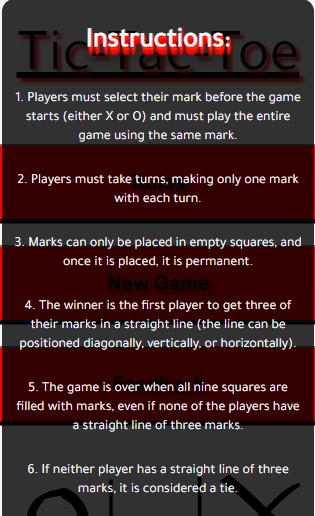
Instructions:
-
The pop up comes up after the user have clicked on the rules button.
-
The instructions explain to the user how to play the game and the rules behind it.
-
This section is valuable to the user as they will know how to play the game correctly.
-
-
Close Button:
-
There is a close button on the pop up for the instructions.
-
When the user wants to exit the pop up, they can click on the close button.
-

-
New Game Button:
- The user will have the opportunity to go to the game board after clicking on the button provided on the home page.
-
Feedback Button:
- The user will have the opportunity to leave a feedback about the game by clicking on the button.

-
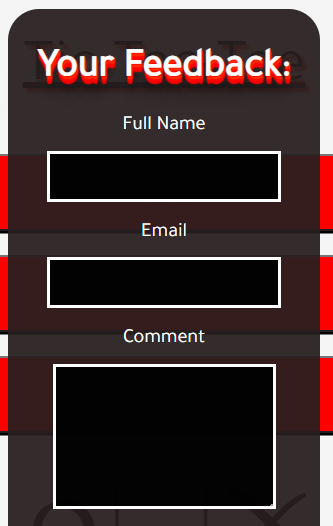
Feedback Form:
-
The user will have the opportunity to leave a feedback about the game on the pop up form.
-
The user will have to fill in all the required fields before submitting the form.
-
The user will have to write an email including '@' to be able to submit their feedback.
-
-
Feedback Submit Button:
- The user will have the opportunity to send their feedback by clicking on the button.
-
Feedback Close Button:
- The user will have the opportunity to close the feedback pop up by clicking on the button.

-
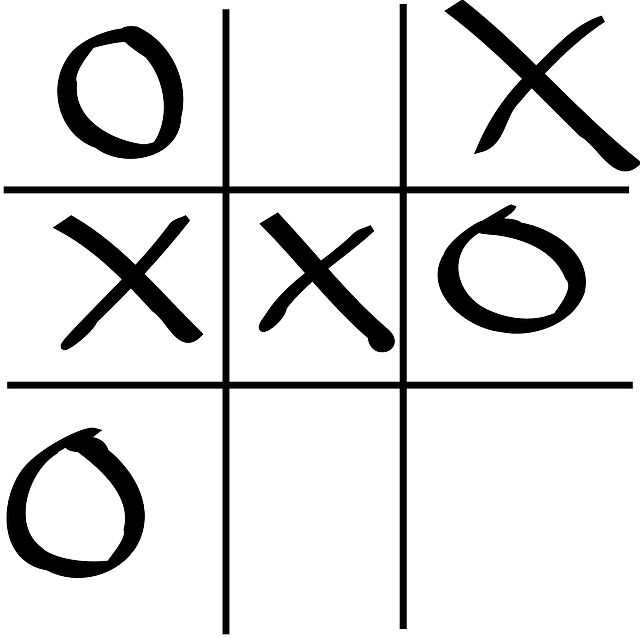
Picture of the Game:
- The picture under all buttons on the home page shows how the game board looks like.
-
Footer:
- The footer adds style to both pages.

-
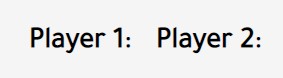
Player's Board:
- The user will have the opportunity to see what they have chosen to play with in the game.
-
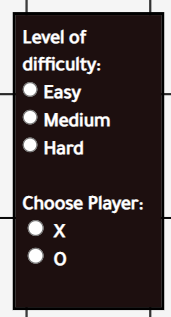
Levels of Difficulty:
-
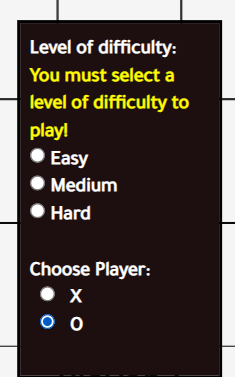
The user will have the opportunity to choose the level of difficulty in the game.
-
The user will have 3 options: easy, medium and hard.
-
Te user will have to choose if they want to play with 'X' or 'O'.
-
The user won't be able to start the game before choosing the level of difficulty.
-
-
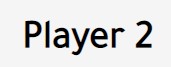
Player's turn:
- The user will be able to see and keep track on whose turn it is during the game.
-
Score Board:
- The user will be able to see and keep track of their score throughout the game.

-
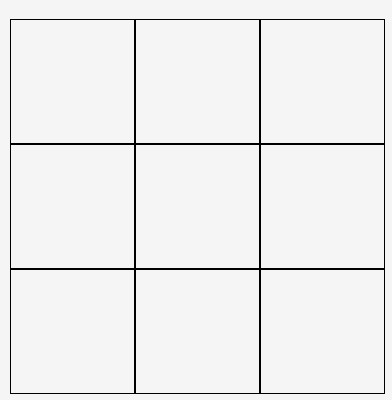
Game Board:
-
The user will have an access to the game board after selecting the level of difficulty and selecting 'X' or 'O'.
-
The user will begin the game by clicking on the boxes on the game board.
-
Player 1 always starts first in the game.
-
-
Level of Difficulty Pop Up:
-
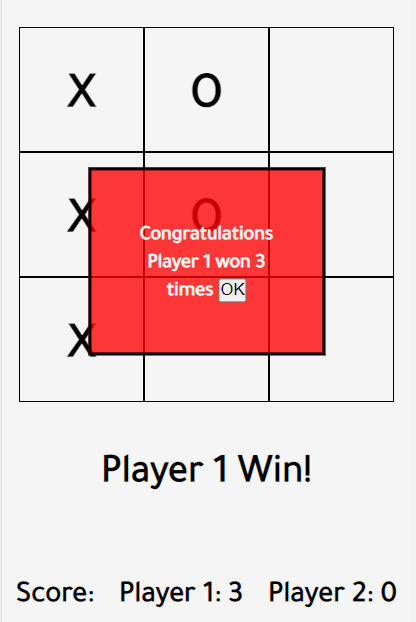
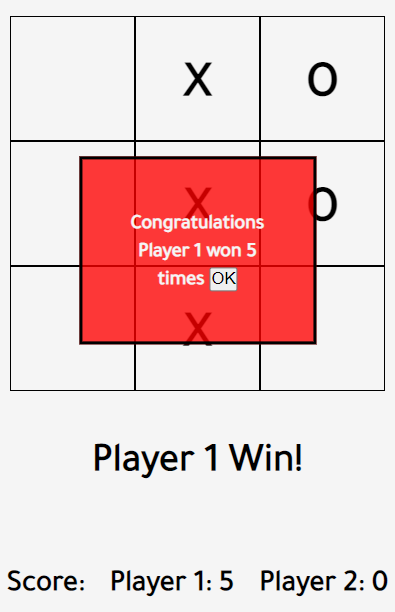
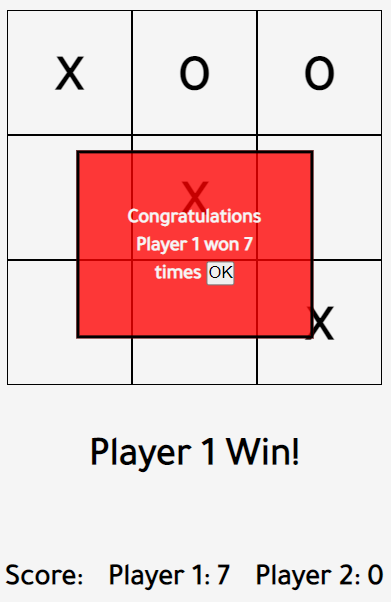
The user will be able to see the score after winning 3, 5, or 7 times depending on the level of difficulty that they choose.
-
The user will have to press on the button 'OK', to begin a new game.
-
The user will not be able to use the reset button after the pop up is on the screen, they would have to click on the 'OK' button to continue.
-
-
Announcing the winner:
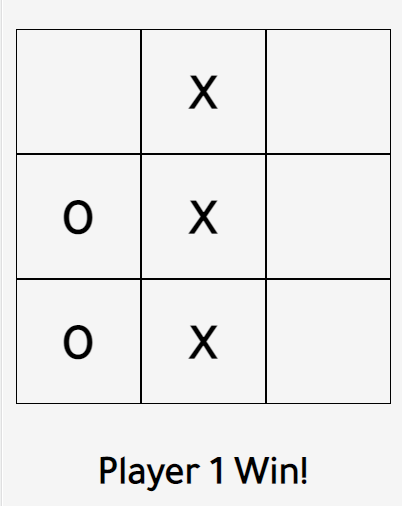
- The user will be able to see who won the game after each game depending on the level of difficulty.
-
Reset Button:
- The user will be able to reset the game board after each game depending on the level of difficulty that they choose for the particular game.

-
Home Button:
- The user will be able to get back to the home page by clicking on the home button.

-
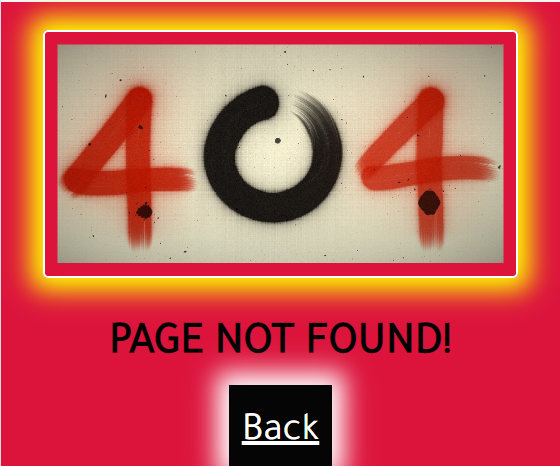
404 Error Page:
- The user will be able to get back to the home page if they enter the wrong URL.
-
Single player mode (ie. playing against the computer).
-
Choose Grid: 4x4 and 5x5.
-
Additional Pages:
- Page displaying the highest result.
- HTML5
- provides the content and structure for the website.
- CSS3
- provides the styling.
- Javascript
- provides the function.
- Google Fonts
- Google Fonts was used to import the font Tajawal into the style.css file. The font was used throughout the site.
- GitPod
- GitPod was used for writing code, committing, and then pushing to GitHub.
- GitHub
- GitHub was used to store the project after pushing.
- Balsamiq
- Balsamiq was used to create the wireframes during the design phase of the project.
- Am I Responsive?
- Am I Responsive was used in order to see responsive design throughout the process and to generate mockup imagery to be used.
- Responsive Design Checker
- Responsive Design Checker was used in the testing process to check responsiveness on various devices.
- Chrome DevTools
- Chrome DevTools was used during development process for code review and to test responsiveness.
- W3C Markup Validator
- W3C Markup Validator was used to validate the HTML code.
- W3C CSS Validator
- W3C CSS Validator was used to validate the CSS code.
- JSHint
- The JSHints JavaScript Code Quality Tool was used to validate the site's JavaScript code.
- Favicon.cc
- Favicon.cc was used to create the site favicon icon.
-
As a player, I want the game's website to be easy to navigate.
- The website offers an intuitive structure for the player to find easily the information or section they are looking for.
-
As a player, I want the game to be fun and engaging.
-
A fun main image has been selected to represent the game in a fun way.
-
The site's color design has been inspired on the main image in order to create a clear relation between each colour used.
-
The game area display the game board in a clear and visible way for the player.
-
The score for the current round is being tracked and displayed under the Player's turn.
-
The game result after winning 3, 5, 7 times is presented as a pop up catching the players' attention.
-
-
As a player, I want to have easy access to the game rules.
-
A rules botton is being provided directly on the game page under home button.
-
A rules botton is being provided directly on the home page above new game button.
-
The rules open as a popup directly on the game page so the player does not need to leave the game at any time.
-
-
As a player, I want to receive overall feedback during and after the game.
-
Score for the current round is always available under player's turn on the game page.
-
The result after winning 3, 5, 7 times is provided with a short explanation.
-
-
As a player, I want to be able to play the game on different devices.
- Responsive design across all device sizes.
The Tic-Tac-Toe game has been throughly tested. All the code has been run through the W3C Markup Validator and W3C CSS Validator to validate all pages of the project in order to ensure there were no syntax errors. The JSHints JavaScript Code Quality Tool was used to validate the site's JavaScript code. No errors were found after the last test.
The HTML validator results for each page are below:
- Home Page

- Game Page
- 404 Page
The CSS validator results are below:

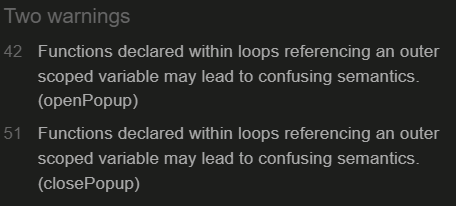
The JsHint validator results are below:
- JSHints found no errors on the site's JavaScript code.
- JsHints found 2 warnings:
-
- Chrome DevTools was used during the development process to test, explore and modify HTML elements and CSS styles used in the project.
-
Responsiveness:
-
Am I Responsive? was used to check responsiveness of the site pages across different devices.
-
Responsive Design Checker was used to check responsiveness of the site pages on different screen sizes.
-
Chrome DevTools was used to test responsiveness in different screen sizes during the development process.
-
| Browser | Outcome | Pass/Fail |
|---|---|---|
| Google Chrome | No issues found. | Pass |
| Safari | No issues found. | Pass |
| Mozilla Firefox | No issues found. | Pass |
| Microsoft Edge | No issues found. | Pass |
| Device | Outcome | Pass/Fail |
|---|---|---|
| IPhone SE | No issues found. | Pass |
| Galaxy S8+ | No issues found. | Pass |
| iPhone XR | No issues found. | Pass |
| iPad | No issues found. | Pass |
| iPad Pro | No issues found. | Pass |
| Display <1200px | No issues found. | Pass |
| Display >1200px | No issues found. | Pass |
- Home Page:
| Feature | Outcome | Pass/Fail |
|---|---|---|
| Rules Button | Changes colour when it is clicked, opens pop up. | Pass |
| Rules' Close Button | Changes colour when clicked and closes popup when clicked. | Pass |
| New Game Button | Changes colour when clicked and links to game page when button is clicked. | Pass |
| Feedback Button | Changes colour when clicked and open feedback form popup when clicked. | Pass |
- Feedback Form Popup:
| Feature | Outcome | Pass/Fail |
|---|---|---|
| Feedback Form | Require all fields in the right format before submitting. | Pass |
| Submit Button | Changes colour when clicked, submit form when clicked. | Pass |
| Form Close Button | Changes colour when clicked and close pop-up when clicked. | Pass |
- Game Page:
| Feature | Outcome | Pass/Fail |
|---|---|---|
| Level of Difficulty Popup | Comes up when you open Game Page. | Pass |
| Player's Mode | Once X or O selected it shows up. | Pass |
| Player's Turn | Once each player selects a box, the player's turn changes. | Pass |
| Player's Score | Increases by 1 when player win each round. | Pass |
| Winner Announcement | A pop up comes up after winning 3, 5, 7 times for each player. | Pass |
| Game Feedback | Display the expected text depending on the round result. | Pass |
| Reset Button | It resets the board after each round before reaching the stated level of difficulty. | Pass |
| Home Button | Changes colour when clicked and opens Home Page. | Pass |
| Rules Button | Changes colour when clicked and opens rules popup when clicked. | Pass |
| Rules' Close Button | Changes colour when clicked and closes popup when clicked. | Pass |
- 404 Error Page
| Feature | Outcome | Pass/Fail |
|---|---|---|
| 404 Error Page | Entering an incorrect URL into the tab brings the player to the 404 error page. | Pass |
| Back Button | Link to home page when button is clicked work as expected. | Pass |
-
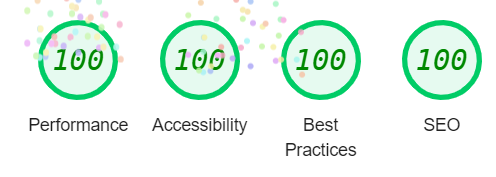
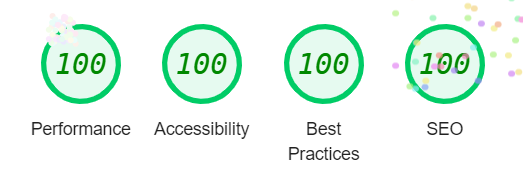
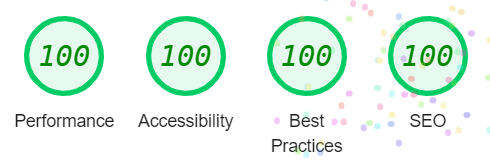
Performance - How the page performs whilst loading.
-
Accessibility - Is the site acccessible for all users and how can it be improved.
-
Best Practices - Site conforms to industry best practices.
-
SEO - Search engine optimisation. Is the site optimised for search engine result rankings.
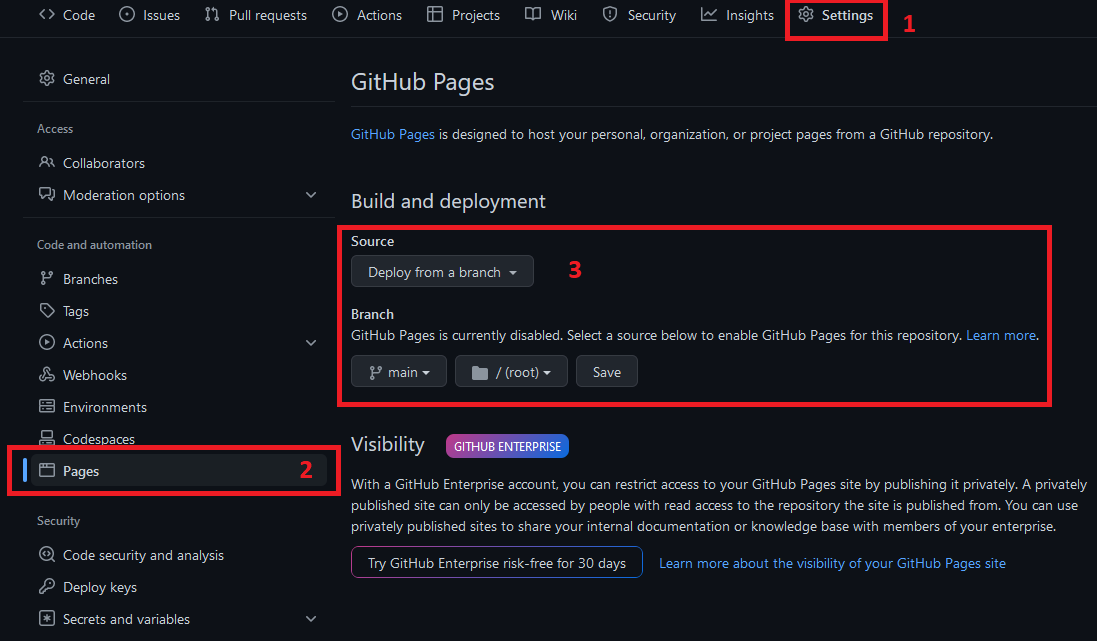
- The site was deployed to GitHub pages. The steps to deploy are as follows:
- In the GitHub repository, navigate to the Settings tab.
- Once in Settings, navigate to the Pages tab on the left hand side.
- Under Source, select the branch to master, then click save.
- Once the master branch has been selected, the page will be automatically refreshed with a detailed ribbon display to indicate the successful deployment.
The live link can be found here
- A copy of the GitHub Repository can be made by forking the GitHub account. This copy can be viewed and changes can be made to the copy without affecting the original repository. Take the following steps to fork the repository:
- Log in to GitHub and locate the repository.
- On the right hand side of the page inline with the repository name is a button called 'Fork', click on the button to create a copy of the original repository in your GitHub Account.
- The method from cloning a project from GitHub is below:
- Under the repository’s name, click on the code tab.
- In the Clone with HTTPS section, click on the clipboard icon to copy the given URL.
- In your IDE of choice, open Git Bash.
- Change the current working directory to the location where you want the cloned directory to be made.
- Type git clone, and then paste the URL copied from GitHub.
- Press enter and the local clone will be created.
- Google Fonts : Used for font.
- W3School : Used for flexbox.
- Gamescrafters : Used for instructions.
- Gamesver : Used for rules.
- Tutorialstonight : Used idea for game board.
- Github : Used idea for pop up feedback form and rules.
- Logrocket : Used idea for styling the heading.
- Stackoverflow : Used on regular basis for inspiration and sometimes to be able to better understand the code being implemented.
- Coudinary : Used to store the screenshots in the Readme file.
- Readme.md : Used for some ideas.
- Readme.md : Used for some ideas.
- Compressjpeg : Used to compress 404 error picture.
- Pixabay: Used for picture on Home Page.
- Freepik: Used for picture on rules pop up.
- Favicon: Used for URL icon
This project was developed and designed as a Portfolio 2 Project for Full Stack Software Developer Diploma course at the Code Institute. I would like to thank my mentor Marcel Mulders for his invaluable feedback and guidance, our facilitator Chris Quinn, the Slack community, and all at the Code Institute for their help and support. I really enjoyed working on this project.