Skip to content

Keep cached distance map thumbnail visible offline after rate edit - #99485

Draft
MelvinBot wants to merge 2 commits into
mainfrom
claude-mapDisappearsOfflineAfterRateEdit
Draft

Keep cached distance map thumbnail visible offline after rate edit#99485
MelvinBot wants to merge 2 commits into
mainfrom
claude-mapDisappearsOfflineAfterRateEdit

Conversation

@MelvinBot

Copy link
Copy Markdown
Contributor

Explanation of Change

The expense-preview map for a distance request is normally the remote Mapbox thumbnail (receipt.source), which stays visible offline because it was cached while online. But ReportActionItemImage swaps that thumbnail for a locally-drawn <ConfirmedRoute> whenever showMapAsImage is true (isMapDistanceRequest && (hasErrors || hasPendingDistanceReceiptRegeneration(transaction))).

When a rate whose original was deleted from the policy is edited, the transaction is left persistently dirty (a lingering pendingFields/errorFields entry), so showMapAsImage stays true in the steady state. ConfirmedRoute cannot render a Mapbox map offline — it falls back to a blank PendingMapView placeholder — so the map area goes blank every time the user goes offline, and reappears online. That is the exact "disappears offline, reappears online, repeatably" signature in this issue.

This change adds an offline guard to the gate: when we're offline and a cached receipt thumbnail exists (hasReceiptSource(transaction)), we skip ConfirmedRoute and fall through to the cached thumbnail branch. Offline, the cached remote thumbnail is strictly better than a blank placeholder. The intended online behavior (draw the live route while the receipt URL is regenerating) is unchanged.

Note: this is a draft implementation for testing purposes, as requested.

Fixed Issues

$ #98364
PROPOSAL: #98364 (comment)

Tests

// TODO: The human co-author must fill out the tests you ran before marking this PR as "ready for review". Suggested steps:

  1. Open a workspace chat (workspace has at least two non-default distance rates).
  2. Create a map distance expense with a non-default rate.
  3. Go to Workspace > Distance Rates and delete the just-used rate.
  4. Return to chat, open the expense, edit the Rate to a different non-default one.
  5. Return to chat, turn off internet connection.
  6. Verify the map on the distance expense preview remains visible (no blank placeholder).
  7. Turn internet back on and verify the map stays visible.
  • Verify that no errors appear in the JS console

Offline tests

  1. With a distance expense whose rate was edited (see Tests), go offline.
  2. Verify the expense preview keeps showing the cached map thumbnail instead of a blank placeholder.

QA Steps

// TODO: The human co-author must fill out the QA tests you ran before marking this PR as "ready for review".

  • Verify that no errors appear in the JS console

PR Author Checklist

  • I linked the correct issue in the ### Fixed Issues section above
  • I wrote clear testing steps that cover the changes made in this PR
    • I added steps for local testing in the Tests section
    • I added steps for the expected offline behavior in the Offline steps section
    • I added steps for Staging and/or Production testing in the QA steps section
    • I added steps to cover failure scenarios (i.e. verify an input displays the correct error message if the entered data is not correct)
    • I turned off my network connection and tested it while offline to ensure it matches the expected behavior (i.e. verify the default avatar icon is displayed if app is offline)
    • I tested this PR with a High Traffic account against the staging or production API to ensure there are no regressions (e.g. long loading states that impact usability).
  • I included screenshots or videos for tests on all platforms
  • I ran the tests on all platforms & verified they passed on:
    • Android: Native
    • Android: mWeb Chrome
    • iOS: Native
    • iOS: mWeb Safari
    • MacOS: Chrome / Safari
  • I verified there are no console errors (if there's a console error not related to the PR, report it or open an issue for it to be fixed)
  • I followed proper code patterns (see Reviewing the code)
    • I verified that comments were added to code that is not self explanatory
    • I verified that any new or modified comments were clear, correct English, and explained "why" the code was doing something instead of only explaining "what" the code was doing.
    • I verified any copy / text that was added to the app is grammatically correct in English. It adheres to proper capitalization guidelines (note: only the first word of header/labels should be capitalized), and is either coming verbatim from figma or has been approved by marketing (in order to get marketing approval, ask the Bug Zero team member to add the Waiting for copy label to the issue)
  • If a new code pattern is added I verified it was agreed to be used by multiple Expensify engineers
  • I followed the guidelines as stated in the Review Guidelines
  • I tested other components that can be impacted by my changes (i.e. if the PR modifies a shared library or component like Avatar, I verified the components using Avatar are working as expected)
  • If a new CSS style is added I verified that:
    • A similar style doesn't already exist
    • The style can't be created with an existing StyleUtils function (i.e. StyleUtils.getBackgroundAndBorderStyle(theme.componentBG))
  • If new assets were added or existing ones were modified, I verified that:
    • The assets are optimized and compressed (for SVG files, run npm run compress-svg)
    • The assets load correctly across all supported platforms.
  • If the PR modifies code that runs when editing or sending messages, I tested and verified there is no unexpected behavior for all supported markdown - URLs, single line code, code blocks, quotes, headings, bold, strikethrough, and italic.
  • If the PR modifies a generic component, I tested and verified that those changes do not break usages of that component in the rest of the App (i.e. if a shared library or component like Avatar is modified, I verified that Avatar is working as expected in all cases)
  • If the PR modifies a component related to any of the existing Storybook stories, I tested and verified all stories for that component are still working as expected.
  • If the PR modifies a component or page that can be accessed by a direct deeplink, I verified that the code functions as expected when the deeplink is used - from a logged in and logged out account.
  • If the PR modifies the UI (e.g. new buttons, new UI components, changing the padding/spacing/sizing, moving components, etc) or modifies the form input styles:
    • I verified that all the inputs inside a form are aligned with each other.
    • I added Design label and/or tagged @Expensify/design so the design team can review the changes.
  • I added unit tests for any new feature or bug fix in this PR to help automatically prevent regressions in this user flow.
  • If the main branch was merged into this PR after a review, I tested again and verified the outcome was still expected according to the Test steps.

Screenshots/Videos

Android: Native
Android: mWeb Chrome
iOS: Native
iOS: mWeb Safari
MacOS: Chrome / Safari

Co-authored-by: Aimane Chnaif <aimane-chnaif@users.noreply.github.com>
@melvin-bot melvin-bot Bot added Melvin-Test-Android Melvin-Test-Web Triggers Melvin to run the testing steps of the PR on web labels Aug 25, 2026
@MelvinBot
MelvinBot requested a review from a team August 25, 2026 22:03
Co-authored-by: Aimane Chnaif <aimane-chnaif@users.noreply.github.com>
@MelvinBot

Copy link
Copy Markdown
Contributor Author

Fixed the failing Oxfmt check — the only real failure. It flagged an Oxfmt diff on the one file this PR touches, src/components/ReportActionItem/ReportActionItemImage.tsx: the showMapAsImage expression was hand-wrapped across two lines, but Oxfmt keeps it on a single line. I ran npm run fmt and pushed the result (fa67d71).

The other red check, Check independent approval, is an approval-gate check (not a code failure) and isn't something a code push resolves — it clears once the PR gets the required independent approval.


view run

@MelvinBot

Copy link
Copy Markdown
Contributor Author

The real failure — Oxfmt check — is already fixed by commit fa67d71 (I ran npm run fmt on ReportActionItemImage.tsx) and it now passes. The remaining checks are just re-running from that push.

The only red check left is Check independent approval, which is an approval gate, not a code issue — it clears once the PR receives its required independent approval, so there's nothing for me to push here.


view run

@MelvinBot

Copy link
Copy Markdown
Contributor Author

✅ Android test — PR test steps passed

Result: pass — On standalone Android NewDot, after deleting the rate used on a map distance expense and re-editing it to a different non-default rate, the cached map thumbnail stayed visible (no blank placeholder) both while offline and after reconnecting.

Step Status Observation
Workspace chat opened with a workspace containing 2+ non-default distance rates ✅ pass Workspace has Default Rate (€0.76/mi), Rate A (€1.25/mi), Rate B (€2.00/mi)
Map distance expense created using a non-default rate ✅ pass Expense created with Rate A (€1.25/mi), amount €0.39, map thumbnail rendered in chat preview
Just-used rate deleted from Workspace > Distance Rates ✅ pass Rate A removed; list shows only Default Rate and Rate B; chat preview showed "Rate not valid for this workspace" but map thumbnail stayed visible
Expense Rate edited to a different non-default rate ✅ pass Rate field changed to Rate B (€2.00/mi); amount updated to €0.62; error cleared
Map preview remains visible while offline (no blank placeholder) ✅ pass "You appear to be offline." banner confirmed disconnection; map thumbnail fully rendered with Rate B data
Map preview remains visible after reconnecting ✅ pass Offline banner disappeared; map thumbnail unchanged, still showing Rate B data — no flicker to blank/placeholder

No JS console errors observed.

Note on forcing offline on the emulator

The AVD's wifi toggle alone did not fully disconnect the device (it fell back to an emulated cellular/mobile-data network), so adb shell svc data disable/enable was additionally used to force the full offline/online transitions, verified via dumpsys connectivity showing "Active default network: none" while offline.

Screenshots (7)

Distance expense created with Rate A, map thumbnail loading
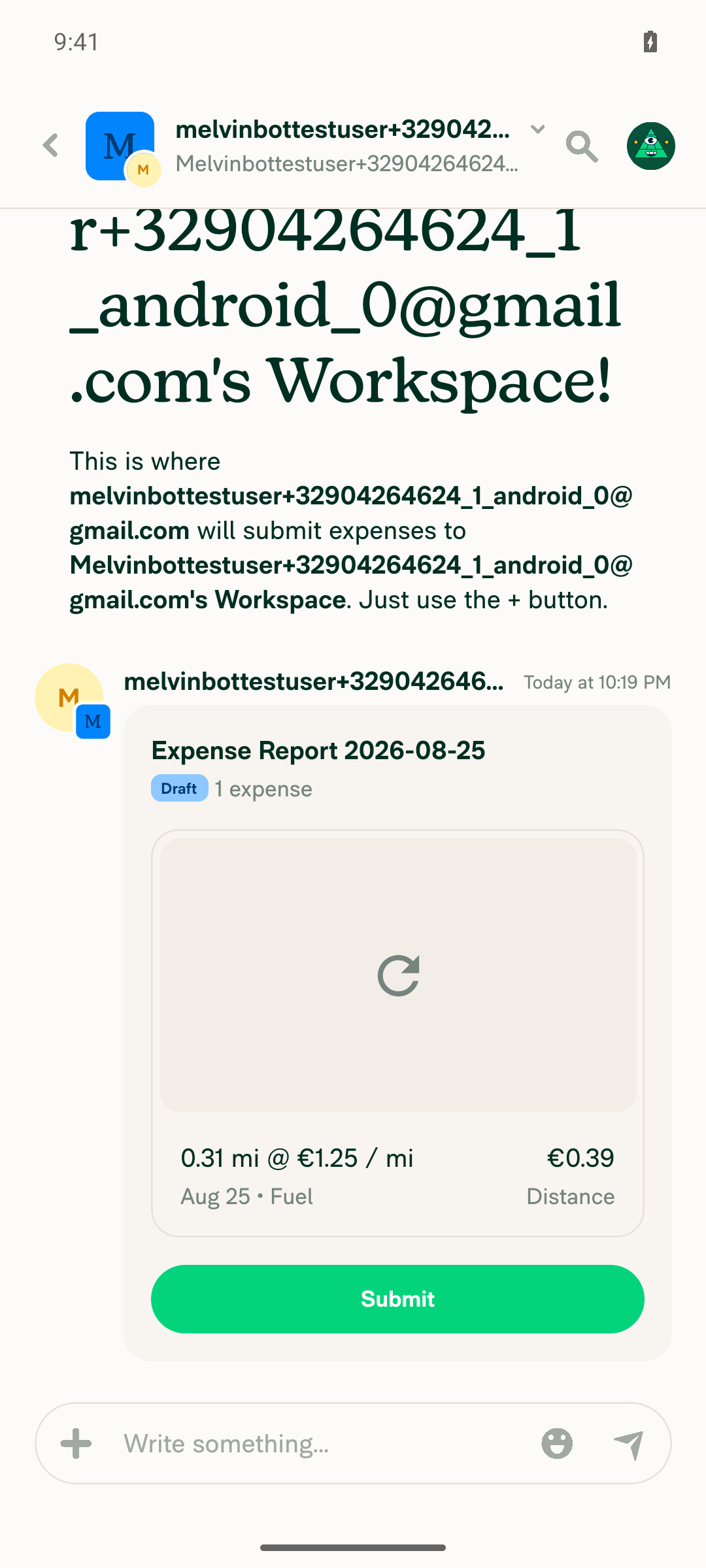
Distance expense created with Rate A, map thumbnail loading

Map thumbnail loaded for Rate A expense
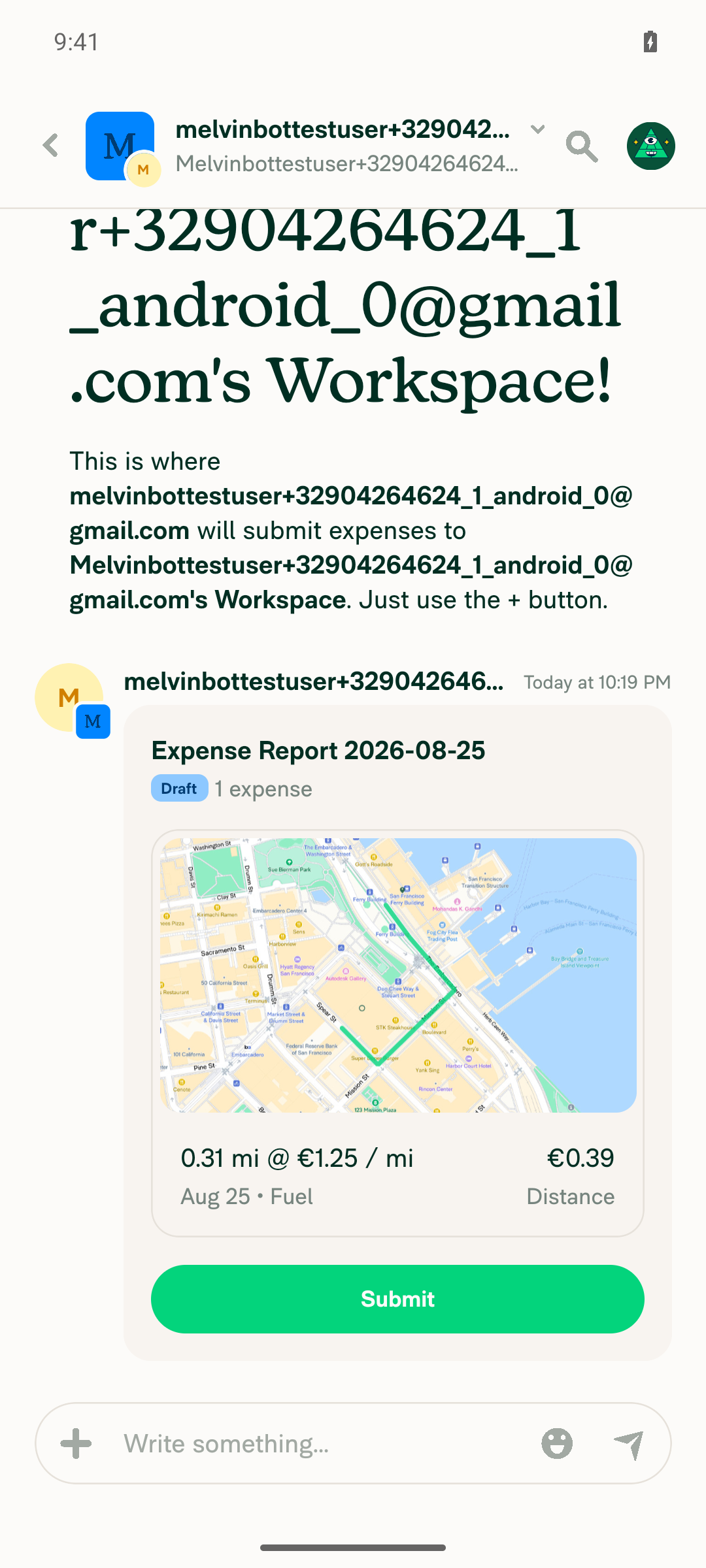
Map thumbnail loaded for Rate A expense

Map still visible after deleting Rate A, showing 'Rate not valid for this workspace'
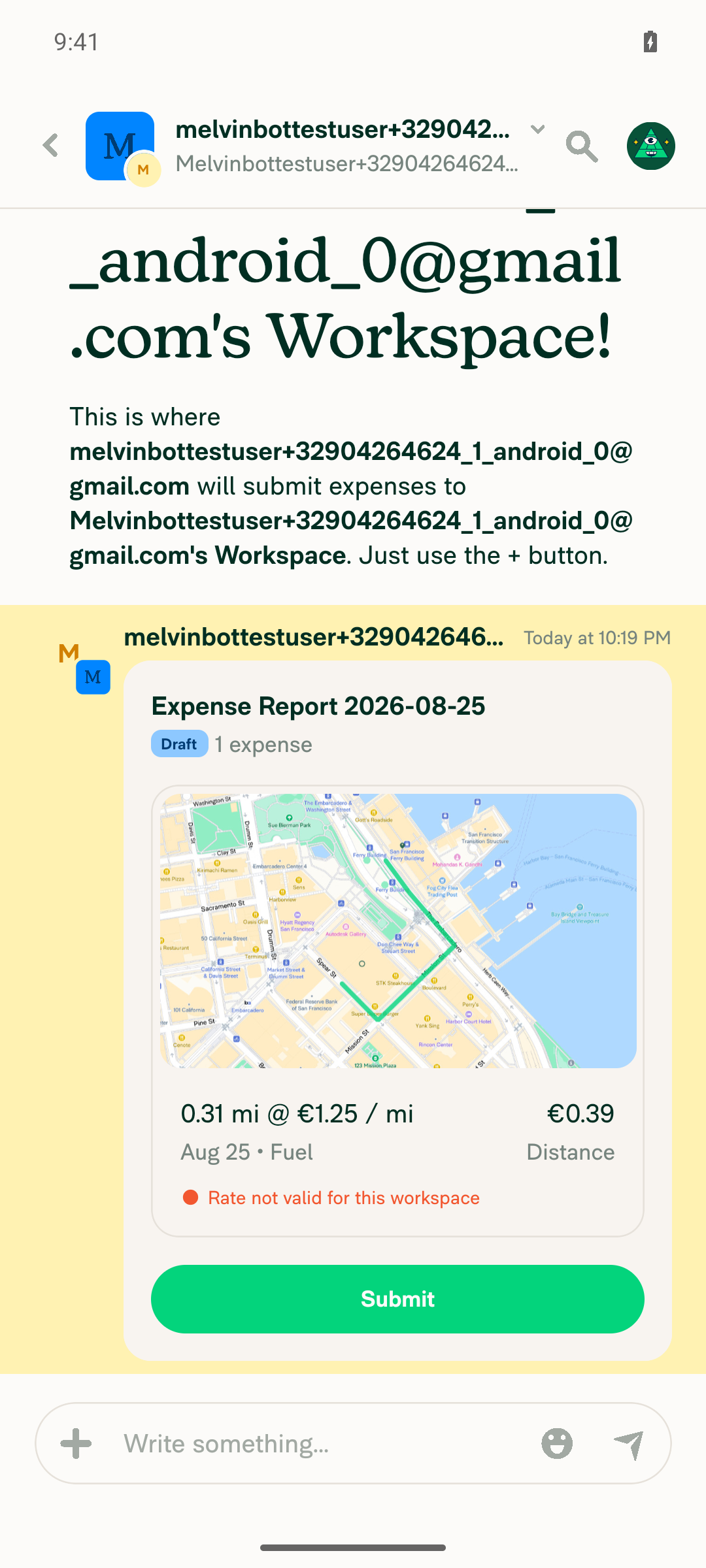
Map still visible after deleting Rate A, showing 'Rate not valid for this workspace'

Expense detail view after editing rate to Rate B
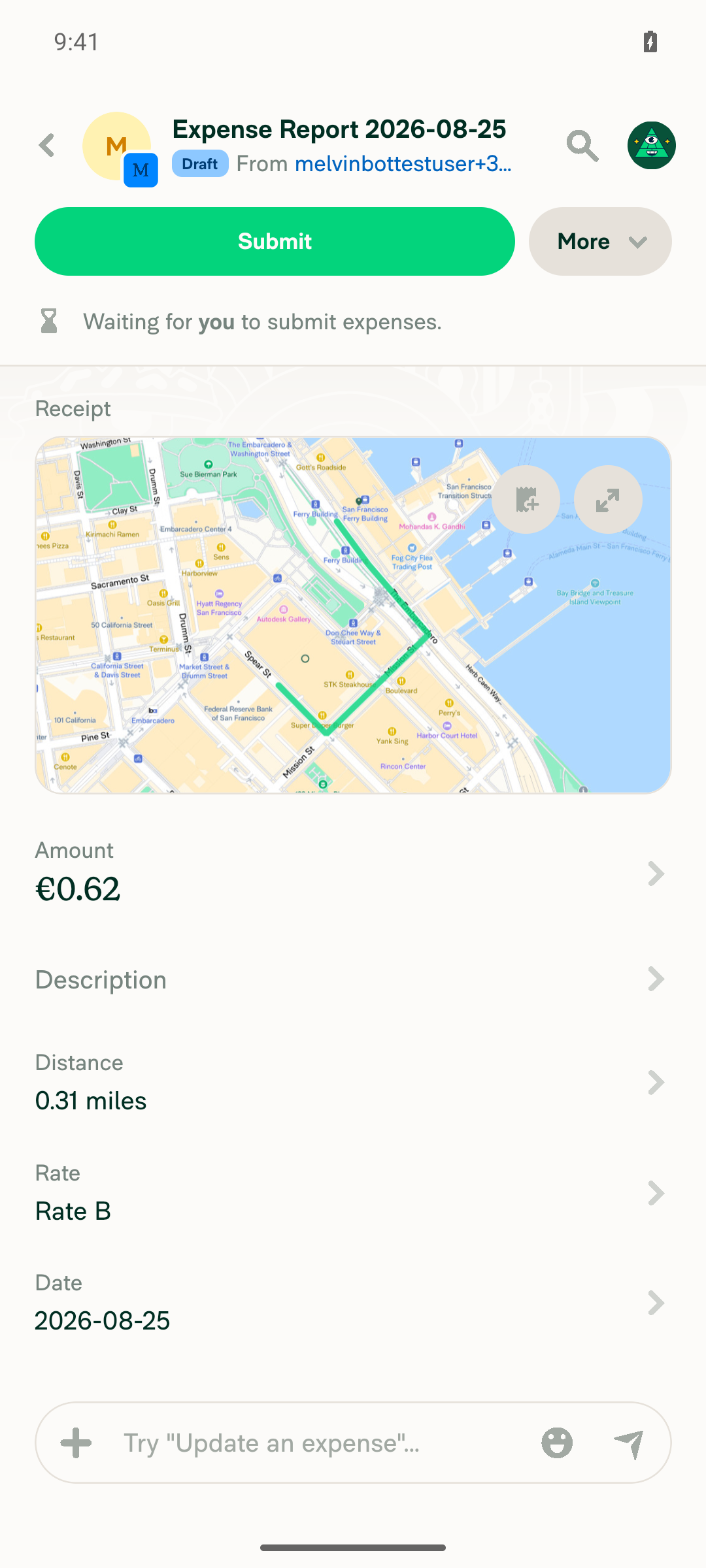
Expense detail view after editing rate to Rate B

Chat preview showing Rate B with map, while online
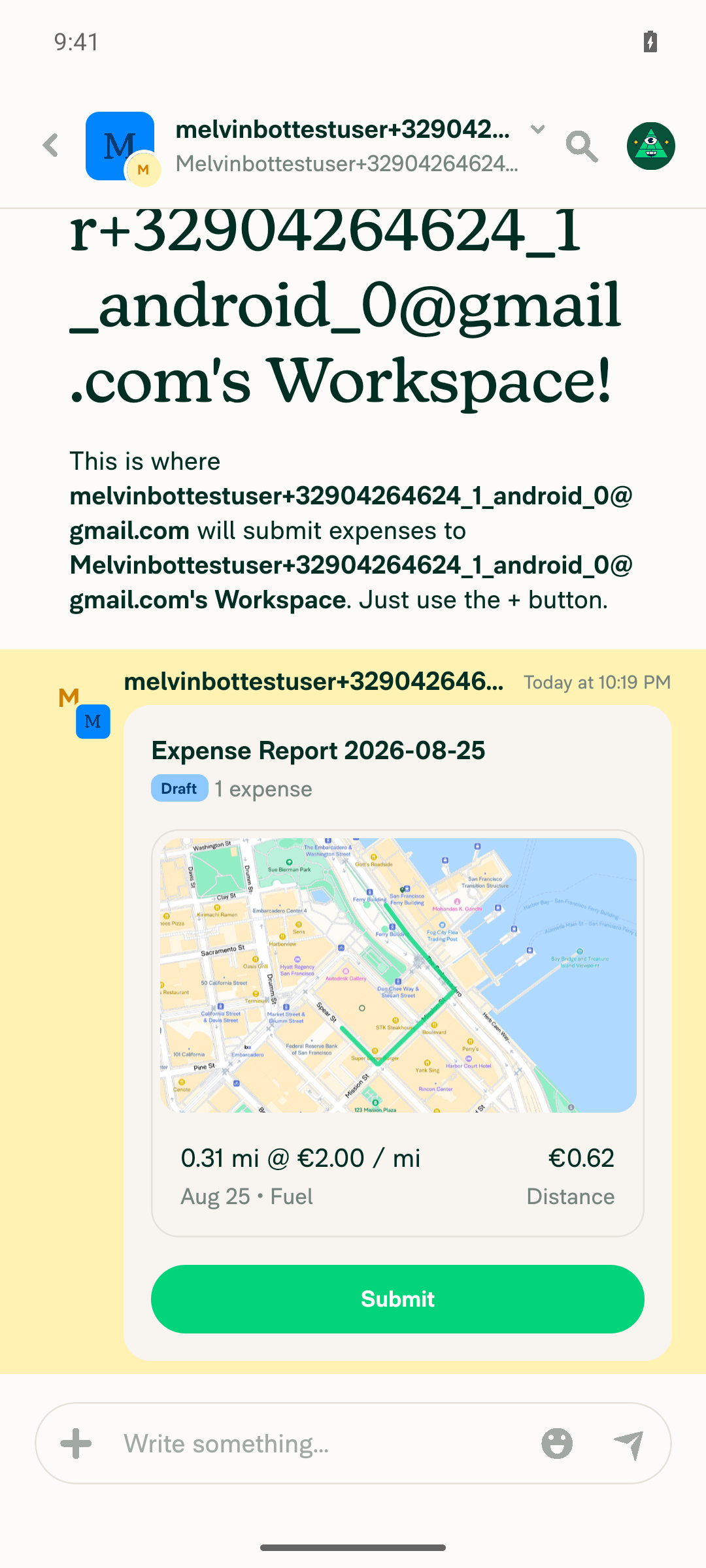
Chat preview showing Rate B with map, while online

Map thumbnail visible while offline banner is shown
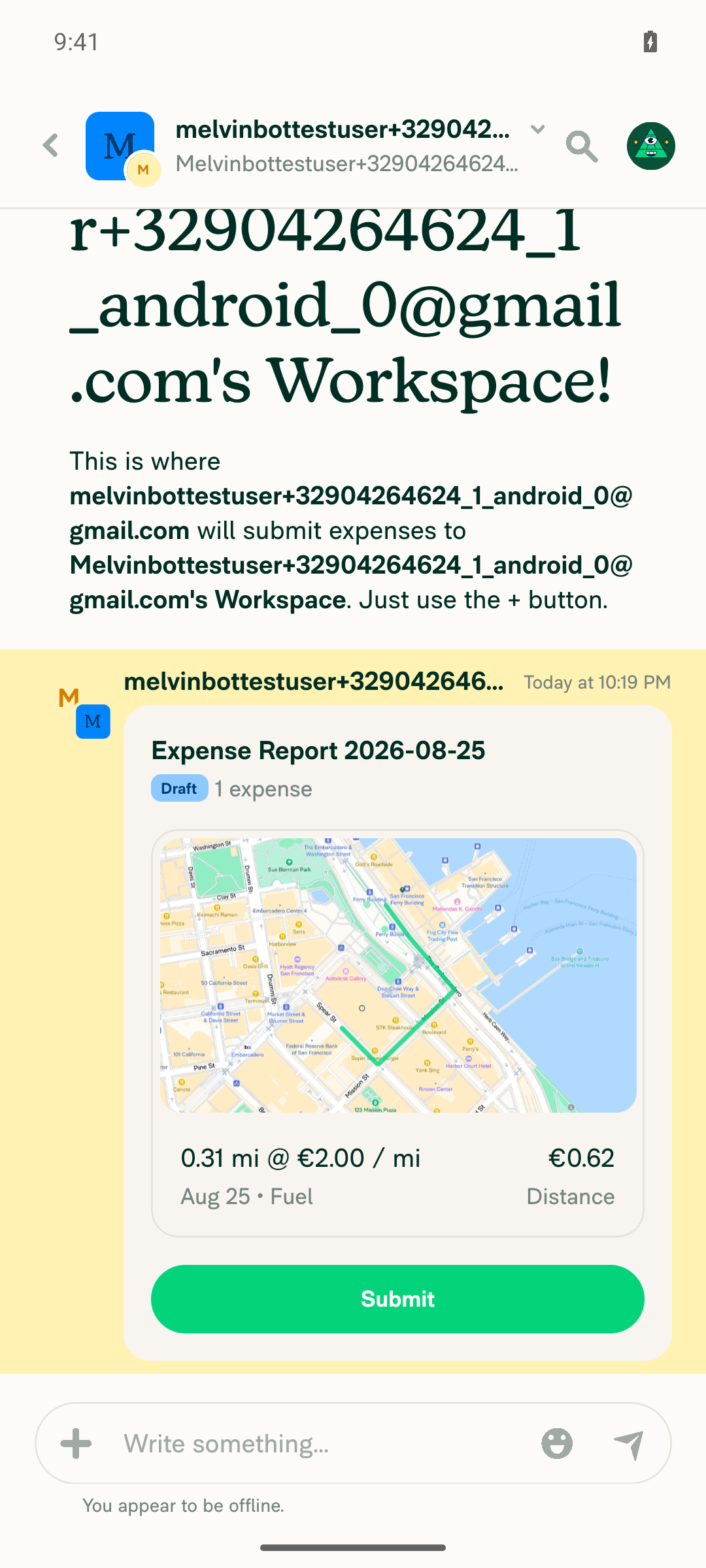
Map thumbnail visible while offline banner is shown

Map thumbnail visible after reconnecting to the internet
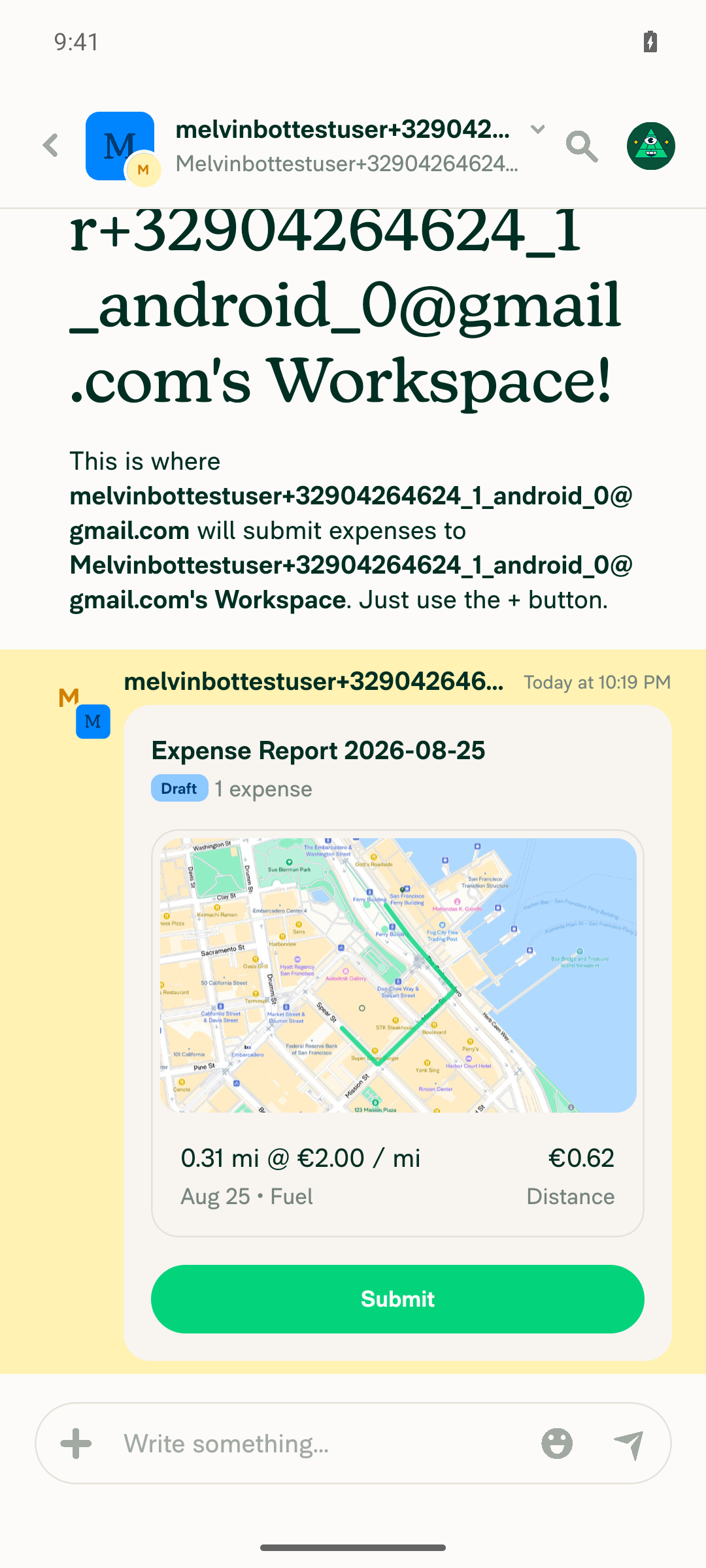
Map thumbnail visible after reconnecting to the internet

view run

@MelvinBot

Copy link
Copy Markdown
Contributor Author

⚠️ Web test — partial (core check inconclusive)

Result: partial — Setup steps (1–5, 7) completed and matched expected app behavior, but the key visual check (step 6) was inconclusive: the distance-expense map thumbnail never rendered in this dev/CI environment — it was already a blank gray placeholder while online, before any offline toggle. With no cached thumbnail ever produced, there was nothing to prove "stays visible offline" against. This looks like a limitation of the dev environment's receipt/map-thumbnail generation pipeline, not a finding about the PR itself.

Step Status Observation
Workspace has 2+ non-default distance rates ✅ pass Default Rate €0.76/mi, Rate A €1.25/mi, Rate B €2.50/mi, all Active
Map distance expense created using non-default rate ✅ pass 9.63 mi @ €1.25/mi (Rate A) = €12.04 — but thumbnail box was already blank gray at creation (online)
Delete the just-used rate ✅ pass Rate A set Inactive/locked (in use, so disabled rather than hard-deleted); expense flagged "Rate not valid for this workspace"
Edit expense Rate to a different non-default rate ✅ pass Changed to Rate B (€2.50/mi); amount recalculated to €24.08; system message logged the change
Force offline toggled on ✅ pass "You appear to be offline" indicator shown
Map preview remains visible (no blank placeholder) while offline ❌ inconclusive Preview was already blank online before going offline; network log shows recurring failed/pending GETs to www.expensify.com/receipts/… thumbnail URLs, so no thumbnail was ever cached to test persistence against
Map preview stays visible after returning online ✅ pass No new regression after re-enabling network; preview unchanged (still blank, consistent with pre-offline state)

No JS console errors observed.

Why the core check couldn't run: The PR's guarded branch (showMapAsImage&& !(isOffline && hasReceiptSource(transaction)) in ReportActionItemImage.tsx) only takes effect when a cached receipt thumbnail exists. In this environment hasReceiptSource(transaction) never became true — the receipt/map thumbnail request never resolved online — so that branch could not be exercised either way. A run in an environment where the Mapbox receipt thumbnail actually renders and caches online (e.g. staging) is needed to confirm the offline-persistence behavior. Note the Android test of the same steps did produce a cached thumbnail and passed.

Screenshots (6)

Workspace Distance rates list with two non-default rates

Workspace Distance rates list with two non-default rates

Distance expense created with Rate A, blank map preview already present online

Distance expense created with Rate A, blank map preview already present online

Rate A shown as Inactive/locked after delete

Rate A shown as Inactive/locked after delete

Expense rate edited to Rate B, amount recalculated

Expense rate edited to Rate B, amount recalculated

Offline state: report preview still blank, 'You appear to be offline' indicator visible

Offline state: report preview still blank, 'You appear to be offline' indicator visible

Back online: report preview unchanged, no regression

Back online: report preview unchanged, no regression

view run

Sign up for free to join this conversation on GitHub. Already have an account? Sign in to comment

Labels

Melvin-Test-Android Melvin-Test-Web Triggers Melvin to run the testing steps of the PR on web

Projects

None yet

Development

Successfully merging this pull request may close these issues.

2 participants