This repository demonstrates a project focused on enhancing human-robot interaction by leveraging large language models (LLMs) for natural language understanding. This approach enables seamless communication between non-expert users and autonomous robots, allowing human operators to issue freeform prompts without needing specialized knowledge or machine-readable commands.
By deploying an LLM-based architecture, the system translates human intent into structured instructions for the robot, defining three key parameters:
- Go Where? - Specifies the robot's destination.
- Find What? - Identifies objects or items to locate.
- Do What? - Outlines the intended action at the destination.
The resulting command, known as the DOA tuple (destination: D, object: O, action: A), is shared with the robot, which then autonomously navigates to the destination and performs real-time object recognition and task execution. This solution simplifies human-robot communication, making robotic operations more accessible and adaptable in real-world applications.
- Jetbot ROS Ai kit
- Server Computer
- Opencv
- Robot Operating System (ROS)
In this section, we will outline the setup process for the hardware components. The demo setup includes a robot, one server computer, and a wifi router. Let's delve into the specifics of setting up this hardware configuration.
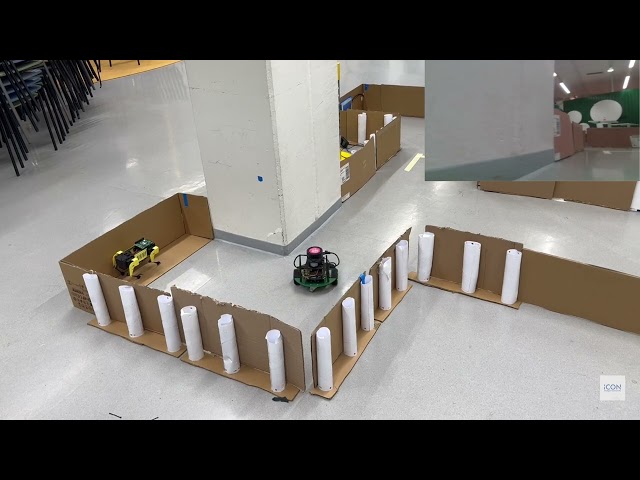
The robot we’re using here is based on the JetBot ROS AI Kit and runs on an NVIDIA Jetson Nano. It has a 360-degree LiDAR sensor in the middle to help it "see" around itself, along with a RealSense D415 depth camera for object detection. For step-by-step setup details, you can check out the official JetBot ROS AI Kit page.
To install the RealSense SDK, download it from Intel’s website here and follow their setup guide.
For OpenCV, use the following command in your terminal:
pip install opencv-python
To set up the TurtleBot3 ROS packages, follow the instructions on the TurtleBot3 official page.
To install NVIDIA TensorRT on Jetbot robot , follow the official installation guide provided by NVIDIA here.
Once you’ve installed all dependencies, download this repository, then copy the llm_autonomous and object_detection folders into your ROS workspace. After that, go into your workspace and build it with the following commands:
cd ~/<ros_workspace>/
catkin_make
source ~/<ros_workspace>/devel/setup.bash
The server is an Ubuntu OS running machine equipped with ROS (Robot Operating System).To set up the Server, download this GitHub repository and copy the chat_project folder into your workspace. After that, run the following commands to install the required dependencies and set up the database:
- Install the required Python packages:
pip install -r requirements.txt
- Run the Django migrations to set up the database:
python manage.py makemigrations
python manage.py migrate
- H.P. Madushanka (madushanka.hewapathiranage@oulu.fi)
- Sumudu Samarakoon (sumudu.samarakoon@oulu.fi)
- Rafaela Scaciota (rafaela.scaciotatimoesdasilva@oulu.fi)
- Mehdi Bennis (mehdi.bennis@oulu.fi)