
CrazySim2Real is a comprehensive framework for evaluating control algorithms on Crazyflie quadcopters, providing a standardized testing environment that bridges the gap between simulation and real hardware. This repository contains two main components:
- A physics-based Crazyflie drone simulator built on NVIDIA Isaac Lab
- A benchmarking framework for evaluating controller performance in both simulation and real-world environments
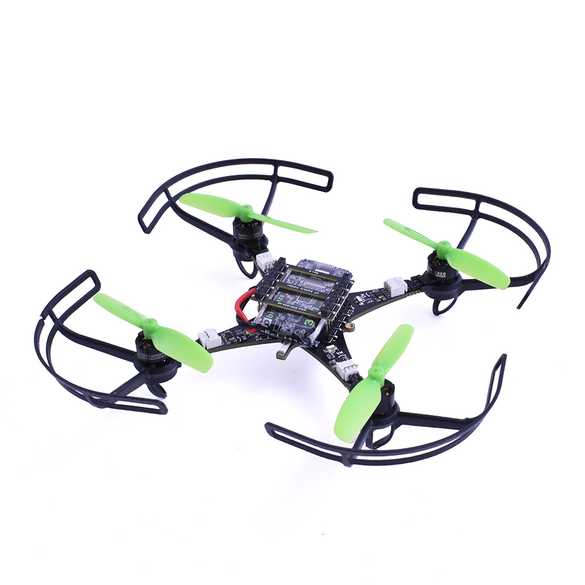
CrazySim2Real/
├── crazyflie_benchmark/     # Benchmarking framework for controller evaluation
│   ├── config/              # Configuration files for hardware and simulator
│   ├── logs/                # Test result logs (both sim and real)
│   ├── test_plans/          # Predefined test plans (step, impulse, sine sweep)
│   └── tests/               # Test implementation modules
├── crazyflie_sim/           # Simulator implementation
│   ├── api/                 # API server for simulator control
│   ├── controllers/         # Controller implementations for simulator (incl. CF2.1 BL port)
│   ├── sim/                 # Simulation manager and physics implementation
│   ├── run.py               # Main simulator entry point
│   ├── xbox_client.py       # Xbox controller teleoperation client
│   └── ros2_vis_client.py   # ROS 2 visualization / monitoring client
├── docker/                  # Docker configurations
│   └── isaaclab/            # Isaac Lab simulator environment
└── scripts/                 # Utility scripts for setup and execution
- Unified Testing Interface: Run identical tests on both simulated drones and real hardware
- Standardized Test Protocols: Pre-defined step, impulse, and sine sweep test plans
- Data Collection & Analysis: Automated logging, metrics generation and visualization
- Physics-Based Simulation: High-fidelity drone simulation using NVIDIA Isaac Lab
- Configurable Controllers: Evaluate different control algorithms with minimal code changes
- Safety Monitoring: Built-in safety features to protect hardware during testing
- Docker Integration: Containerized simulation environment for consistent results
- Python 3.8+ with pip
- Docker and Docker Compose (for simulation)
- Crazyflie hardware and Crazyradio PA (for real hardware tests)
- NVIDIA GPU with latest drivers (for simulation)
-
Clone the repository:
git clone https://github.com/yourusername/CrazySim2Real.git cd CrazySim2Real -
Install the required Python dependencies:
pip install -r crazyflie_benchmark/requirements.txt
-
Set up the Isaac Lab Docker environment (only needed for simulation):
# First-time setup
./scripts/init.sh
The simulator runs in a Docker container with NVIDIA Isaac Lab:
# Start the simulator
./scripts/start.sh /workspace/isaaclab/CrazySim2Real/crazyflie_sim/run.py

# Alternative with custom parameters
./scripts/start.sh /workspace/isaaclab/CrazySim2Real/crazyflie_sim/run.py --port 8000
This will start a Docker container with the Isaac Lab environment and launch the Crazyflie simulator inside it. The simulator exposes an HTTP API that the benchmarking framework can connect to.
xbox_client.py provides a teleoperation interface to control a simulated Crazyflie using an Xbox gamepad.
Usage (from repository root, with simulator already running):
cd crazyflie_sim
python xbox_client.py --host localhost --port 8000
You can customize button mappings and sensitivity configuration flags (see xbox_client.py).

ros2_vis_client.py bridges the simulator with a ROS 2 environment to visualize state and logs in standard ROS tools (e.g., RViz, rqt_plot).
Features:
- Subscribe to simulator state via HTTP/WebSocket API
- Publish drone pose, velocity, and control signals as ROS 2 topics
Usage (ROS 2 environment sourced, simulator running):
cd crazyflie_sim
python ros2_vis_client.py --host localhost --port 8000
You can then visualize the topics in plotjuggler or other ROS 2 tools.

The benchmarking framework can run tests on either the simulator or real hardware:
# List available test plans
cd crazyflie_benchmark
python main.py --list-tests

# Run a benchmark in simulation
python main.py --config config/simulator_config.yaml --test-plan step_tests.yaml

# Run a benchmark on real hardware
python main.py --config config/hardware_config.yaml --test-plan step_tests.yaml
Test plans are defined in YAML files in the test_plans/ directory:
- Step Tests (
step_tests.yaml): Evaluates the system's response to step inputs in roll, pitch, and thrust - Impulse Tests (
impulse_tests.yaml): Measures disturbance rejection and stability - Sine Sweep Tests (
sine_sweep_tests.yaml): Evaluates frequency response characteristics
Example step test configuration:
name: "Step Response Tests"
description: "Step response tests for roll, pitch, and thrust axes."
tests:
  - type: "step"
    channel: "roll"
    amplitude: 5.0  # degrees
    duration: 1.5   # seconds

  - type: "step"
    channel: "pitch"
    amplitude: 5.0  # degrees
duration: 1.5 # secondsTest results are automatically logged in the logs/ directory, with separate folders for simulation and real hardware tests. The framework provides tools for analyzing and visualizing test results:
# Analyze a specific test run
python main.py --analyze logs/20250513_001722-step-real/

# Generate plots and metrics
python main.py --analyze logs/20250513_001722-step-real/ --plots --metricsThe framework enables direct comparison between simulation and real hardware performance:
# Compare sim and real tests
python main.py --compare logs/sim/20250513_005534-step-sim/ logs/real/20250513_001722-step-real/
This will generate comparative metrics and plots showing the differences between simulation and reality.
Configuration files specify connection parameters and flight settings:
connection_type: "cflib"  # Use real Crazyflie hardware
uri: "radio://0/80/2M/E7E7E7E7E6"  # Radio URI for your Crazyflie
hover_thrust: 40000  # Approximate hover thrust (0-65535 scale)
max_roll_pitch: 15.0 # Safety limit for roll/pitch angle (degrees)connection_type: "simulator" # Use simulator
sim_host: "localhost" # Simulator host address
sim_port: 8000 # Simulator port
hover_thrust: 0.6 # Approximate hover thrust (normalized 0-1 scale)
max_roll_pitch: 15.0 # Safety limit for roll/pitch angle (degrees)Contributions are welcome! Please feel free to submit a Pull Request.
This project is licensed under the MIT License - see the LICENSE file for details.
- Bitcraze for the Crazyflie platform
- NVIDIA Isaac Lab for the simulation environment