Project I.G.I ToolKit is all in one game toolkit which lets you edit all game objects including Buildings/3D/AI/Weapons and lets you to design your own custom level in the game and lets you upload/download your level to server and share with your friends.
- General section.
- DLL File - This project uses IGI Natives.dll file and inject that into Game to call game native methods. .
- DLL Injection - This project needs DLL injection into IGI game.
- Game specific section.
- IGI Graphs Structure - Project IGI 1 Graph structure data.
- IGI 3D Models - Project IGI uses 3D models in form of MEF (Mesh External File).
- IGI Camera View - IGI use game Camera called Viewport to display the game.
ToolKit has several components which it needs in order to work fully to its functionality.
- Server : Located at OrgFree which contains Mission files and Resources like Weapon/A.I images for toolkit.
⚠️ Server Issues: The server might face connectivity issues or downtime. If you encounter problems:- For Images: Use the local "AppImages" folder provided with QEditor in the ToolKit package
- For Missions: Upload/Download functionality may be unavailable during server downtime
Database : Located at Github Gist private repo contains privacy information like I.P,Mac Address and Key for ToolKit.- Internal DLL : Located at IGI-Internals is used to call IGI Game internal native methods.
- QEditor - Located at path
C:\Users\my_username\AppData\Roaming\QEditorThis is appdata file comes pre-installed with any version of toolkit and can be downloaded from here QEditor Full Version.
QEditor was the initial name of the project because editor actually modifies Q files of games like QVM,QSC,QAS files but later it was changed.
.
├── AIFiles                 # AI Script and Path files.
├── QCompiler               # Compiler/Decompiler for IGI.
├── QFiles                  # Source files - QSC, Binary files - QVM.
├── QGraphs                 # Graphs files and areas.
├── QMissions               # Custom Missions files.
├── QWeapons                # Custom Weapons files.
├── Void                    # Empty Mission files.
├── aiIdle.qvm              # File for setting AI to idle state.
├── IGIModels.json           # Contains 3D Models information.
├── keywords.txt            # Keywords for QVM ToolKit.
├── QChecks.dat             # Contain MD5 Hashes to check file integrity.
└── weaponconfig.qvm        # Weapon config file.
ToolKit most of the time just compiles the script file QSC called Q script source into QVM called Q virtual machine and Restart the level in order to see the affected changes. Here is workflow mentioned.
- Get game level and select proper source file of level located at
QToolKit\QFiles\IGI_QSC\missions\location0\level. - Updates the script file with new script depends upon logic Add/Update/Delete commands.
Internal compiler - Copies script file from ToolKit
C:\IGI-ToolKittoD:\IGI\and compiles them to binary QVM file and moves them to proper destination.
External compiler - Copies script file from ToolKit
C:\IGI-ToolKittoQToolKit\QCompiler\Compile\inputand compiles them to binary QVM file and convert compiled QVM v7 (IGI 2) to QVM v5 (IGI 1) using DConv tool and moves them to proper destination. - Restart the level and see the changes.
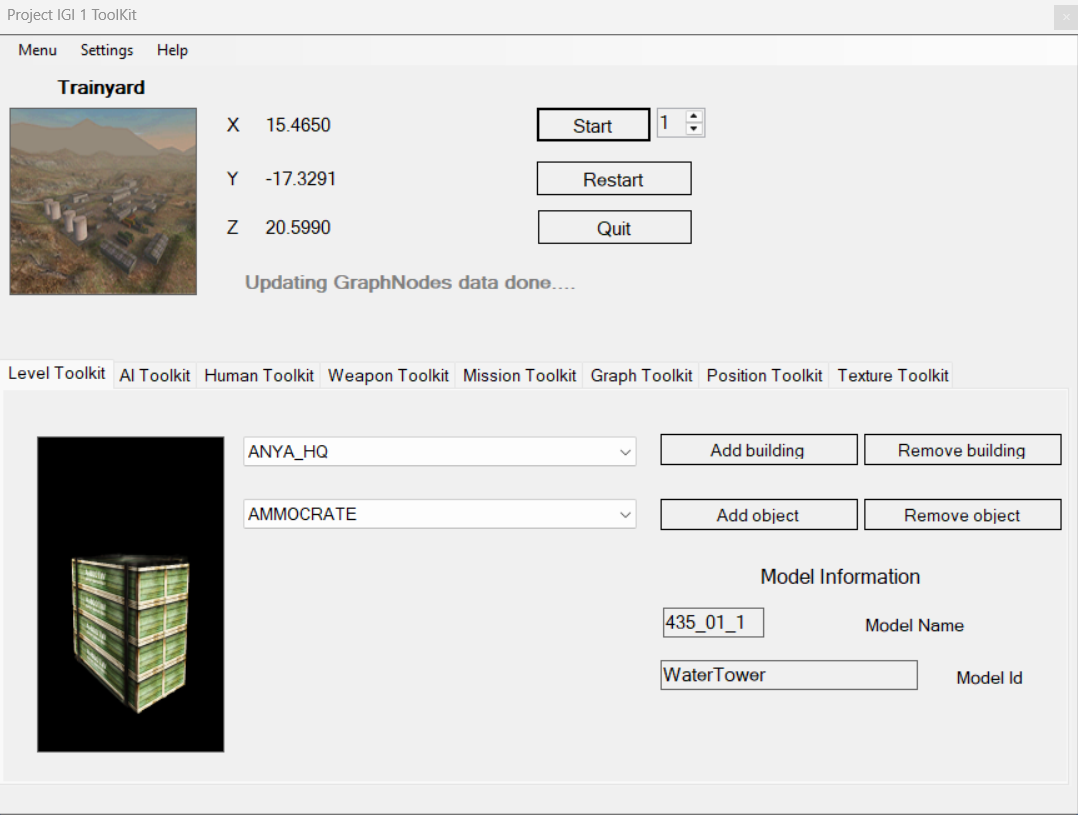
Level ToolKit: Lets you to Add or Remove Building/Objects in level at any position you want select list of objects to add in level and add then in Edit mode.
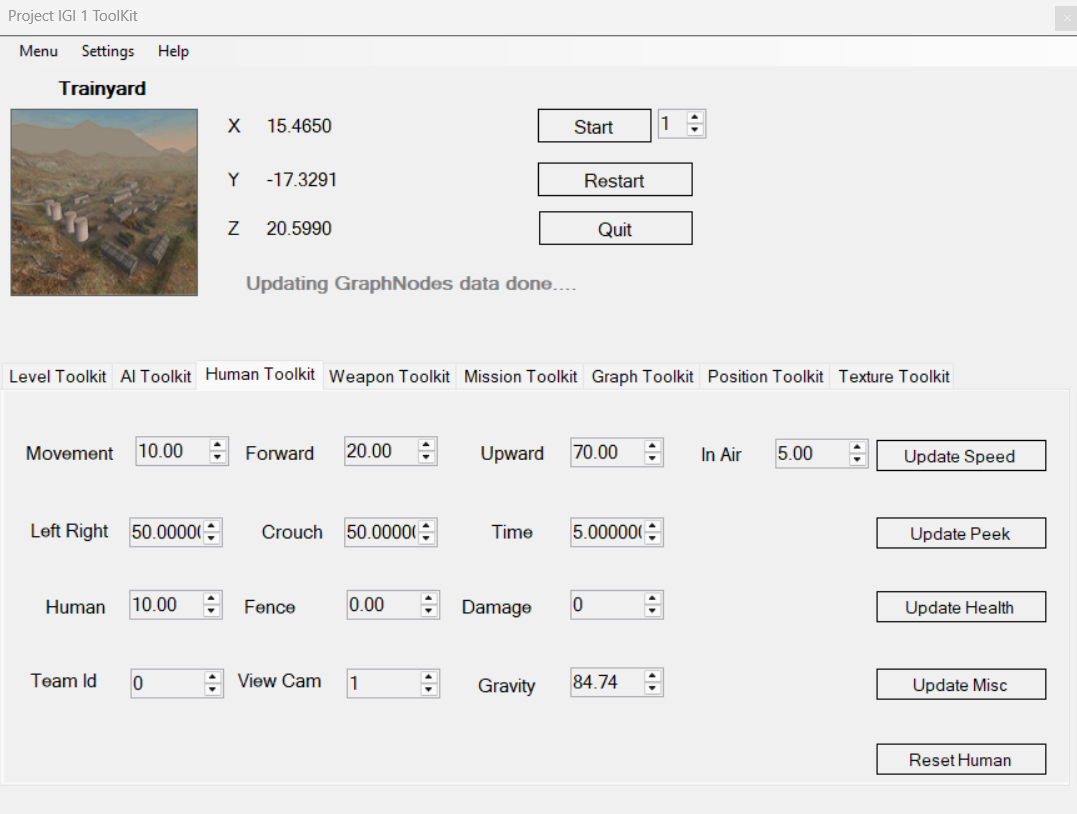
Human ToolKit: Lets you to Update human Speed/Jump,Health Scale peek and Team Id/Human Camera (1st Person,3rd person).
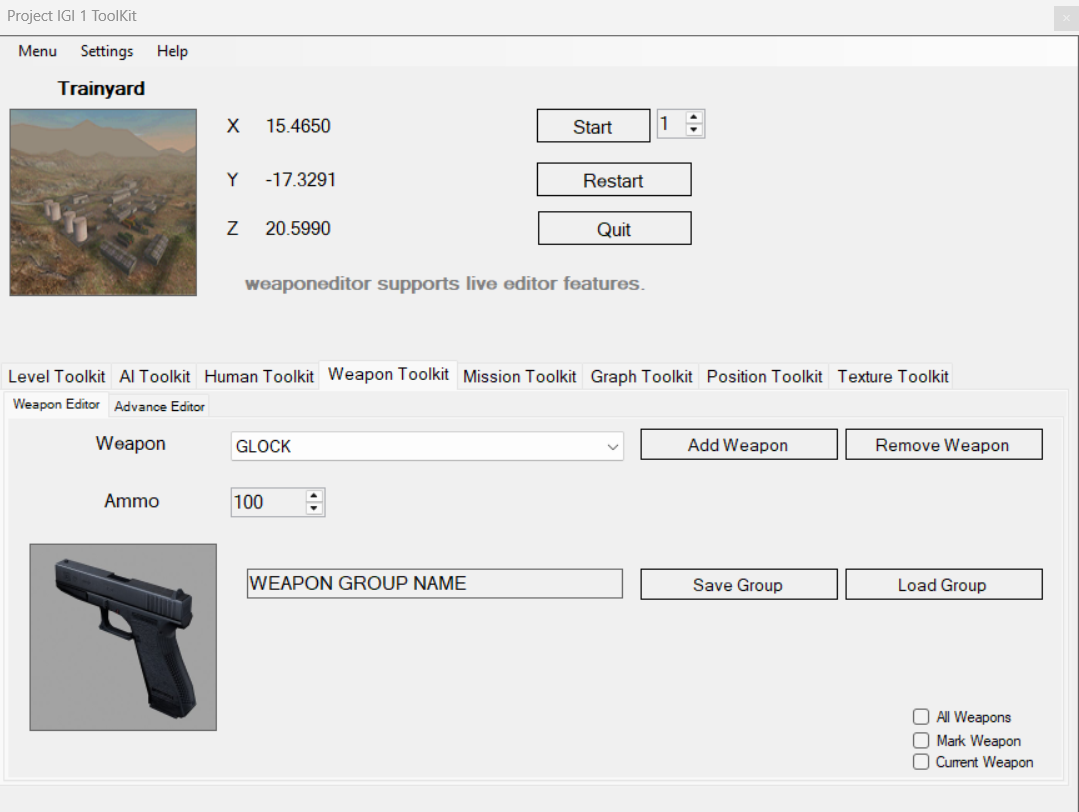
Weapon ToolKit: Lets you to Add or Remove new weapons in level permanently or temporary depends which mode is selected Live or Normal mode.
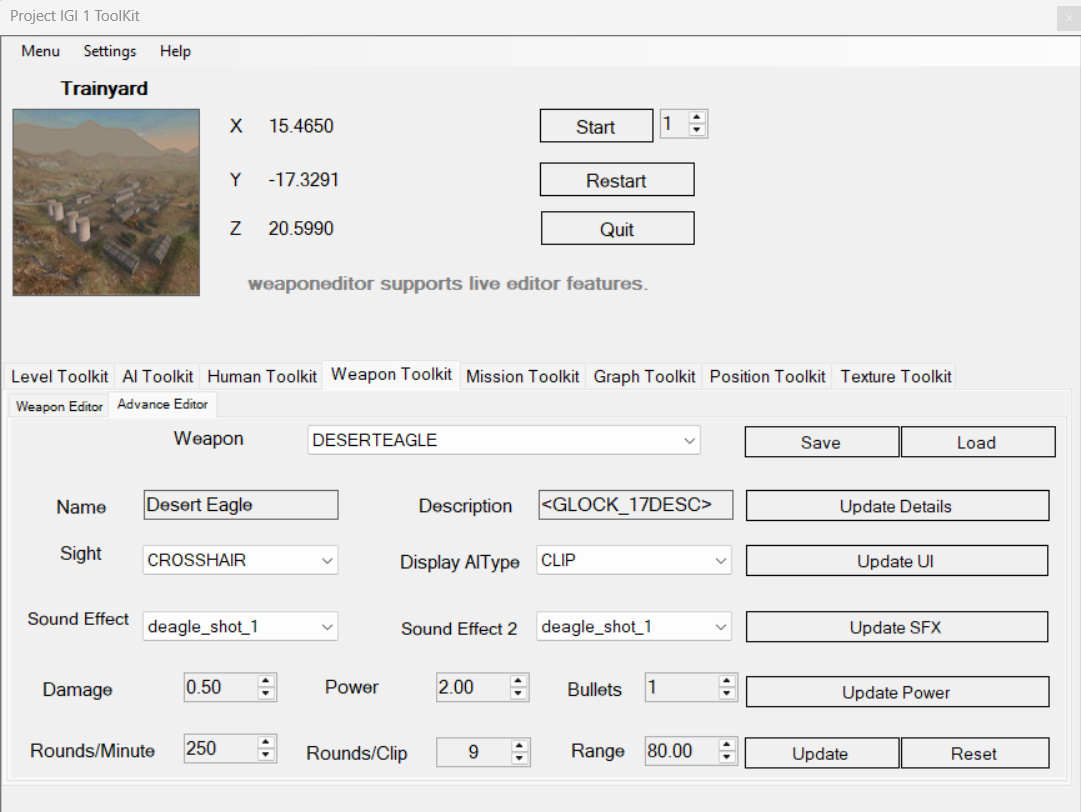
Weapon Advance ToolKit: Lets you to Update Weapon's advance data like Name,UI Type,Ammo Damage, Weapon Power/RPM and more.
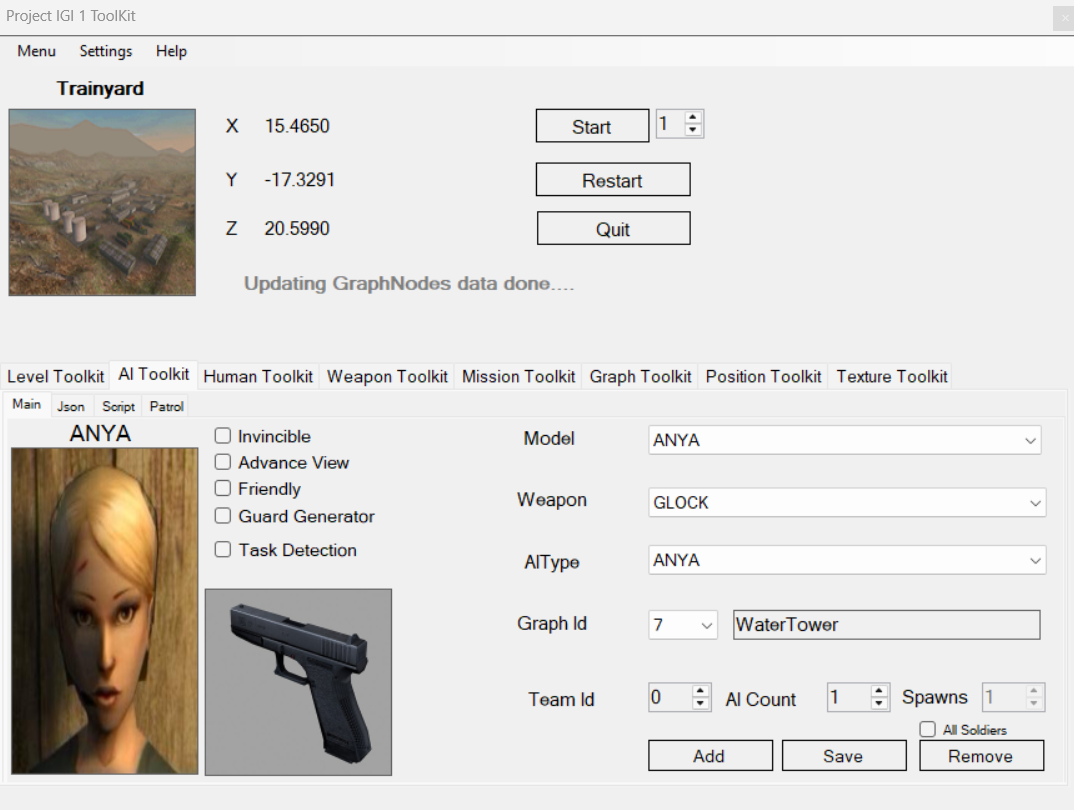
A.I ToolKit: Lets you to Add or Remove Friendly/Enemy A.I into level with various properties like invincible,advance view,guard generator etc.
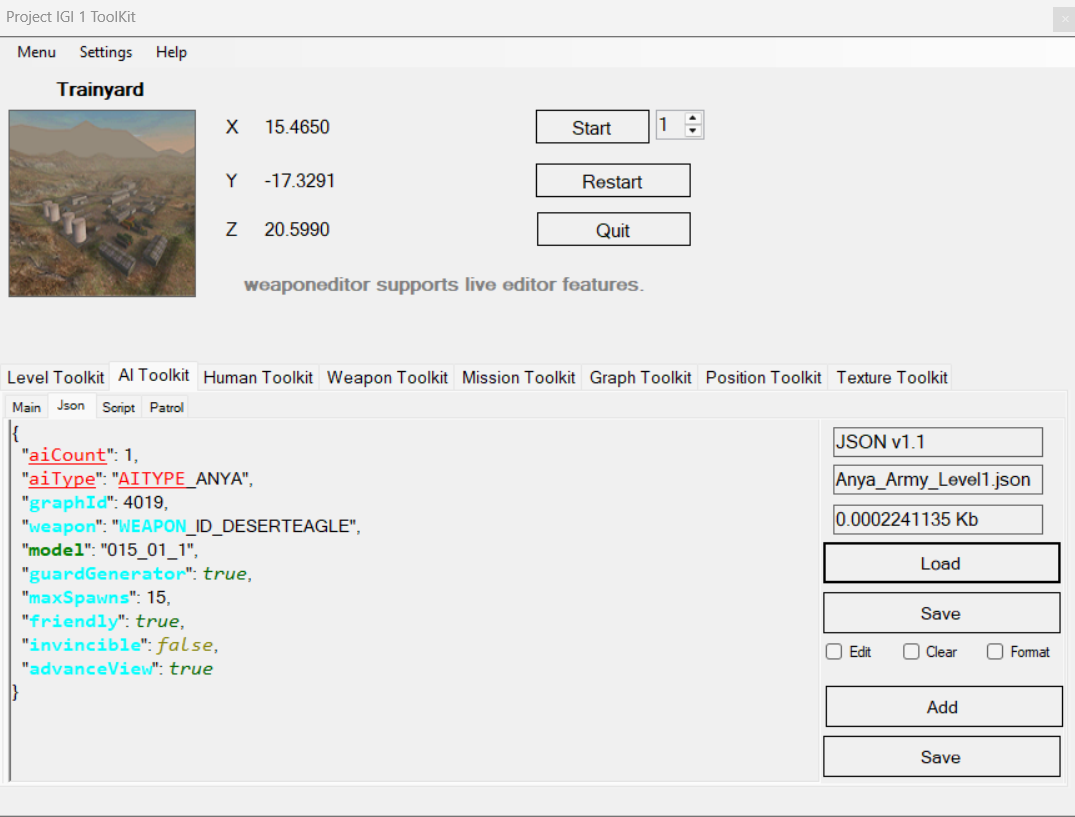
JSON ToolKit: Lets you to Save or Load A.I to JSON file permanently for later use, and you can edit/share json files into toolkit.
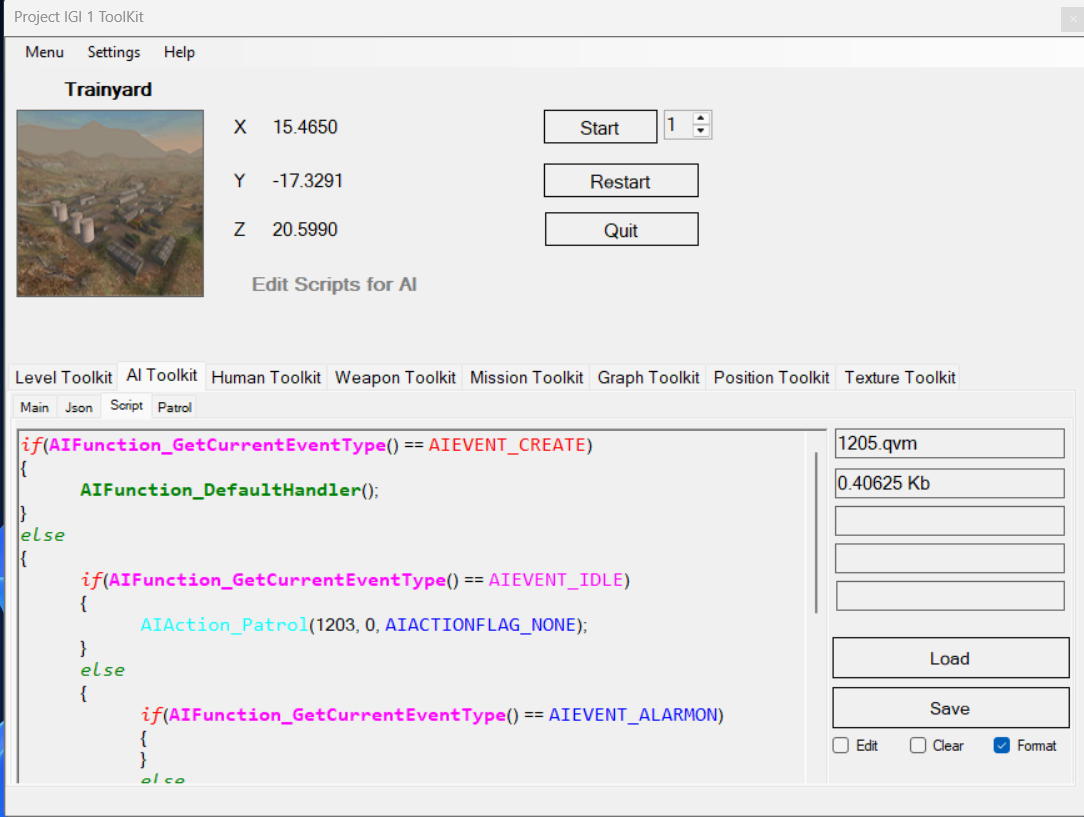
Script ToolKit: Allows you to Create, Edit, and Manage A.I scripts seamlessly. You can save scripts for later use.
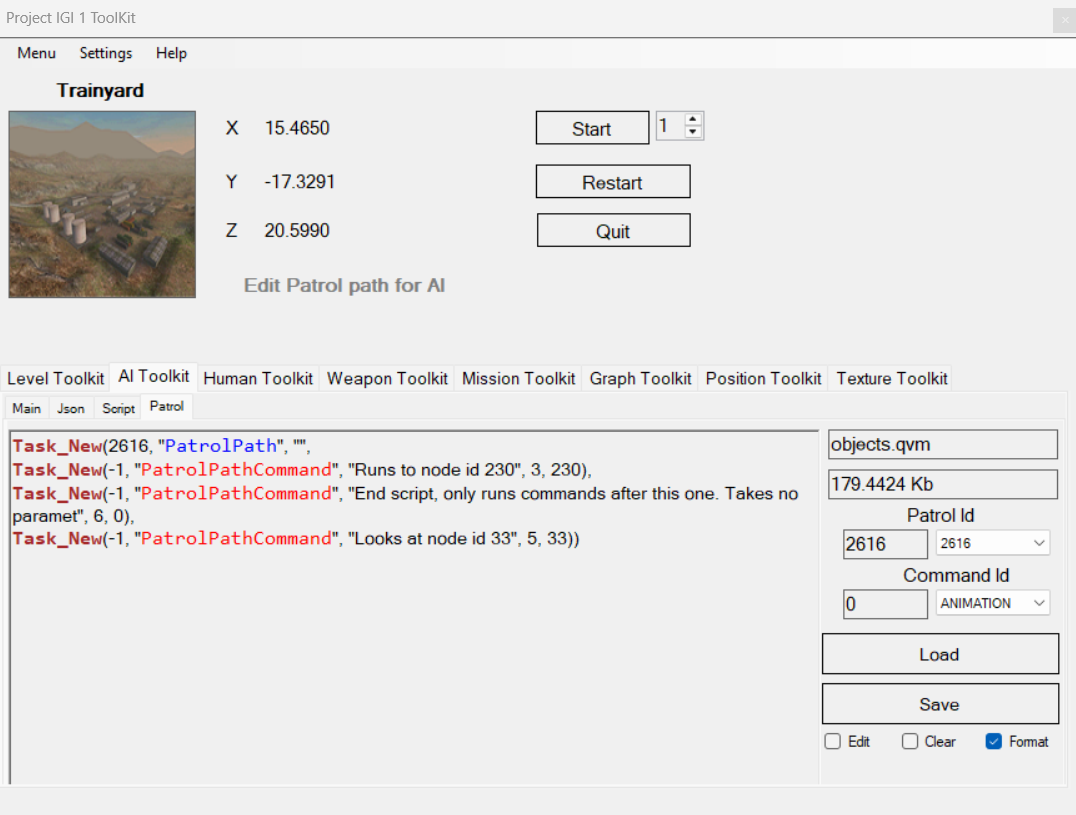
Patrol ToolKit: Enables you to Define, Modify, and Control A.I patrol routes. Save patrol patterns for reuse.
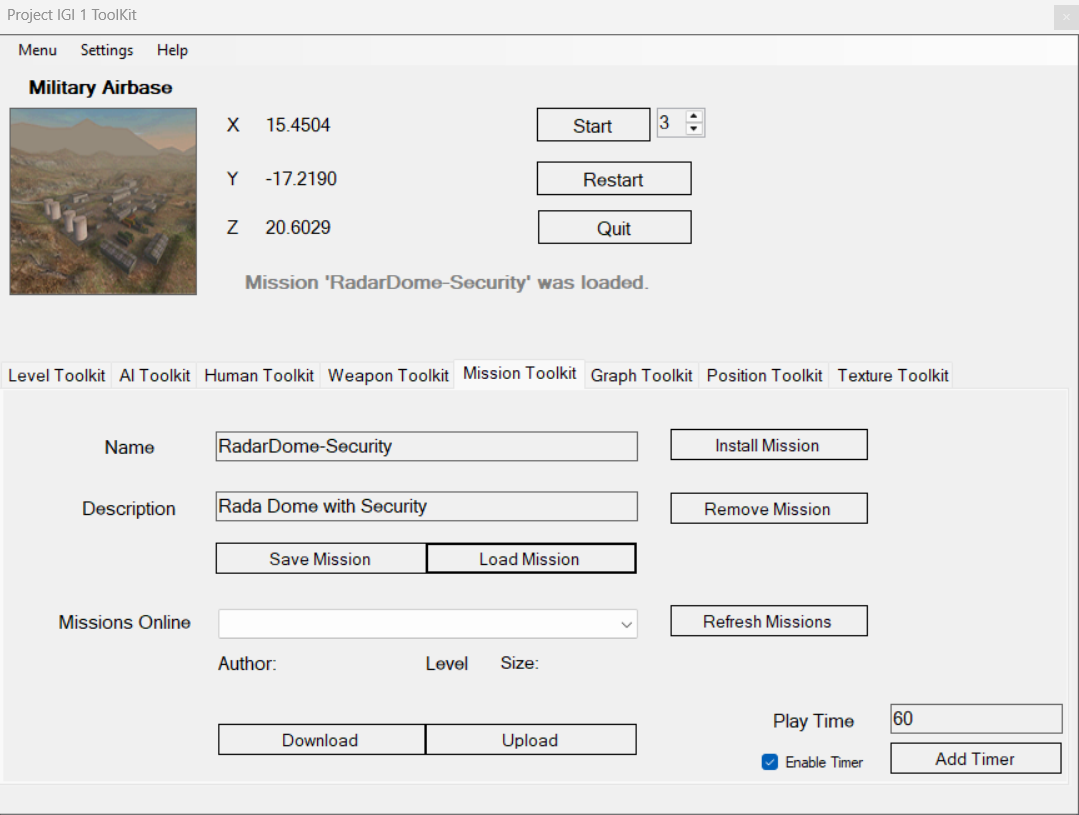
Mission ToolKit: Lets you to Add or Remove Missions into level after you design your own custom level enter Name and Description and Save your Mission
You can also Upload or Download new missions from Server and load into your game and play them directly..
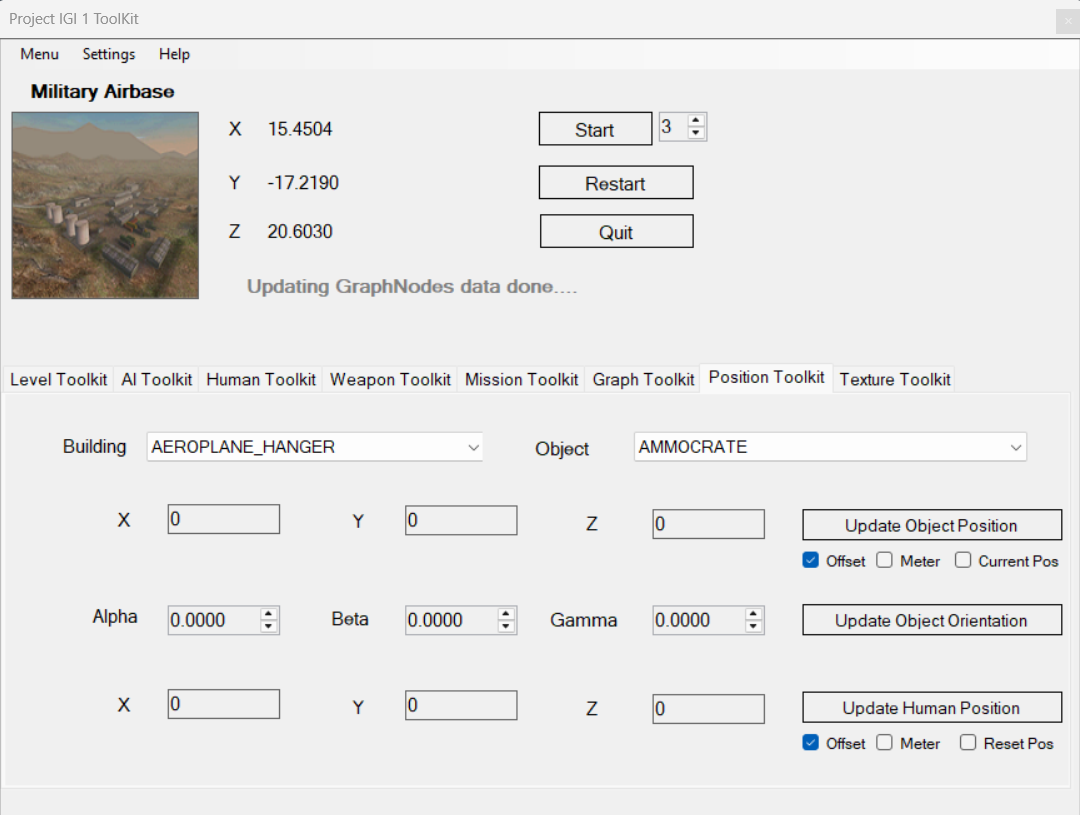
Position ToolKit: Lets you to Update or Reset Positions and Orientation of Game objects and Humanplayer you can Rotate them to 180 degree or move them to different location easily.
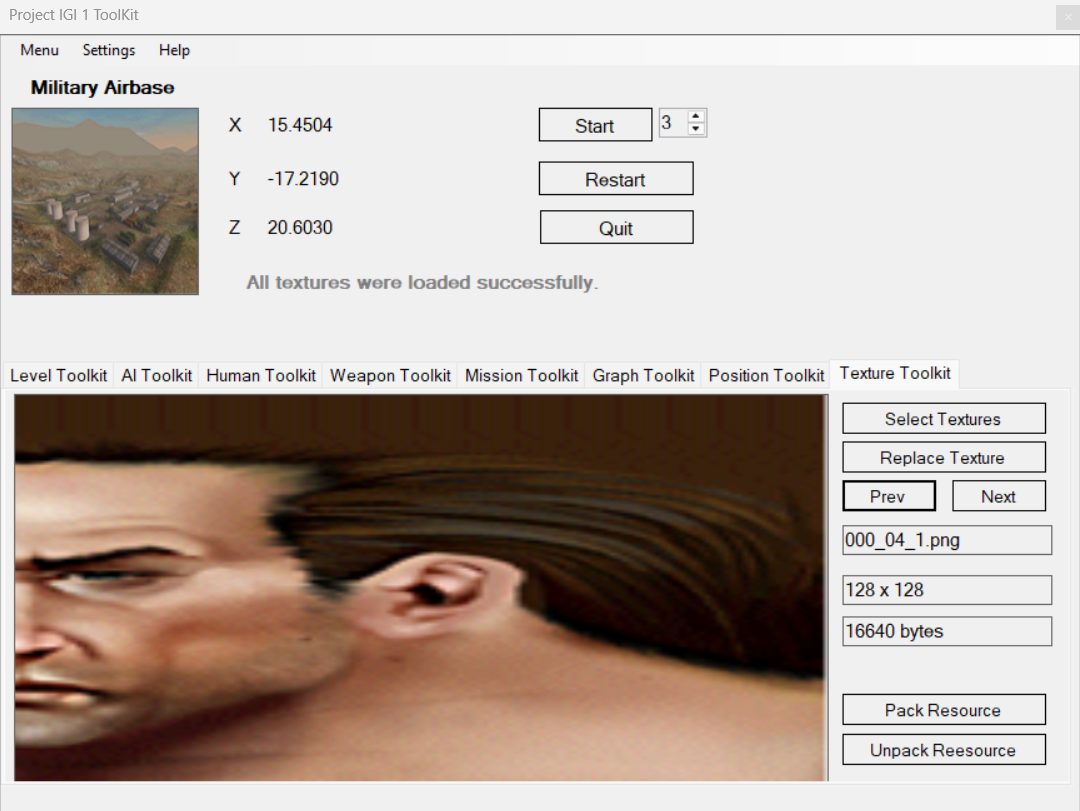
Texture ToolKit: Lets you to View and Replace Textures of game easily with inbuilt custom tools now you can view all game textures and replace them with your own Textures in .JPG/.PNG files .
- This can automatically Import textures from
.RESResource packed file annd view them directly into toolkit. - This can automatically Replace Images from
JPG/PNGtoTGAGame supported format and turn that into game texture easily.
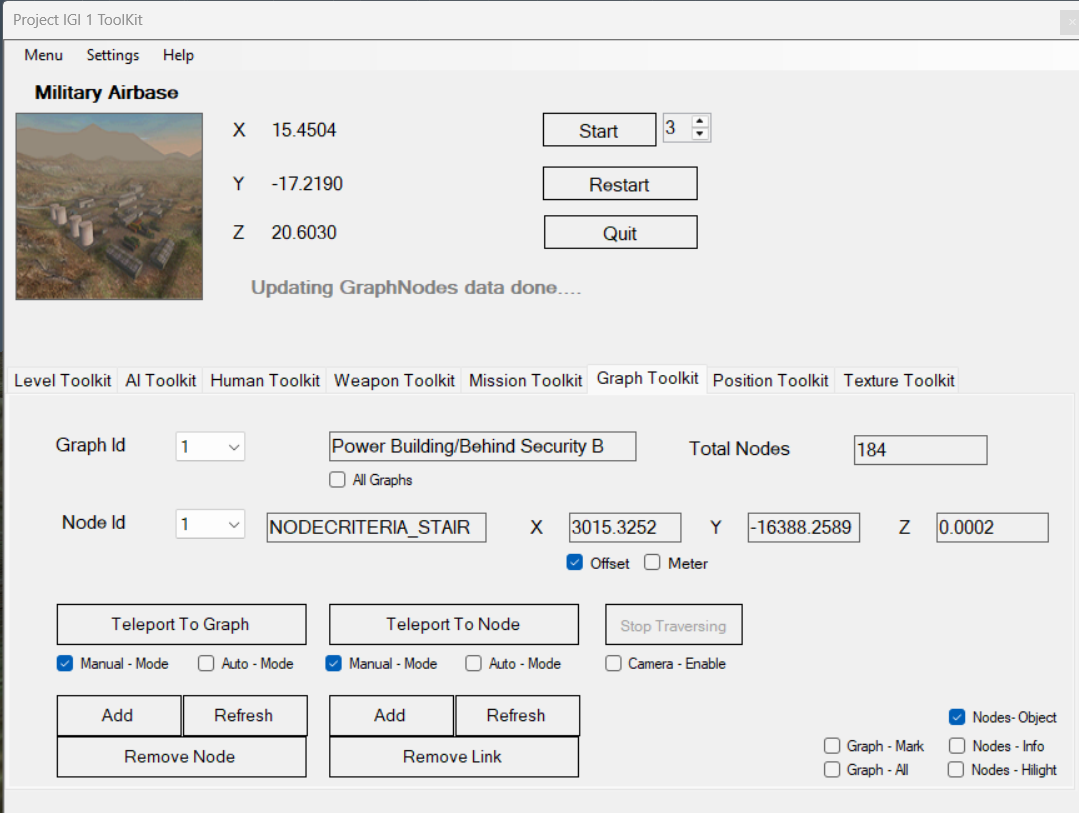
Graph toolkit: Lets you see visualization of Graph and nodes information, You can teleport or Auto traverse to Graph or Nodes in real time and see where graph or nodes are in selected level..


Misc toolkit: Lets you to Reset/Remove levels back to normal and Remove Cutscenes, Export level data,Set Game Frames FPS Update Game Music and more.
This toolkit requires license key to run contact via email or discord and mention your Username to identify yourself.
And now you can generate Key from KeyGen for your toolkit for free.
- All new UI/UX Design with More advanced toolkit.
- Real Time ToolKit Support.
- Resource/Profile/GameConfig/QCompiler toolkit.
- Compiler and Assembler with Parser output like .qsc to .qas to .qvm.
Profile toolkit: Lets you manage your Game Profiles you can update Name,Level,Mission details or Add or Remove new player profile for your player.
Resource toolkit: Lets you see all details of Game resources information like Resource Name,Address,Id and can Load or Unload any resource in Real time.
GameConfig toolkit: Lets you edit game configuration like Level,Password,ActiveMission,Graphics/Music/Mouse settings,Game Key controls,Game difficulty and more.
QCompiler toolkit: Lets you Compile/Assemble/Parse game files which game uses internaly to save/edit game data.
ToolKit version 0.8.7.6 Latest.
- 🔧 Fixed AI Patrol Path Variable Replacement - Resolved issue where variables weren't being replaced with actual node IDs
- 🔄 Enhanced Level Change UI Refresh - Improved UI component refresh when changing levels
- 🎨 Updated Menu Naming - Changed "Editor Mode" to "ToolKit Mode" and "Editor Connection" to "Toolkit Connection"
- 📊 Improved Level Change Logic - Added comprehensive refresh sequence for better user experience
- 🐛 Bug Fixes - Fixed modulo operation in AI patrol path generation
Check out the detailed version history in Changelogs.md
The toolkit onwards version 0.7 doesn't store any type of data from User,Machine the toolkit doesn't maintain any sort of database now.
- Project I.G.I 1 ToolKit Version 0.8.7.6 LATEST
IGI ToolKit
Checkout the detailed FAQ in FAQ.md
If you encounter any issues with the ToolKit, don't hesitate to contact me 👇
- 🎮 Discord: Feel free to message me at Jones_IGI#3954 and join our Discord server for quick support.
- 📧 Email: You can reach me at [email protected] for any questions or feedback.
- 🌟 Follow the Project: Stay updated with the latest developments on GitHub.
- 📺 Subscribe to our Channel: Watch useful guides and walkthroughs on our YouTube channel.
If you want to use this data, respect fellow researchers and give proper credits to people. (давать людям должные кредиты)
- Yoejin Light 🌟 : MTP, Models structure and information.
- Dimon Krevedko 🌟 : Graphs and Nodes structure and information.
- Artiom Rotari 🌟 : DConv Tools for Decompiler and Scripts.
- ORWA S 🌟 - Graphs Area and Nodes compilation of information.
- GM123 🌟 - Detailed Models Information.
- Dark🌟 - Contrinuted on Various Projects and files (Resources,QVM,QSC etc) and UI/UX Designs.
- Ferit Coder 🌟 - Helped with IGI 2 ToolKit Maps/Models conversion to IGI 1..
- Neo 🌟 - Helped with improvement of ToolKit overall and Texture ToolKit..
- Chat-GPT Pro 🌟 - Understanding complex game mechanics with Reverse Engineering and Advaced Data Analysis of Game files QVM,QSC,.DAT and more.
👤 Original Author:
- LinkedIn: Haseeb-Mir91
- GitHub: Haseeb-Heaven

