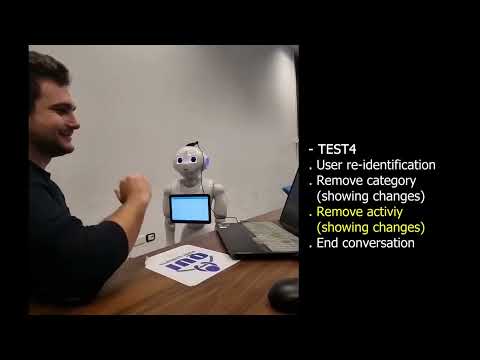
Before running the project download the necessary dependencies. Make the launch scripts executable if they are not and mount the ROS workspace.
chmod u+x cogrob-todolist/src/*
catkin build
Launch the Flask server, making sure it is visible on the local network.
python3 cogrob-todolist/src/tablet_pkg/flask_server/app.pyBefore executing check the config.py file, setting the correct microphone index with MIC_INDEX (None to use the default microphone). If running with Pepper, make sure the PEPPER variable is set to True.
At this point the setup is complete. To launch the project, from the ROS workspace run the following commands:
cd cogrob-todolist # workspace ROS
source setup.sh
roslaunch rasa_ros pepper.launch flask_ip:= #your ipIf you have problems you can track the launch files separately via the source debug.sh command or as follows. In a new terminal run the following commands:
cd cogrob-todolist # workspace ROS
source setup.sh
roslaunch pepper_nodes pepper_bringup.launch
With the Flask server running, In another terminal run:
cd cogrob-todolist # workspace ROS
source setup.sh
roslaunch tablet_pkg tablet.launch flask_ip:= #your ip
In another terminal:
cd cogrob-todolist # workspace ROS
source setup.sh
roslaunch rasa_ros chatbot.launch
At this point all the necessary services are running.
In a new terminal, run the following code to start integrating services:
cd cogrob-todolist # workspace ROS
source setup.sh
rosrun rasa_ros dialog_interface.py
Finally, in a new terminal, the following code to start microphone and audio services:
cd cogrob-todolist # workspace ROS
source setup.sh
roslaunch ros_audio_pkg audio.launch
If you don't have Pepper you can run the project in debug mode, setting the PEPPER variable to False in config.py and avoiding pepper_bringup.launch and tablet. launch.
| Student | Matricola | |
|---|---|---|
| Mario Amato | m.amato72@studenti.unisa.it | 0622701670 |
| Margherita Avitabile | m.avitabile6@studenti.unisa.it | 0622701825 |
| Lucia Battipaglia | l.battipaglia6@studenti.unisa.it | 0622701758 |
| Francesco Sonnessa | f.sonnessa@studenti.unisa.it | 0622701672 |