Neither I nor this program are affiliated with either TIDAL or Discord in any way.
TIDAL, the wordmark and logo are registered trademarks of TIDAL Music AS.
This project provides a simple and safe method of getting basic TIDAL rich presence on your profile, featuring the song name and artist.
- Run the command
python -m pip install pypresence, as this module is needed to interact with Discord. - If you wish to use the GUI variant, you will additionally need
python -m pip install PySimpleGUIandpython -m pip install psgtray - Download this project's latest release (.zip).
- Head to the Discord developer portal.
- Select applications.
- Sign in to Discord.
- Click "New Application".
- Under "General Information", name your application
TIDAL. - Under "Rich Presence", add the two images contained in the downloaded zip,
hraandtidallogo. Do NOT change the file names. - Ensure the images have saved.
- Head back to "General Information", and copy your "Application ID" into the
client_idvariable inTidal RPC.py.
You're all set! Simply run Tidal RPC.py, and you should be able to see the rich presence in action.
This program requires that your TIDAL window remains open. It does not need to be in focus (apps can be on top of it), but it cannot be minimised or in your system tray.
Create a simple .bat file running the CLI or GUI python code with
@echo off
python "pathToFile\Tidal RPC GUI.py"
Edit the AHK script and point it to your created .bat file.
Compile the AHK script into an executable file (use compression: NONE to avoid angry antivirus software).
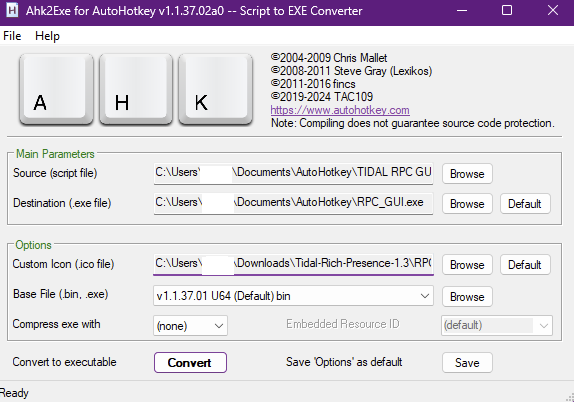
Run the file! Optionally add it to startup by putting a shortcut to it in the startup folder, which you can access by using WindowsKey + R and entering shell:startup
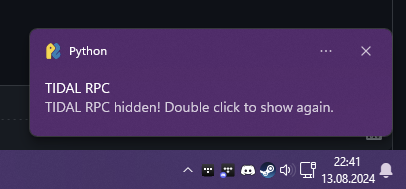
Note: the CLI variant may start hidden in the system tray, and can be hidden/restored by doubleclicking the tray icon (looks like a C:> ).
Rich presence preview:

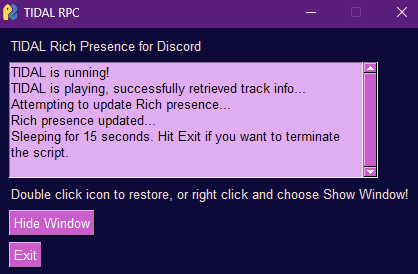
GUI preview (set your own themes in PySimpleGUI)
Notifications and minimize to tray preview: