ROS 2 Humble package for the Unitree Go2 quadruped robot using the CHAMP controller framework with Ignition Fortress (Gazebo) simulation. Features teleoperation, 3D LiDAR (Velodyne), IMU, and 2D LiDAR support.
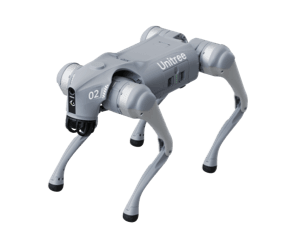

Unitree Robotics is focusing on the R&D, production, and sales of consumer and industry-class high-performance general-purpose legged and humanoid robots, six-axis manipulators, and so on. They attach great importance to independent research and development and technological innovation, fully self-researching key core robot components such as motors, reducers, controllers, LIDAR and high-performance perception and motion control algorithms, integrating the entire robotics industry chain.
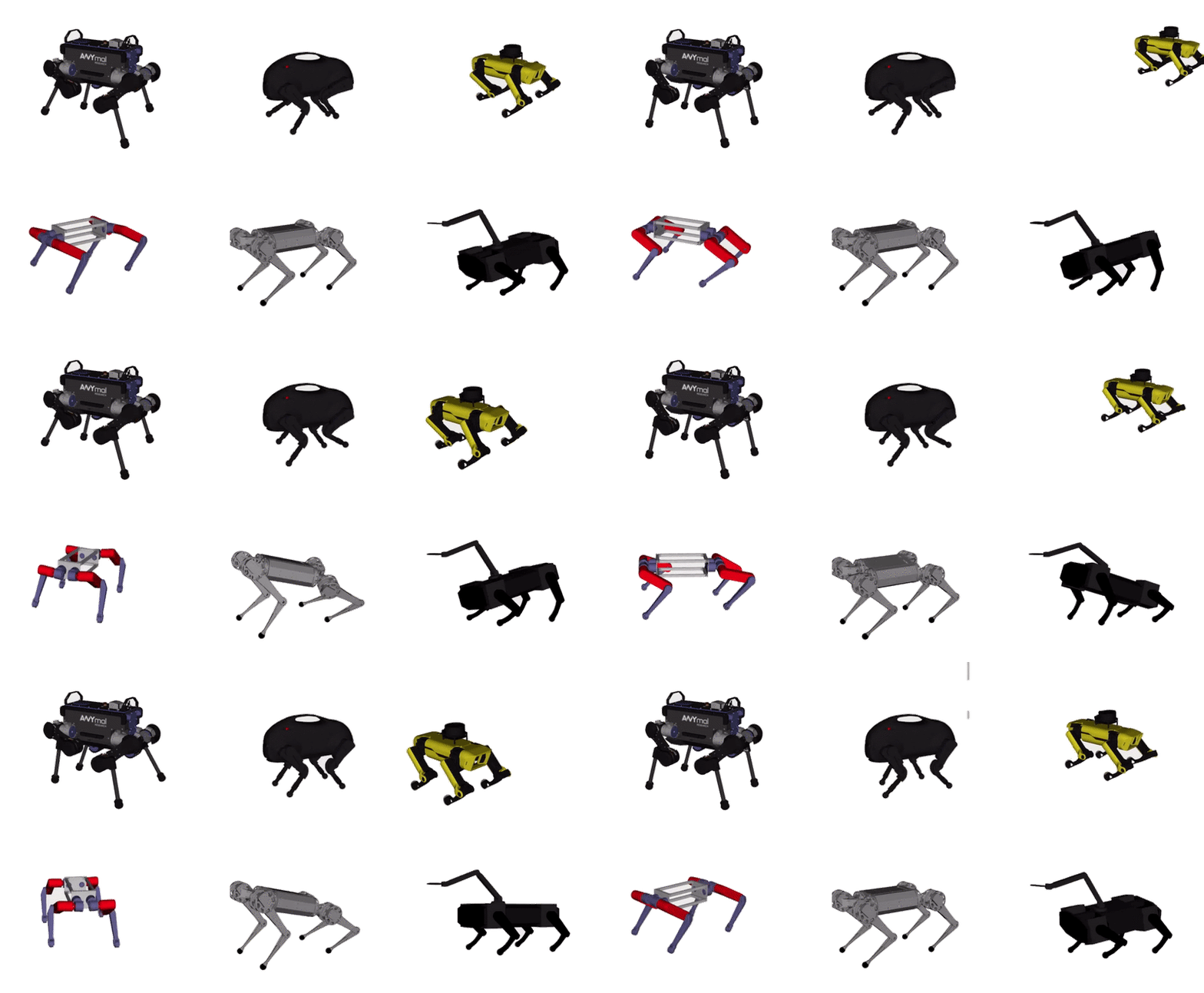
CHAMP is an open source development framework for building new quadrupedal robots and developing new control algorithms. The control framework is based on "Hierarchical controller for highly dynamic locomotion utilizing pattern modulation and impedance control : implementation on the MIT Cheetah robot".
- Ubuntu 22.04 (ROS 2 Humble)
- Ignition Fortress (Gazebo)
- ✅ Go2 robot configured with CHAMP controller
- ✅ Robot description ported to ROS 2
- ✅ URDF with ros2_control tags
- ✅ Launch files for ROS 2
- ✅ Configuration files for ROS 2
- ✅ Ignition Fortress simulation
- ✅ RViz visualization
- ✅ Teleoperation support
- ✅ IMU sensor
- ✅ 2D LiDAR (Hokuyo)
- ✅ 3D LiDAR (Velodyne VLP-16)
- ⬜ SLAM integration
- ⬜ Nav2 integration
cd <your_ws>/src
git clone https://github.com/rahgirrafi/unitree-go2-ros2.git
cd unitree-go2-ros2

# Initialize and update the velodyne submodule
git submodule update --init --recursive
Note: The velodyne lidar package is included as a git submodule. If you've already cloned the repository without the
--recursiveflag, rungit submodule update --init --recursiveto fetch the submodule.
./dev/build.sh

./deb/run.shcd <your_ws>
colcon build
. <your_ws>/install/setup.bashYou don't need a physical robot to run the following demos. All dependencies will be installed via rosdep.
Run the Ignition Fortress simulation:
ros2 launch go2_config gazebo_realsense_d435i.launch.py
Run the simulation with RViz visualization:
ros2 launch go2_config gazebo_realsense_d435i.launch.py rviz:=true
Control the robot using keyboard:
ros2 run teleop_twist_keyboard teleop_twist_keyboardRun the simulation with Velodyne VLP-16 3D LiDAR:
ros2 launch go2_config gazebo_velodyne.launch.py 
Run the Velodyne simulation with RViz to visualize point cloud data:
ros2 launch go2_config gazebo_velodyne.launch.py rviz:=trueNote: Set point cloud topic to
/velodyne_pointsin RViz.

To use a 2D laser scanner instead of the 3D Velodyne LiDAR:
- Open
robots/descriptions/go2_description/xacro/robot_VLP.xacro - Comment out:
<xacro:include filename="$(find go2_description)/xacro/velodyne.xacro"/> - Uncomment:
<xacro:include filename="$(find go2_description)/xacro/laser.xacro"/> - Rebuild the workspace
Then launch:
ros2 launch go2_config gazebo_velodyne.launch.py rviz:=trueThe gait configuration for your robot can be found in go2_config/config/gait/gait.yaml.
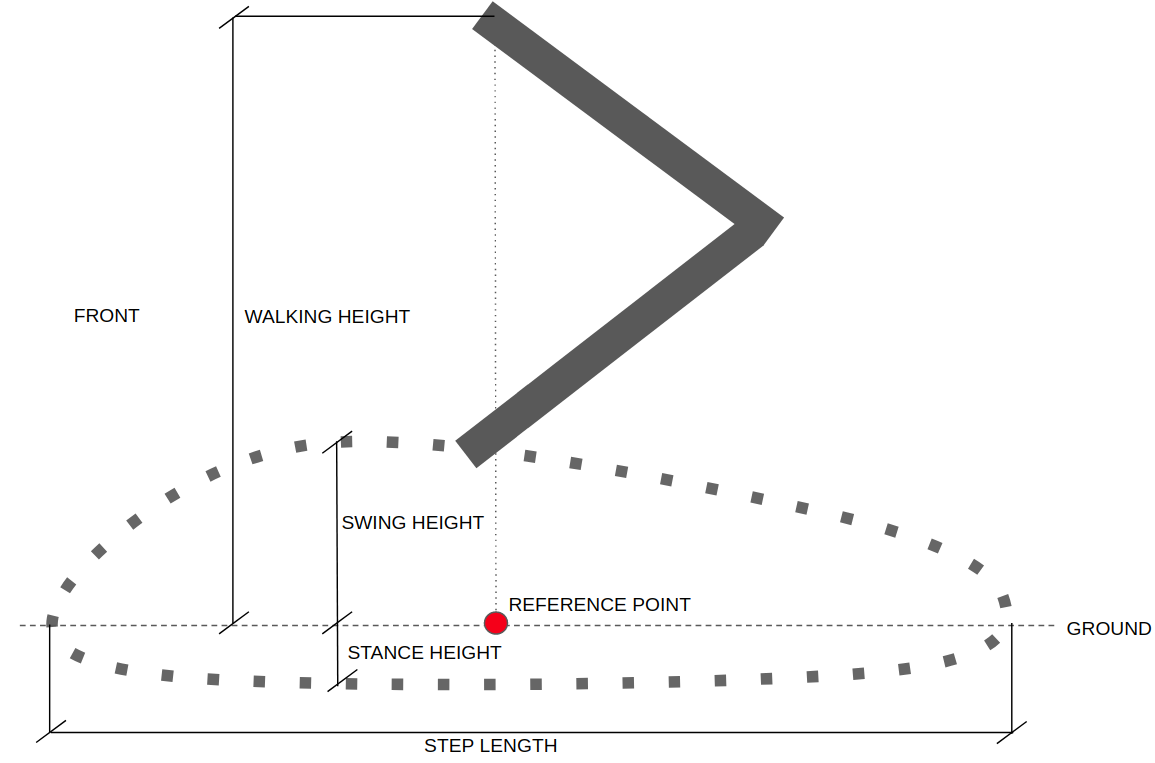
| Parameter | Unit | Description |
|---|---|---|
| Knee Orientation | - | How the knees should be bent. Configure as .>> .>< .<< .<> where dot is the front of the robot. |
| Max Linear Velocity X | m/s | Robot's maximum forward/reverse speed. |
| Max Linear Velocity Y | m/s | Robot's maximum speed when moving sideways. |
| Max Angular Velocity Z | rad/s | Robot's maximum rotational speed. |
| Stance Duration | s | How long each leg spends on the ground while walking. Default: 0.25s. |
| Leg Swing Height | m | Trajectory height during swing phase. |
| Leg Stance Height | m | Trajectory depth during stance phase. |
| Robot Walking Height | m | Distance from hip to ground while walking. Setting too high can cause instability. |
| CoM X Translation | m | Shift reference point in X axis to compensate for uneven weight distribution. |
| Odometry Scaler | - | Multiplier for dead reckoning velocities. Typically 1.0 to 1.20. |
Contributions are welcome! Please feel free to submit a Pull Request.
- Fork the repository
- Create your feature branch (
git checkout -b feature/AmazingFeature) - Commit your changes (
git commit -m 'feat: Add some AmazingFeature') - Push to the branch (
git push origin feature/AmazingFeature) - Open a Pull Request
This project is open source. See individual package licenses for details.
This project builds upon and incorporates work from the following projects:
- Unitree Robotics - Go2 robot description (URDF model)
- CHAMP - Quadruped controller framework
- CHAMP Robots - Robot configurations and setup examples
- Velodyne Simulator - Velodyne LiDAR simulation for Ignition Fortress
We are grateful to the developers and contributors of these projects for their valuable work.
- add Gazebo Realsense D435i simulation scaffold
- keep Ignition Fortress / ros_gz native path
- avoid taking a hard dependency on Gazebo Classic Realsense plugins for the first iteration