


Welcome to the Tetris game developed entirely in C using the SD2L library! As a classic puzzle game, Tetris is sure to provide hours of entertainment as players work to clear the board by fitting falling Tetrominoes into the grid.
To begin playing, simply clone the repository and run the Tetris executable file.
git clone https://github.com/Vortrix5/sdl-tetris-gameIn this version of Tetris, we've included all seven shapes and a variety of colors, just like in the original game. Players can track their progress using the official scoring system, with higher scores being awarded for clearing multiple lines at once. Can you reach the top of the leaderboard?
We hope you enjoy playing Tetris as much as we enjoyed creating it!
Happy gaming 🎮 !
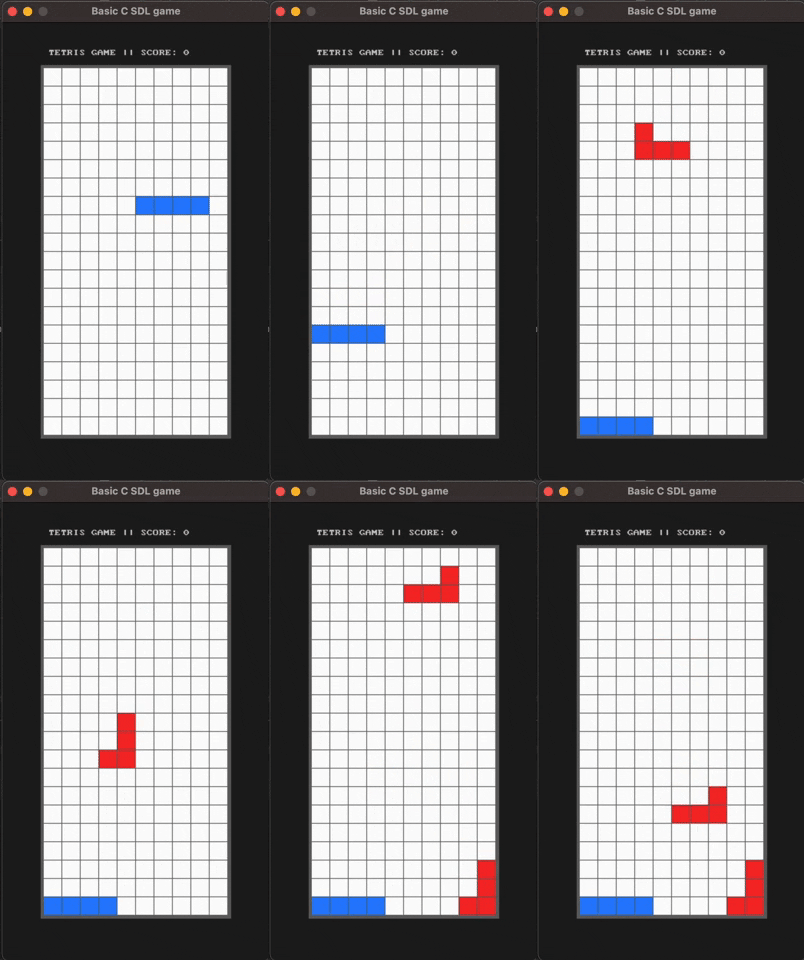
As the Tetrominoes start to fall, players can use the following keybinds to move and manipulate them:
- Right Arrow ➡️: Move the Tetromino to the right
- Left Arrow ⬅️: Move the Tetromino to the left
- Down Arrow ⬇️: Speed up the descent of the Tetromino
- Space Bar : Rotate the Tetromino 90 degrees
- Escape : Pause/Unpause the game
| Lines | Points |
|---|---|
| Single | 100 × level |
| Double | 300 × level |
| Triple | 500 × level |
| Tetris | 800 × level; difficult |
To implement the mechanics of this game, we utilized C structs to represent the shapes and grids. The game constantly checks the number of blocks in each row, clearing the row and shifting all blocks above it downward when the maximum number is reached.
Collision detection is also an integral part of the game - during each fall, the surrounding blocks are checked for colored properties, with the Tetromino coming to a halt and a new one being generated if a collision is detected. The game ends when the Tetrominoes reach the maximum height.
A special thanks goes to our CS Lab Professor Amine Ben Hassouna, whose library (basic-c-sdl-game) was instrumental in the development of this game.
If you have any questions, concerns, or bug reports, don't hesitate to reach out to us at contact@vortrix.live.