Project to test the capabilities of the nClam API
- Download the ClamAV server from here
- Extract the binaries to
C:\clamav - Create an empty directory called
DBin theC:\clamavdirectory - From an administrator command prompt
cdintoC:\clamavdirectory and run thefreshclam --no-dnscommand. This will download the most up to date virus databases into theDBdirectory - Start the ClamAV Service by running
clamd --install - Start the Updater Service by running
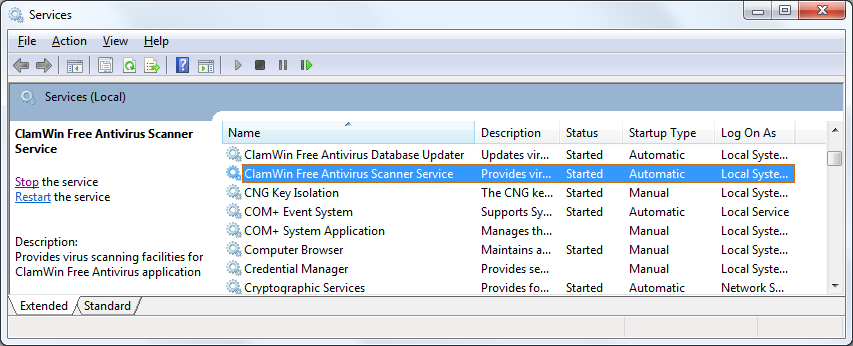
freshclam --install - Set the ClamAV Services to run automatically at startup as shown in the image below
- The ClamAV Server should now be started at
localhost:3310. You can test this by navigating to it and the textUNKNOWN COMMANDshould appear in the browser.