The macOS-Show-Desktop is simple app to hide all open windows in macOS and show the desktop, similar to the bottom right corner of the Windows taskbar.
Download macOS Show Desktop [Click Here]
1. Download the Zip file
2. Extract, then drag the Zip file contents (Show Desktop.app) into the App folder
3. Drag the Show Desktop.app into macOS Dock
4. Enjoy it!
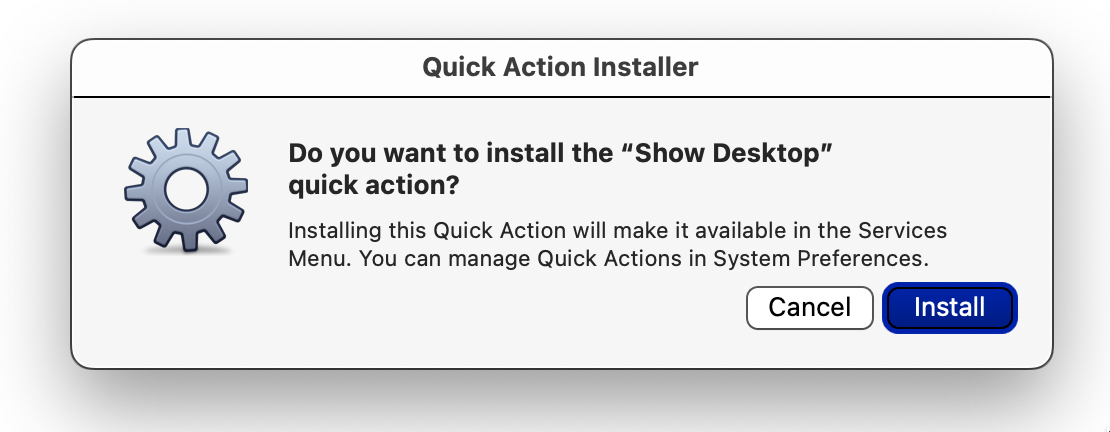
1. In the downloaded Zip file, open the "Keyboard Shortcut" folder, double-click on "Show Desktop.workflow" and install the service.
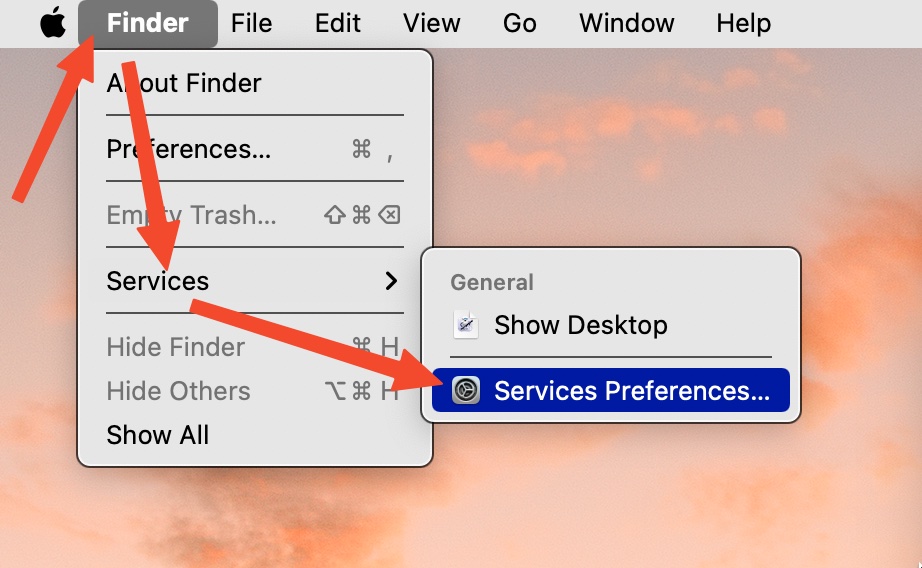
2. Open a Finder window, then in the top menu bar, go to "Finder > Services > Services Preferences"
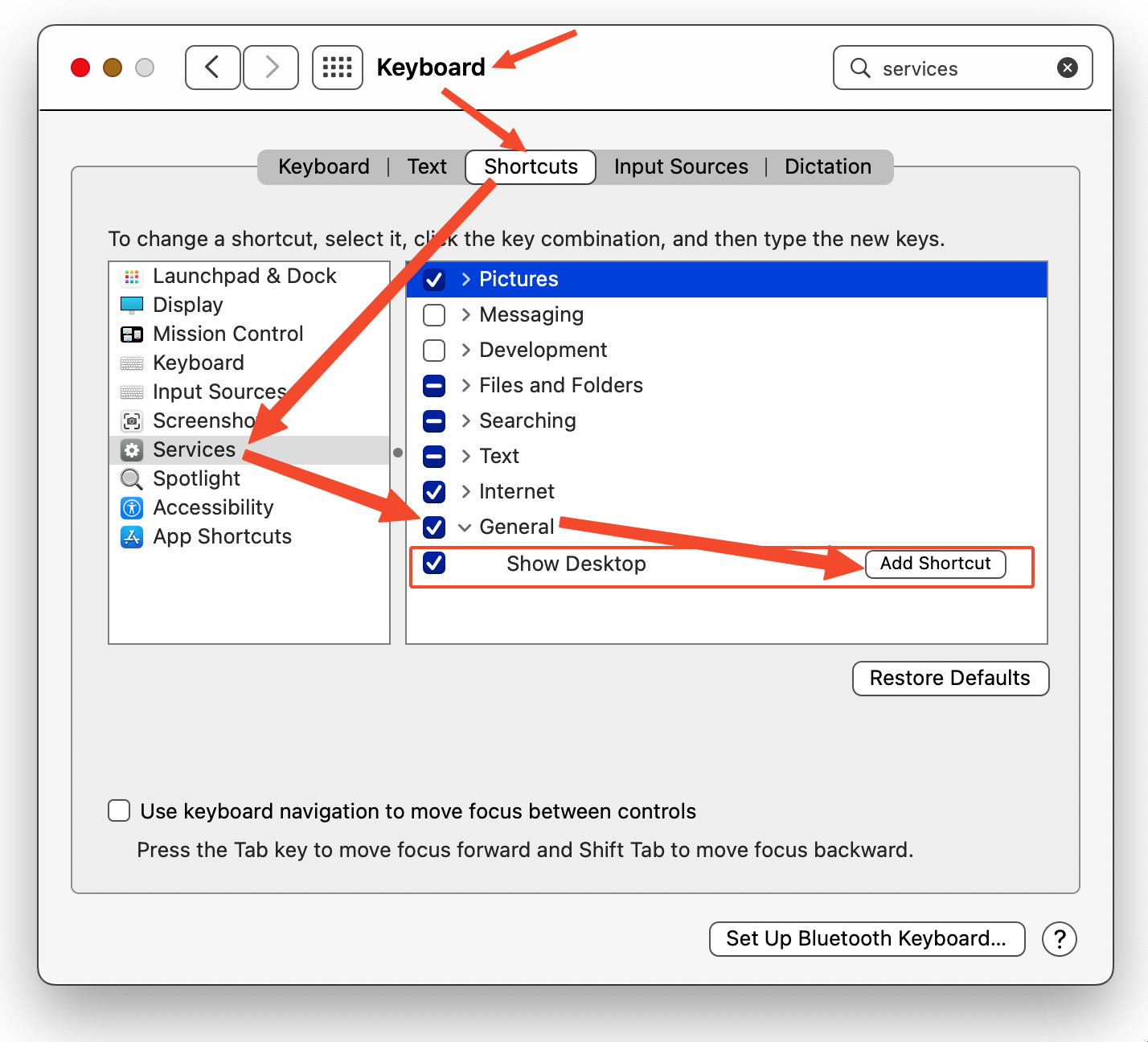
3. Find the "Show Desktop" and click on the "Add Shortcut" button to define your desired keyboard shortcut.
4. Enjoy it!
Here is the step-by-step graphical guide to defining a keyboard shortcut:
Credits:
Icon: bit.ly/3GclNP2
Apple script: Daniel Beck