The goal of this project was to create a tool prototype which allows performing computations on classified data while maintaining auditability. The system in principle is based on blockchain network to register all operations that were made on users' data. The solution is intended to use wherever access to data e.g. for scientific purposes is limited, because of personal data protection acts.
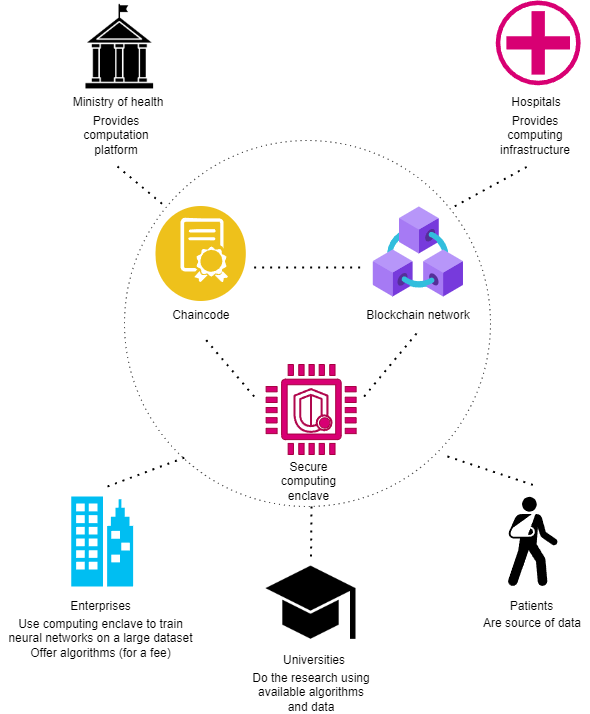
Distributed computation platform that was created allows to perform computations on data without possibility to see it. For example, a university can perform some statistics measurements on classified data, but they can't directly read data like Social Security number. All computations are performed on Blockchain in an auditable way. It can be used by for example hospitals and universities to perform computations on patient's data in the way that universities see only the result - they don't see actual data. Patient have ability to give and revoke permissions (read, write or compute) to specific people or to organizations. The platform supports Tensorflow AI library, but it can be easily extending to support more frameworks.
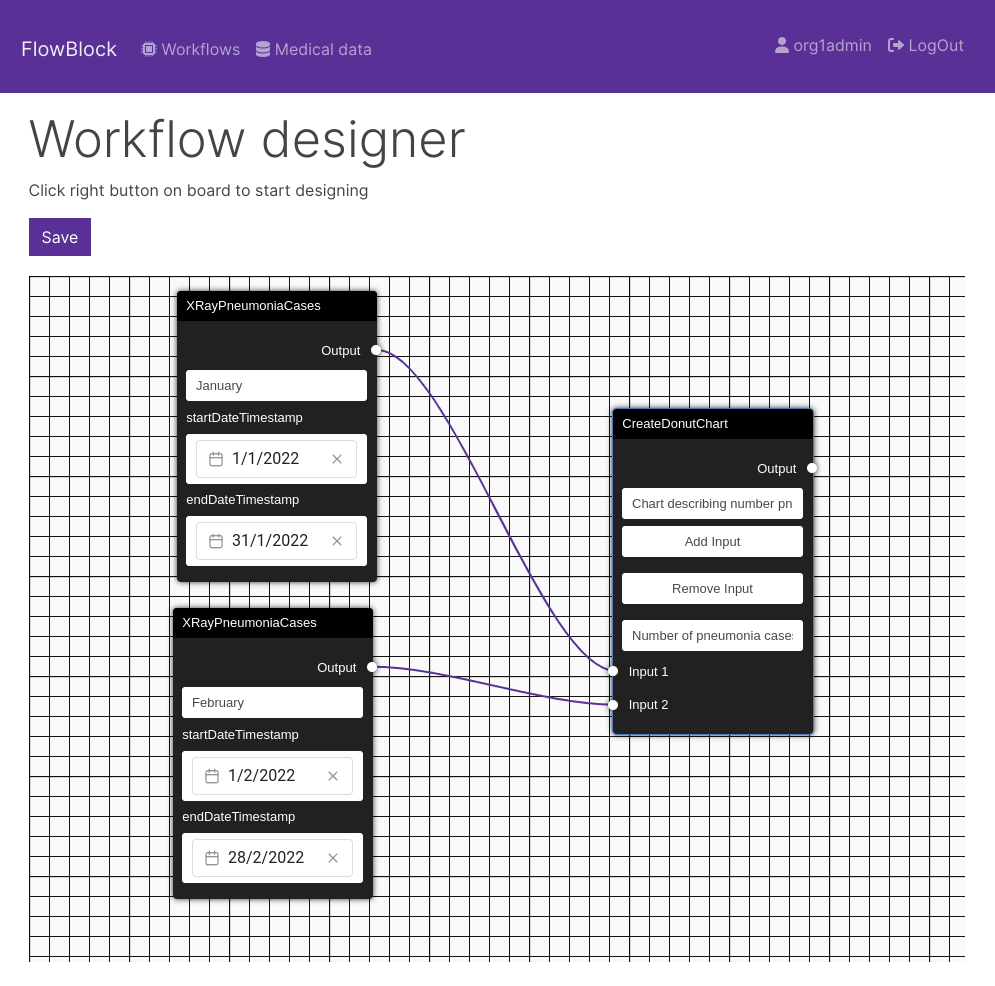
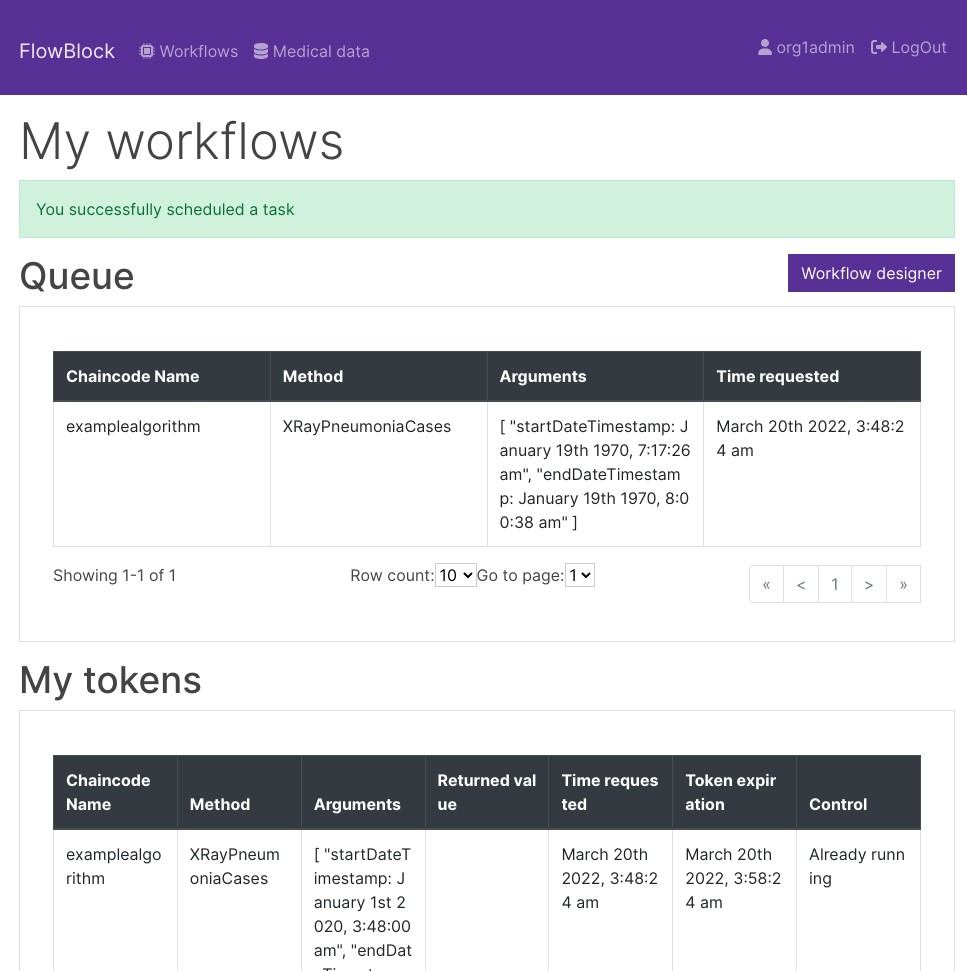
Used stack:
- Hyperledger Fabric 2.3.3
- Go and Gin framework
- Vue 3
- MinIO (cluster mode) as S3-compatible storage
- Docker Swarm
- goCelery + Redis
- Tensorflow for example classification algorithm that can be run
Author: Artur Załęski
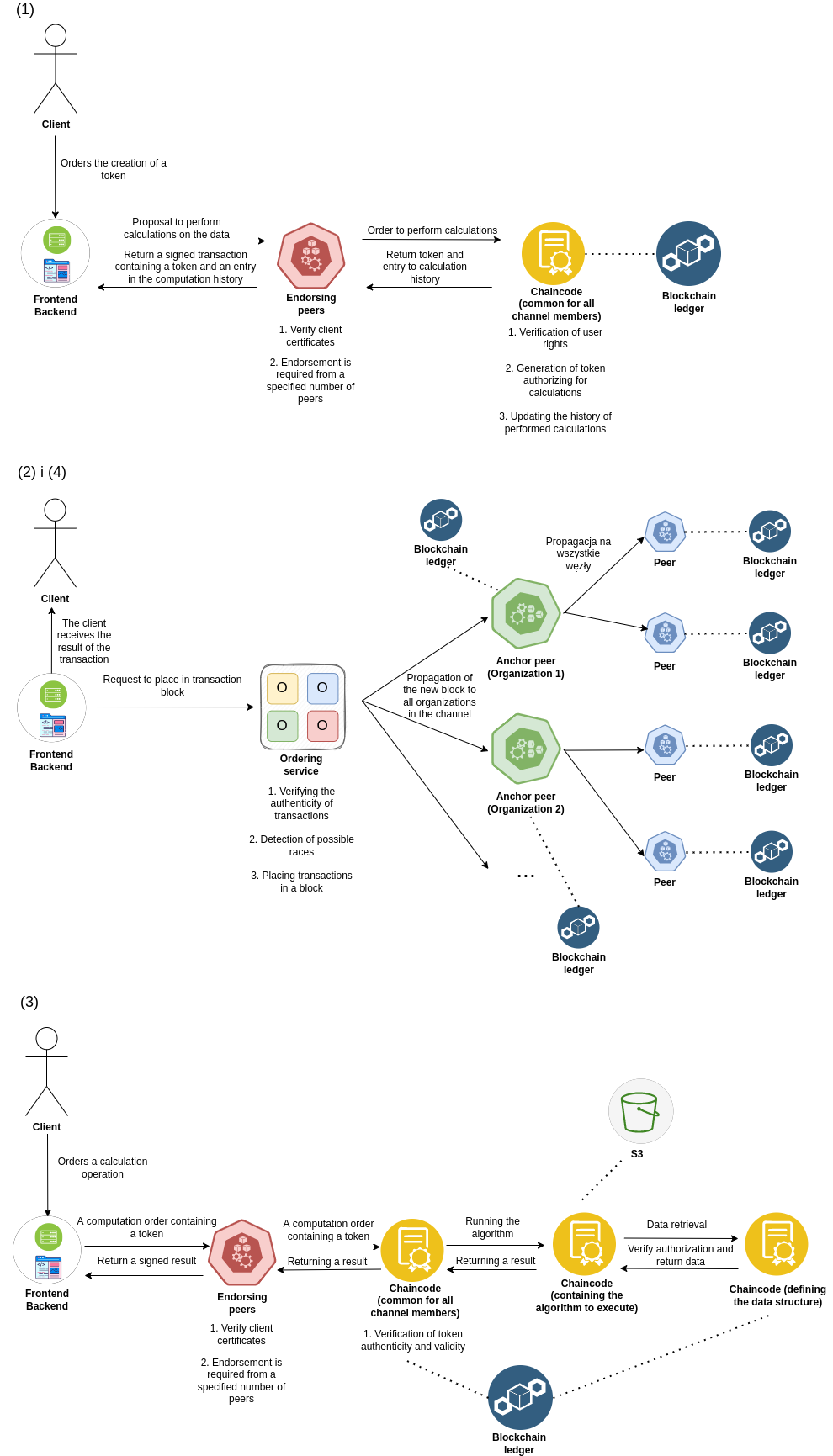
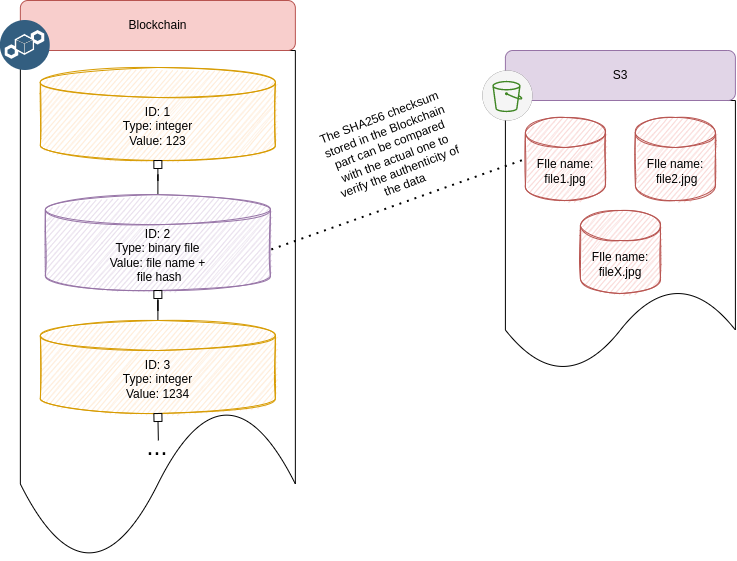
For storing large files I propose using any storage compatible with S3. On blockchain the only file hash is stored so file authenticity can be easily verified.
You need to have NFS server (preferred V4), because Docker swarm nodes use it to exchange data about certificates and genesis block. NSF share must be pointing to the root of this repository. The machine that will be used to deploy nodes needs to have this share mounted, and all scripts should be run from there.
You need to be able to clone Github repositories over SSH (setup keys) - only manager node
You need to redirect HTTPS request to SSH. You need to put these lines in ~/.gitconfig - only manager node
[url "git@github.com:"]
insteadOf = https://github.com/
Add github.com to known_hosts if you didn't have chance before - only manager node
ssh-keyscan -t rsa github.com >> ~/.ssh/known_hosts
You also need Hyperledger Binaries installed in this directory. To do this, executes the following command in this directory:
curl -sSL https://bit.ly/2ysbOFE | bash -s 2.3.3 1.5.2 -s -b
To run XRay Pneumonia classification algorithm, you need to download this dataset: https://www.kaggle.com/paultimothymooney/chest-xray-pneumonia After that, you need to place files in web/sample_files. Files must be named in the following order:
- normal1.jpeg, normal2.jpeg, ..., normal100.jpeg - for images that do not have pneumonia
- pneumonia1.jpeg, pneumonia12.jpeg, ..., pneumonia100.jpeg - for images that do not have pneumonia
You need 20 pneumonia images and 50 non-pneumonia (you can change these values in chaincode-sources/chaincode-medicaldata/exampledata.go)
Then you can go to next section to install all needed packages
helperScripts/provisionMachines.sh - run to install prerequsites on machine
helperScripts/vagrantFixDns.sh - used by Vagrant where to set DNS to DHCP
Create swarm (replace eth0 with your network adapter ID)
docker swarm init --advertise-addr $(ip addr show eth0 | grep "inet\b" | awk '{print $2}' | cut -d/ -f1)
Example join command (you will get this command after you run previous one) - run this one each node
docker swarm join \
--token  SWMTKN-1-49nj1cmql0jkz5s954yi3oex3nedyz0fb0xx14ie39trti4wxv-8vxv8rssmk743ojnwacrr2e7c \
192.168.99.100:2377
You can also get this token anytime by running this on manager node:
docker swarm join-token worker
Set labels to assign nodes to organizations (run from manager node). This is an example for 2 organizations, but generally the rule is that each organization must give at least one node assigned.
docker node update --label-add org=org1 swarmnode2
docker node update --label-add org=org2 swarmnode3
Create network (run from manager node)
docker network create --driver overlay --attachable fabric_test
In this repository there is a Vagrant demo included. You can use it to set up a local cluster. To change the number of nodes, just change a number in for loop. Nodes will be names swarmnode1, swarmnode2, etc.
-
Set NFS IP and directory on server to be mounted to container
export NFS_IP=192.168.121.1
export NFS_DEVICE=/srv/myexportdir
-
Go to network directory
-
Run ./start.sh command (run from manager node)
-
Go to web directory
-
Type: docker stack deploy -c docker-compose.yml web
In helper-apps you will find two application that may be useful:
- generatewallet - it will generate example wallets for Org1-Org4 users to use later in web application. The easiest way to launch it is using docker-compose. Wallet will be in network/organizations/wallet
- sampleclient - simple Blockchain client. You can use it to debug your smart contracts.
-
docker stack rm web (run from manager node)
-
Go to network directory and run ./network.sh down
-
On each node, execute:
docker volume rm $(docker volume ls -q --filter "name=test*")
docker volume rm $(docker volume ls -q --filter "name=web*")
docker volume rm $(docker volume ls -q --filter "name=generatewallet*")
You can follow this example (https://github.com/artas182x/FlowBlock/tree/main/chaincode-sources/chaincode-examplealgorithm) to create your own chaincode with new algorithms. Each chaincode must include definition.go file that has ListAvailableMethods method inside, returning []tokenapi.Method. This way, the system can automatically discover all available methods inside a given chaincode.
You can use all Fabric methods + https://github.com/artas182x/FlowBlock/tree/main/chaincode-sources/chaincode-computationtoken/tokenapi library to interact with other services like S3 or Authorization service.
You can normally deploy new chaincode just like you do that in all Fabric networks.
Once deployed, you need to update your frontend service to include new chaincode in list of available programs: https://github.com/artas182x/FlowBlock/blob/2aa8f2103e76940f1498bc7fb124b1b39815eb17/web/frontend/src/components/TokenSubmit.vue#L51
Chaincode responsible for defining data structure is located here: https://github.com/artas182x/FlowBlock/tree/main/chaincode-sources/chaincode-medicaldata
You should look there if you want to modify data structure or methods that are responsible for authorization, reading and writing new data.
Chaincode responsible for managing tokens is located here: https://github.com/artas182x/FlowBlock/tree/main/chaincode-sources/chaincode-computationtoken
There is located implementation of flow that can run algorithms securely.
Web service that is a bridge between blockchain and a user if located in web directory.
For backend service, there is a swagger generated that can be accessed by going to /api/swagger URL.