Native desktop application for Mattermost running on Windows, Mac, and Linux.
Originally created as "electron-mattermost" by Yuya Ochiai. Developed using Electron.
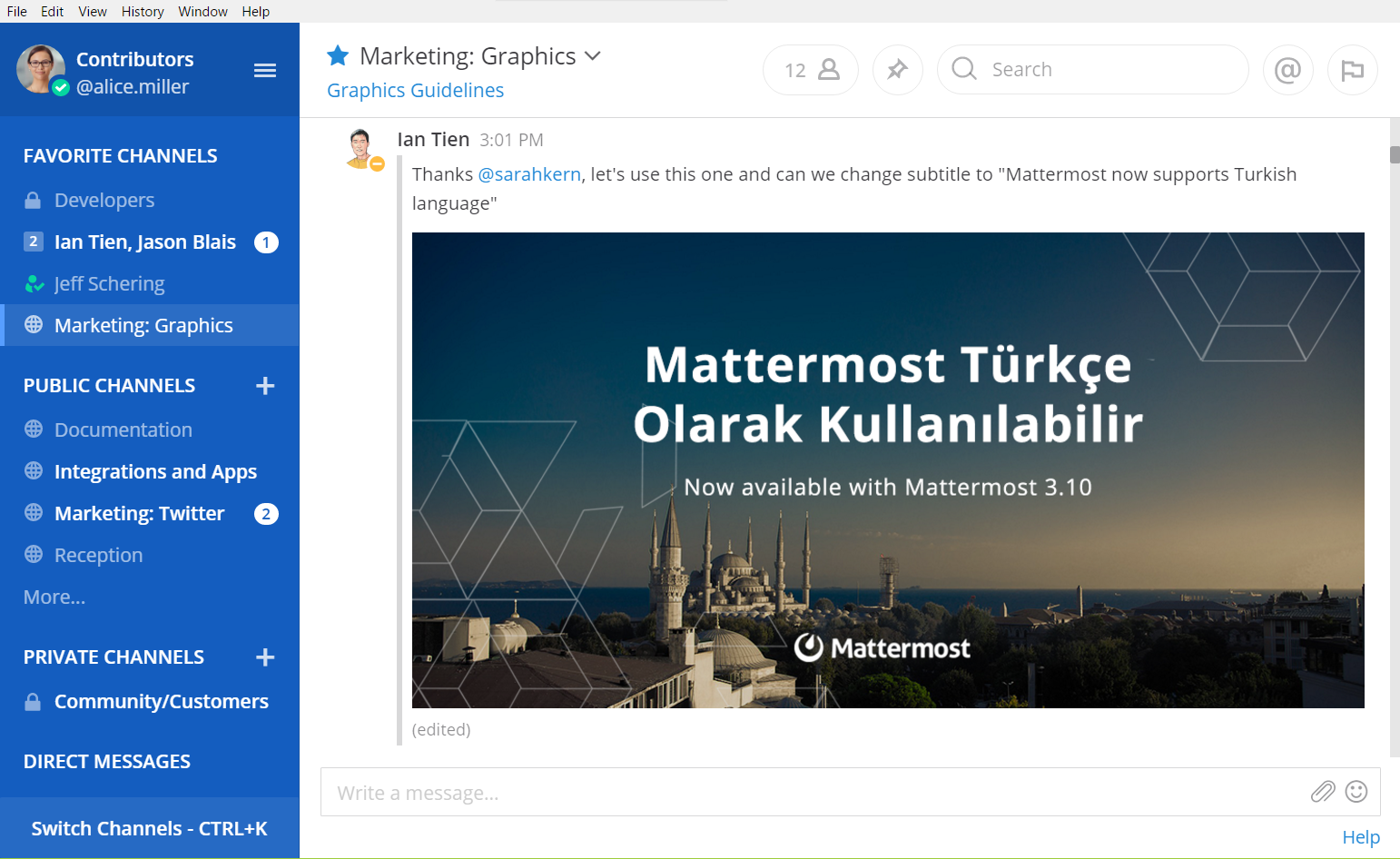

- Tabs for multiple teams across multiple servers
- Desktop Notifications
- Windows 10: Toast
- Windows 7-8.1: Popup like Toast
- OS X: Notification Center
- Linux: libnotify
- Badges for unread channels and mentions
- Installs as native application
You don't have to install any other software. Everything is out of the box. Packages are available on the releases page.
Detailed guides are available at docs.mattermost.com.
- Download a file from the downloads page.
- Launch
Mattermostin the unarchived folder. - On the first launch, please input name and URL for your Mattermost server. For example,
myserver : https://mattermost.example.com.
Ctrl or Command + Q to quit.
You can show the dialog from menu bar.
Configuration will be saved into Electron's userData directory:
%APPDATA%\Mattermoston Windows~/Library/Application Support/Mattermoston OS X~/.config/Mattermoston Linux
A custom data directory location can be specified with:
Mattermost.exe --args --data-dir C:\my-mattermost-dataon Windowsopen /Applications/Mattermost.app/ --args --data-dir ~/my-mattermost-data/on macOS./mattermost-desktop --args --data-dir ~/my-mattermost-data/on Linux
When you upgrade from electron-mattermost, please copy config.json from electron-mattermost.
Otherwise, you have to configure again.
Normally, the application will follow your system settings to use a proxy, or you can set up a proxy by the following command line options.
--proxy-server=<SERVER>:<PORT>--proxy-pac-url=<URL>
On Windows, please make sure to add -- before options. For example, Mattermost.exe -- --proxy-server=....
Our docs provide a guide on how to customize and distribute your own Mattermost Desktop App, including how to distribute the official Windows Desktop App silently to end users, pre-configured with the server URL and other app settings.
Please see CONTRIBUTING.md.
Please see docs/development.md.