Debugging projects in IntelliJ IDEA
Follow these instructions to be able to run and debug SDK and plugin projects locally from IntelliJ IDEA.
Create an input.json file that maps your task properties from synthetic.xml.
For example, if the task is defined in type-definitions.yaml as
types:
  container.HelloTask:
    extends: xlrelease.ContainerTask
    virtual: true

    hidden-properties:
      image:
        default: "@registry.url@/@registry.org@/@project.name@:@project.version@"
        transient: true
      iconLocation: test.png
      taskColor: "#667385"

    input-properties:
      username:
        kind: string

    output-properties:
      message:
        kind: string
or in synthetic.xml as
<type type="container.HelloTask" extends="xlrelease.ContainerTask" virtual="true">
    <!-- task UI properties -->
    <property name="iconLocation" default="test.png" hidden="true"/>
    <property name="taskColor" default="#667385" hidden="true"/>

    <!-- container image - location of the task logic -->
    <property name="image" required="true" hidden="true" default="@registry.url@/@registry.org@/@project.name@:@project.version@" />

    <!-- task properties -->
    <property name="username" kind="string" category="input" />
    <property name="message" kind="string" category="output" />
</type>
then input.json should at least contain
{
    "task": {
        "type": "container.HelloTask",
        "properties": [
          {
              "name": "username",
              "value": "developer",
              "kind": "STRING",
              "category": "input",
              "password": false
          }
        ]
    }
  }
Create an empty output.json file in the location where you want to store the task result.
The SDK uses INPUT_LOCATION and OUTPUT_LOCATION environment variables as locations to deserialize input and deserialize output. In the plugin project set up IntelliJ run configuration with INPUT_LOCATION and OUTPUT_LOCATION environment variables pointing to input.json and output.json files respectively.
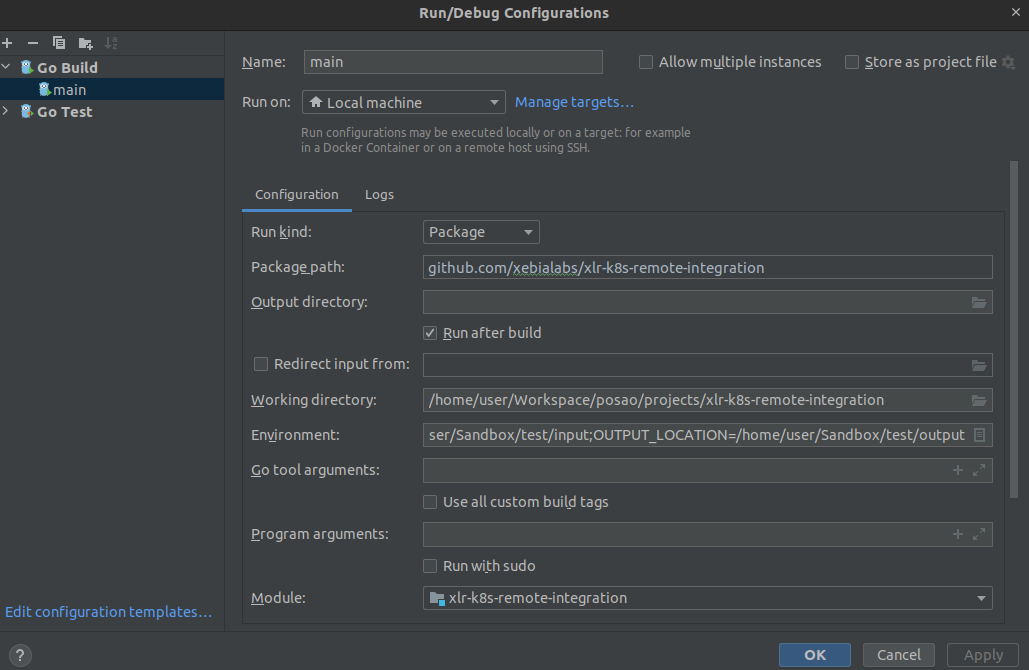
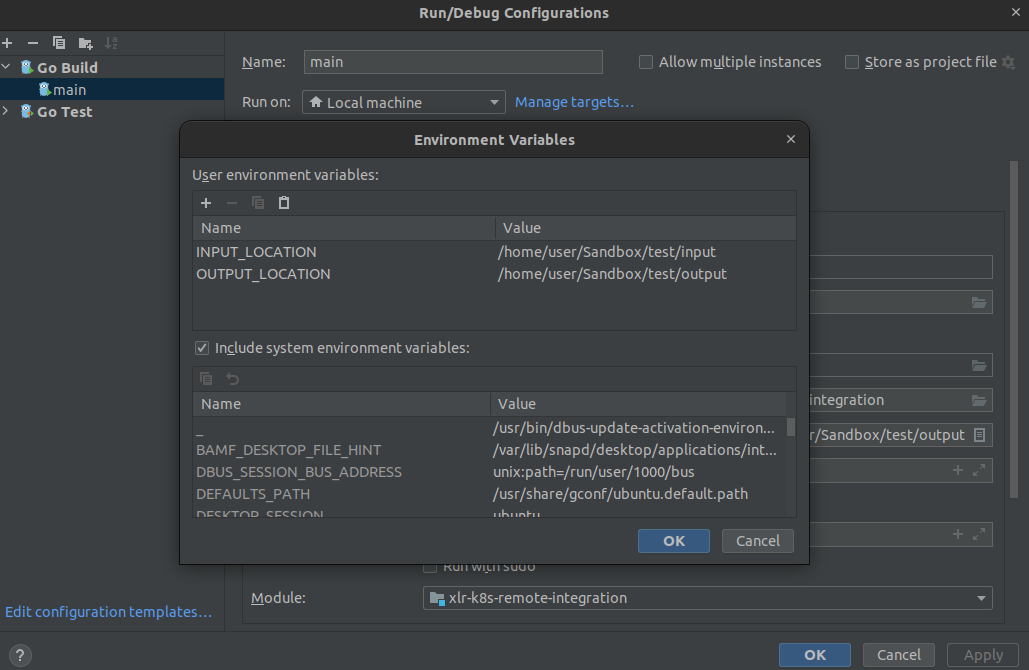
Just run or debug the project now from the IntelliJ!