This repository was archived by the owner on Feb 8, 2022. It is now read-only.
TextView
#Use TextViewController
<com.github.florent37.carpaccio.Carpaccio
        app:register="
            com.github.florent37.carpaccio.controllers.TextViewController;
        ">

        <TextView
             android:tag="
                 MY_TEXTVIEW_ACTIONS
             " />
</com.github.florent37.carpaccio.Carpaccio>
#Set a custom Font
TextViewController can set a custom font (from assets/fonts/) to a TextView
WORKS WITH ANDROID STUDIO PREVIEW !!!
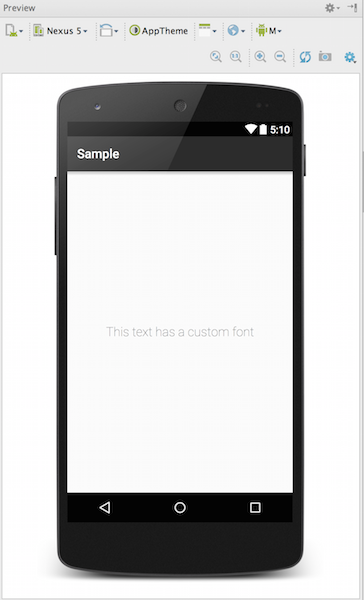
Usage : font(fontName)
<com.github.florent37.carpaccio.Carpaccio
        app:register="
            com.github.florent37.carpaccio.controllers.TextViewController;
        ">

        <TextView
             android:tag="
                 font(Roboto-Light.ttf)
             "/>
</com.github.florent37.carpaccio.Carpaccio>
#Data Binding
TextViewController can set a text with data binding
Usage : setText($variable) or setText($variable.function())
<TextView
     android:tag="
         setText($user) //call user.toString()
     "/>

<TextView
     android:tag="
         setText($user.getName())
     "/>

<TextView
     android:tag="
         setText($user.getCity().getName())
     "/>
##Minify
You can minify your calls
<TextView
     android:tag="
         setText($user.name)
     "/>

<TextView
     android:tag="
         setText($user.city.name)
     "/>
#Set text from android:text
Or directly on the android:text
Usage : android:text="$variable"
<TextView
     android:text="$user"/>
#Lorem Ipsum
Fill your TextView with a Lorem Ipsum
Usage : lorem()
<TextView
     android:tag="
              lorem()
          "/>