


Separate six local stems, loop the hard phrase, change speed or pitch, and preserve the practice session without an upload.
Free Community Edition music practice app and stem separation workstation for private local songs, loops, speed, pitch, and six-stem rehearsal.
Session Craft turns local audio into a focused practice session: separate the mix, follow the waveform, loop hard sections, shift speed or pitch, read the chord timeline, and export a backing track when the session is ready.
Session Craft Community Edition is free to download and use. Local practice workflow with stem separation, speed and pitch control, loops, and project save.
Download Community Edition · Product guide · Help · Report a bug
| Platform | Package | Use it when |
|---|---|---|
| Linux x64 (APPIMAGE) | session-craft-0.1.9-linux-x64.AppImage | Portable Linux desktop package |
| Linux x64 (DEB) | session-craft-0.1.9-linux-x64.deb | Debian, Ubuntu, Mint, and compatible systems |
| Linux x64 (RPM) | session-craft-0.1.9-linux-x64.rpm | Fedora, RHEL, openSUSE, and compatible systems |
| Windows x64 | session-craft-0.1.9-windows-x64-setup.exe | Guided Windows installer |
Checksums, installation notes, and the complete platform matrix live on the official download page.
- Windows: Windows 10 or Windows 11 on x64.
- Linux: a mainstream x64 distribution with glibc 2.35 or newer, such as Ubuntu 22.04+, Debian 12+, Fedora, or openSUSE (AppImage, DEB, and RPM packages).
- Disk space: a few hundred megabytes free for the application and its bundled resources.
Built for players and teachers who practice from real recordings, not sterile exercises. Session Craft keeps the song local, the controls immediate, and the rehearsal loop sharp enough for daily work.
Edition boundary: The technical sections below describe the complete product surface and can include optional licensed workflows. The exact free Community Edition scope is listed separately below.
Session Craft keeps stem separation, backing track export, loop practice, tempo, pitch, BPM, chord regions, and follow playback inside one local desktop surface for musicians who need repetition with context.
Open MP3, WAV, and FLAC files and turn the source recording into a private, repeatable desktop session.
Separate six local stems — vocals, drums, bass, guitar, keyboard, and other — then solo, mute, or reshape the practice mix without an upload-first workflow.
Set A/B loops on the waveform, slow a passage without losing pitch, transpose, detect BPM, and keep chord regions under the playhead.
- Import MP3, WAV, and FLAC files and build the session around the recording you actually need to learn.
- The workflow is local by design: local files, local projects, private rehearsal material, and no upload-first practice loop.
- Guitar, bass, keys, vocals, and teachers all stay close to the original recording while changing loop, chord, pitch, speed, and mix decisions.
- The free Community Edition includes local import, stem playback, stem separation, speed and pitch control, A/B loops, and project save.
- Solo the part you need to study, lower the part you want to replace, or keep drums and bass in place for timing.
- The goal is not a laboratory remix. The goal is a practice mix that makes the next ten minutes more useful.
- A/B loops, speed control, pitch shift, BPM detection, and chord regions live on the same timeline, so repetition does not lose musical context.
- Slow a hard phrase, transpose for the instrument, inspect chord movement, and bring tempo back only when the part is under control.
- Project save and backing-track export turn the session into reusable practice material instead of a one-off playback tweak.
- Chord detection and backing-track export are optional licensed workflows.
- No subscription is needed for the desktop workflow, and no cloud account is required to practice a private rehearsal file.
- Use it when one saved session is worth more than juggling separate stem, slowdown, chord, loop, and export tools.
- Audio import
- Stem playback controls
- Local stem separation
- Speed and pitch control
- A/B loop practice
- Project save
Optional licensed workflows are available for people who need the expanded feature set. Licensing details belong on the website; the Community Edition remains the free way to evaluate and use the core product.
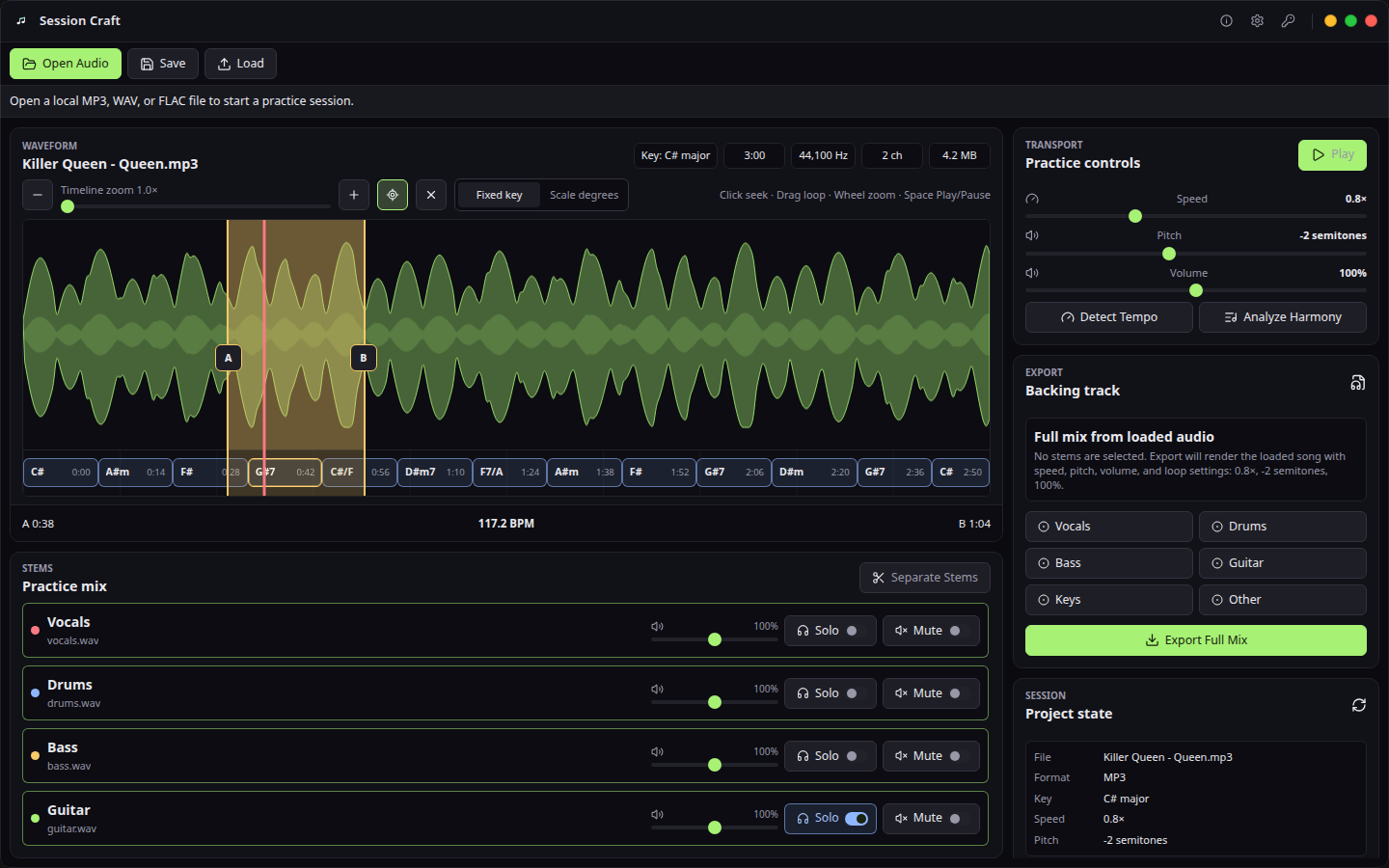
Waveform, stems, chords, speed, pitch, and loop controls.
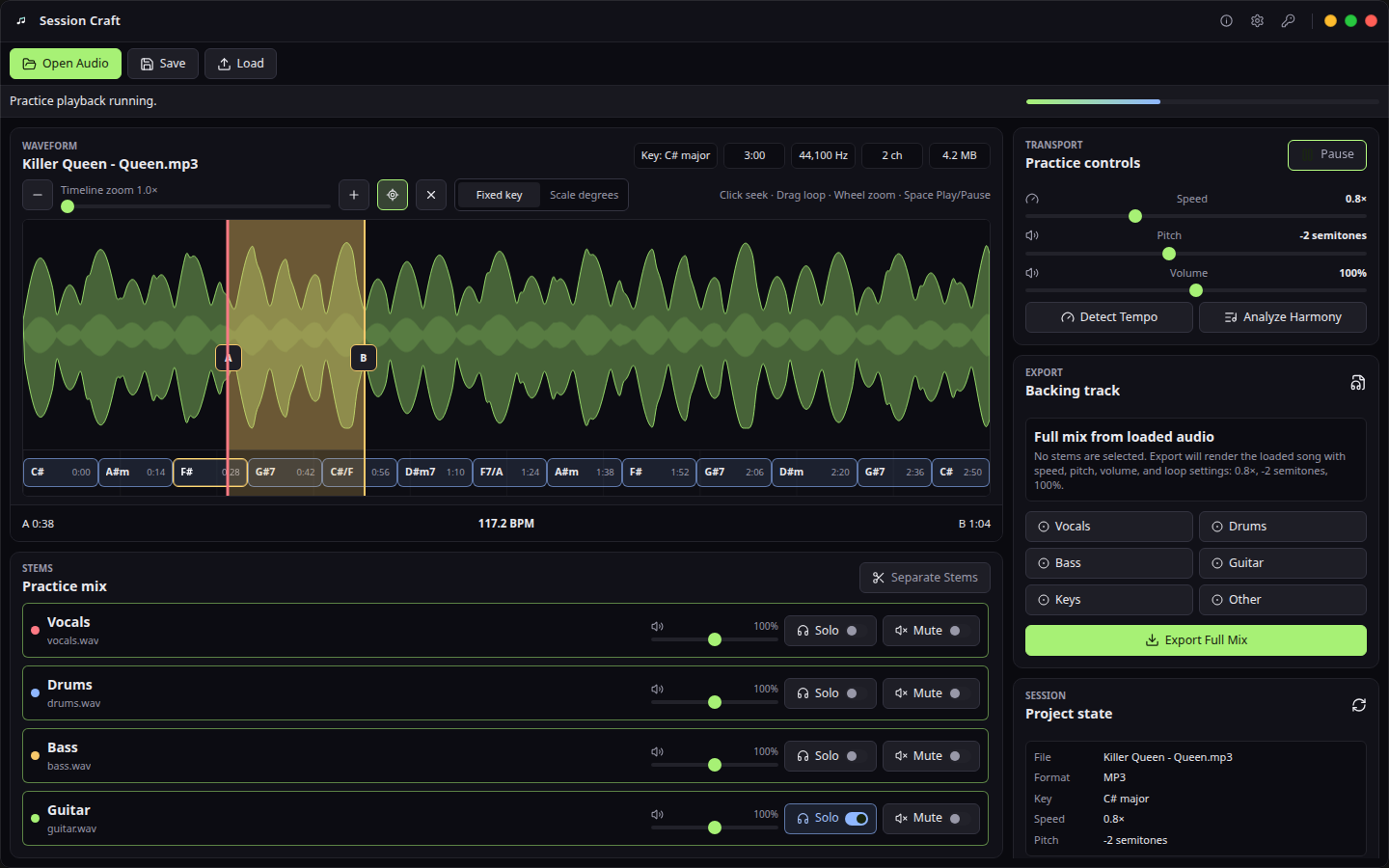
Repeat a difficult region while slowing down without pitch loss.
Session Craft is a desktop workflow. Your working files stay on the machine unless you deliberately export or share them. The product page documents the exact capability boundary so the focused workflow can be evaluated on real evidence.
Community scope: Community Edition includes local audio import, stem separation and playback, looping, speed, pitch, and project save; chord detection and backing-track export are optional licensed workflows.
What's the difference between Session Craft and Moises or Amazing Slow Downer?
Moises and Amazing Slow Downer are popular but cloud-dependent or subscription-based. The Community Edition is free. Optional licensed capabilities add advanced workflows; see the product page for current access details. Workflow details: stem separation, slowdown, looping, metronome, chord timelines, and project saving without uploading your rehearsal files. See the full comparison.
Does Session Craft upload my songs?
No. The product is designed as an offline desktop practice tool for local audio files. No cloud upload required.
Which files can I import?
The desktop build targets MP3, WAV, and FLAC import through the shared audio-core decoder.
How much does Session Craft cost?
The Community Edition is free for local separation, preview, slowdown, looping, and saved practice sessions. Optional licensed workflows use the current in-product or store terms. There is no recurring subscription.
Who is Session Craft for?
Musicians who practice against real songs and want stem isolation, slowdown, looping, chord context, and project save — all offline on their own desktop, without uploading private rehearsal material to a cloud service.
- Bugs: open a structured bug report
- Ideas: request a focused workflow improvement
- Product help: documentation and troubleshooting
- Private support: support@hannes-software.com
- Security reports: follow SECURITY.md; do not post sensitive files, credentials, patient data, or private captures in public issues.
This is the official public distribution and community repository for Session Craft: verified release links, current screenshots, documentation routes, issue intake, and security guidance. Product development happens in a private workspace; public issues here are the right place to report reproducible product behavior and request focused improvements.