Forked from: https://github.com/sfortis/openai_tts and enhanced to support a local Kokoro TTS server as most HA folks most likely have their own services running these days. Rest is as is from the previous version. This code will poll for voices from any openai compatible API instead of using hard coded lists.
The OpenAI TTS component for Home Assistant makes it possible to use the OpenAI API to generate spoken audio from text. This can be used in automations, assistants, scripts, or any other component that supports TTS within Home Assistant.
- Text-to-Speech conversion using OpenAI or Kokoro-compatible APIs
- Dynamic model and voice selection – Models and voices are fetched live from your configured endpoint, ensuring you always see the latest available options.
- Full Kokoro API support – Works with both OpenAI and Kokoro TTS servers (including local/private deployments).
- Automatic fallback – If the remote API is unreachable, the integration gracefully falls back to a static list of models and voices.
- Integration with Home Assistant – Uses Home Assistant's own async HTTP client for maximum compatibility and reliability.
- Support for multiple languages and voices – No special configuration needed; the AI model auto-recognizes the language.
- Customizable speech model – Check supported voices and models.
- Custom endpoint option – Allows you to use your own OpenAI or Kokoro-compatible API endpoint.
- Chime option – Useful for announcements on speakers. (See Devices → OpenAI TTS → CONFIGURE button)
- User-configurable chime sounds – Drop your own chime sound into
config/custom_components/openai_tts/chimefolder (MP3). - Audio normalization option – Uses more CPU but improves audio clarity on mobile phones and small speakers. (See Devices → OpenAI TTS → CONFIGURE button)
- ⭐(New!) Support for new gpt-4o-mini-tts model – A fast and powerful language model.
- ⭐(New!) Text-to-Speech Instructions option – Instruct the text-to-speech model to speak in a specific way (only works with newest gpt-4o-mini-tts model). OpenAI new generation audio models
Enhancements in this version:
- Models and voices are now dynamically fetched from your TTS server (OpenAI or Kokoro-compatible).
- Seamless compatibility with Home Assistant's async HTTP client: no extra dependencies required.
- Works with local/private Kokoro deployments as well as OpenAI cloud.
- Robust fallback to static model/voice lists if the API is unreachable.
visit: (https://platform.openai.com/docs/pricing)
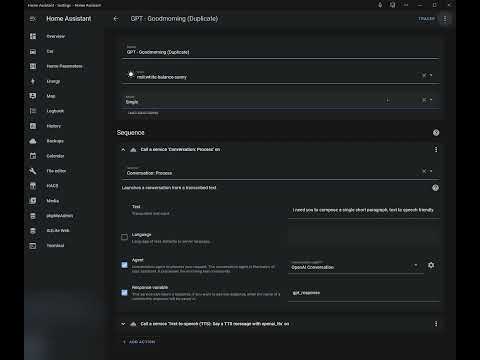
service: tts.speak
target:
  entity_id: tts.openai_nova_engine
data:
  cache: true
  media_player_entity_id: media_player.bedroom_speaker
  message: My speech has improved now!
  options:
    chime: true                          # Enable or disable the chime
    chime_sound: signal2                 # Name of the file in the chime directory, without .mp3 extension
    instructions: "Speak like a pirate"  # Instructions for text-to-speach model on how to speak
-
Go to the sidebar HACS menu
-
Click on the 3-dot overflow menu in the upper right and select the "Custom Repositories" item.
-
Copy/paste https://github.com/sfortis/openai_tts into the "Repository" textbox and select "Integration" for the category entry.
-
Click on "Add" to add the custom repository.
-
You can then click on the "OpenAI TTS Speech Services" repository entry and download it. Restart Home Assistant to apply the component.
-
Add the integration via UI, provide API key and endpoint URL, and select from the dynamically fetched models and voices. Multiple instances may be configured. Works with both OpenAI and Kokoro-compatible TTS servers!
-
Ensure you have a
custom_componentsfolder within your Home Assistant configuration directory. -
Inside the
custom_componentsfolder, create a new folder namedopenai_tts. -
Place the repo files inside
openai_ttsfolder. -
Restart Home Assistant
-
Add the integration via UI, provide API key and select required model and voice. Multiple instances may be configured.