A Star Wars themed chat-bot for you to manage your tasks today!
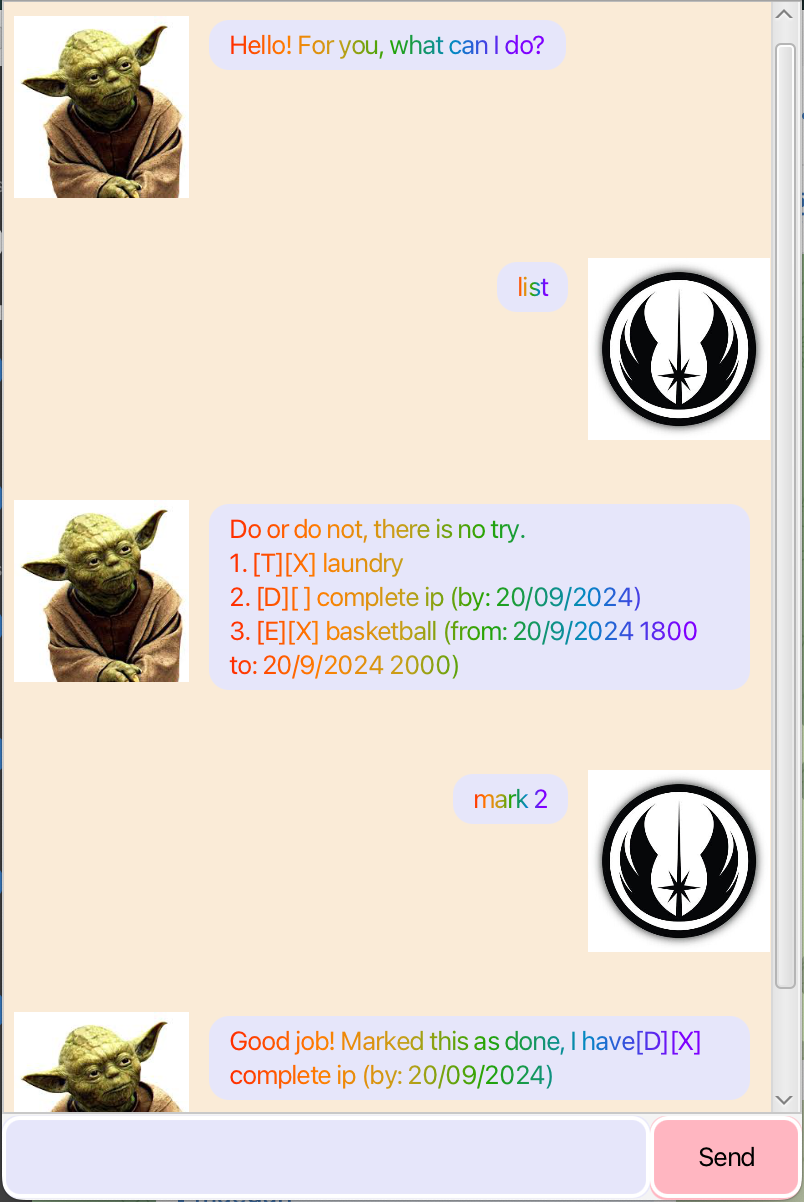
- Ensure that your computer runs Java 17. (run
java -versionin terminal to ensure that your terminal is using Java 17) - Download the latest
yoda.jarfile. - Open a terminal window at the folder containing
yoda.jar. - Run the command
java -jar yoda.jar
There are three types of tasks you can manage using Yoda - todos, deadlines, and events
To add a todo, type todo {description} or t {description}. A todo task will be added to your list.
To add a deadline, type deadline {description} /by {date} or dl {description} /by {date}. A deadline task will be added to your list.
- The format of the date should be
yyyy-mm-dd
To add an event, type event {description} /from {datetime} /to {datetime} or e {description} /from {datetime} /to {datetime}. An event task will be added to your list.
- The format of the datetime should be
yyyy-mm-dd HHmm.
To delete a task, type delete {index} or del {index}. For example delete 1 deletes the first task.
To list all tasks, type list or l. A list of all tasks will be shown
To mark a task as complete, type mark {index} or m {index}. For example mark 1 marks the first task as done.
Likewise, to mark a task as incomplete type unmark {index} or um {index}.
To find any tasks containing specific words, type find {search}. A list of matching tasks will be shown.
To end the chat, type bye. Yoda will say goodbye to you.
Code for GUI was adapted from CS2103T's JavaFX tutorial
Use of AI to generate JavaDoc descriptions for some classes, which saved time and reduced tedious work. JavaDocs generated by AI were checked for accuracy.
Use of AI to check code quality and flag issues.