=> Backend for the live quiz web app platform!


Contributions are always welcome!
See Contributing for ways to get started.
Please adhere to this project's code of conduct.
Step 1: Fork the repository
Fork this repository by clicking on the fork button on the top of this page. This will create a copy of this repository in your account.
Now clone the forked repository to your machine. Go to your GitHub account, open the forked repository, click on the code button and then click the copy to clipboard icon.
Open a terminal and run the following git command:
git clone https://github.com/mlsacbvp/quiz-webapp-server.gitGo to the MLSAC project repository => In the Issues section => Choose an issue you think you can resolve => Comment that you want to work on it.
If the issue is assigned to you, you can work on it and send a PR within 2-3 days after syncing new changes.
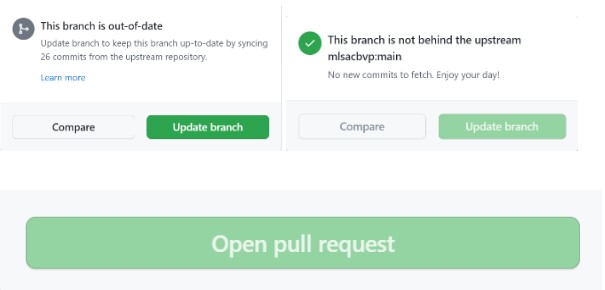
- Without any assigned issue, don’t send a PR, and if you don’t find issues at a particular time, then visit the repo after 2-3 days.
- If you send a PR without being assigned an issue, your PR will be marked “spam” or “invalid”.
- After getting assigned an issue, you must send a PR within 2-3 days otherwise we will re-assigning that issue to someone else.
https://hacktoberfest.com/participation/#pr-mr-details https://hacktoberfest.com/participation/#spam
- What is Hacktoberfest
- How to Use git
- how-to-contribute
- first-contributions
- awesome-for-beginners
- github-git-cheat-sheet
- How to Write Good Commit Messages
- How to Do Your First Pull Request? (video)
## API Reference
POST /register| Parameter | Type | Description |
|---|---|---|
name |
string |
Required. Your name |
username |
string |
Required. Your username |
email |
email |
Required. Your email |
password |
string |
Required. Your password |
POST /login| Parameter | Type | Description |
|---|---|---|
username |
string |
Required. Your username |
password |
string |
Required. Your password |
Get /profile| Header | Type | Description |
|---|---|---|
Authorization |
string |
Required. JWT TOKEN from login |
Clone the project
git clone https://github.com/mlsacbvp/quiz-webapp-server.gitGo to the project directory
cd quiz-webapp-serverfor this just copy the data from .env.sample to .env file
for linux/Mac
touch .env
cat .env.sample >> .env
for win
Copy-Item -Path .\.env.sample
-Destination .\.env -PassThru
Install dependencies
npm installSetUP MongoDB
  use users
  show dbs
Start the server
node app.jsOR
nodemon app.js