SLiMProb
##SLiMProb
SLiMProb searches the protein sequences of the selected nodes for occurrences of a specified regular expressions; useful for locating new instances of a motif found using SLiMFinder (e.g. R[SFYW].S.P). Conventions as used in the program can be found here.
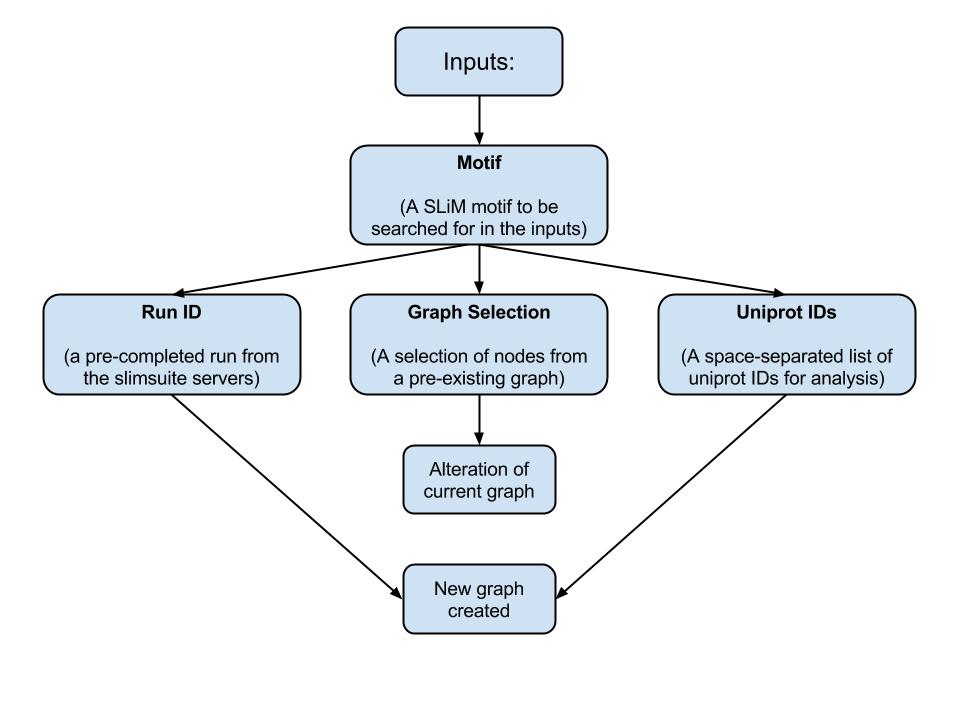
SLiMProb has one input; a SLiM to be searched for in the nodes selected on the graph. To run SLiMProb you must provide a regular expressions in the motifs box and select one or more nodes. Alternatively, if you know the run ID of a previous search, you can instead input that to the Run ID textbox.
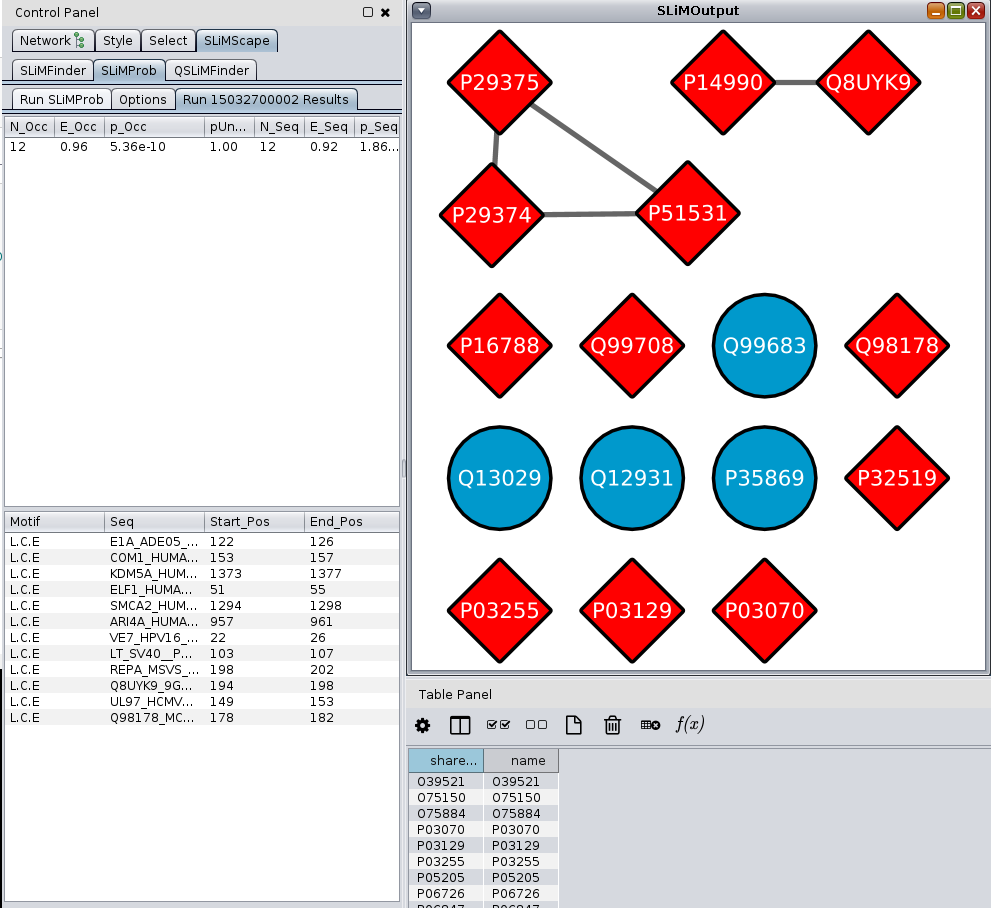
If the motif is found, the colour and shape of the target node will change.
###SLiMProb Options
Masking
- Disorder Masking is used to mask residues which have an IUPred disorder score of less than 0.3
- Conservation Masking is used to mask residues which have a relative local conservation score of less than X.
Custom Parameters
- Custom parameters can be used to add other command line arguments which can be found here.
##Results Results for SLiMProb are displayed in two panels.
Main Results Panel contains:
- Motif: The name of the motif.
- Pattern: The motif definition.
- IC: Information content.
- N_Occ: Number of specified SLiM occurrences.
- N_Seq: Number of nodes the SLiM occurred in.
- N_Upc: Number of nodes in the unrelated protein cluster (UPC).
- E_Upc: Enrichment score for the unrelated protein cluster.
- p_Upc: Significance value of the unrelated protein cluster.
- pUnd_Upc: Probability of seeing the observed number of occurrences or less of the UPC.
OCC Panel contains:
- Motif: The motif found in the sequence.
- Seq: The name of the sequence.
- Start_Pos: The start position of the sequence.
- End_Pos: The end position of the sequence.
The nodes in the graph that contain SLiMs will change, becoming red diamonds. Nodes with multiple SLiMs will be a darker shade of red.
###Sample Output