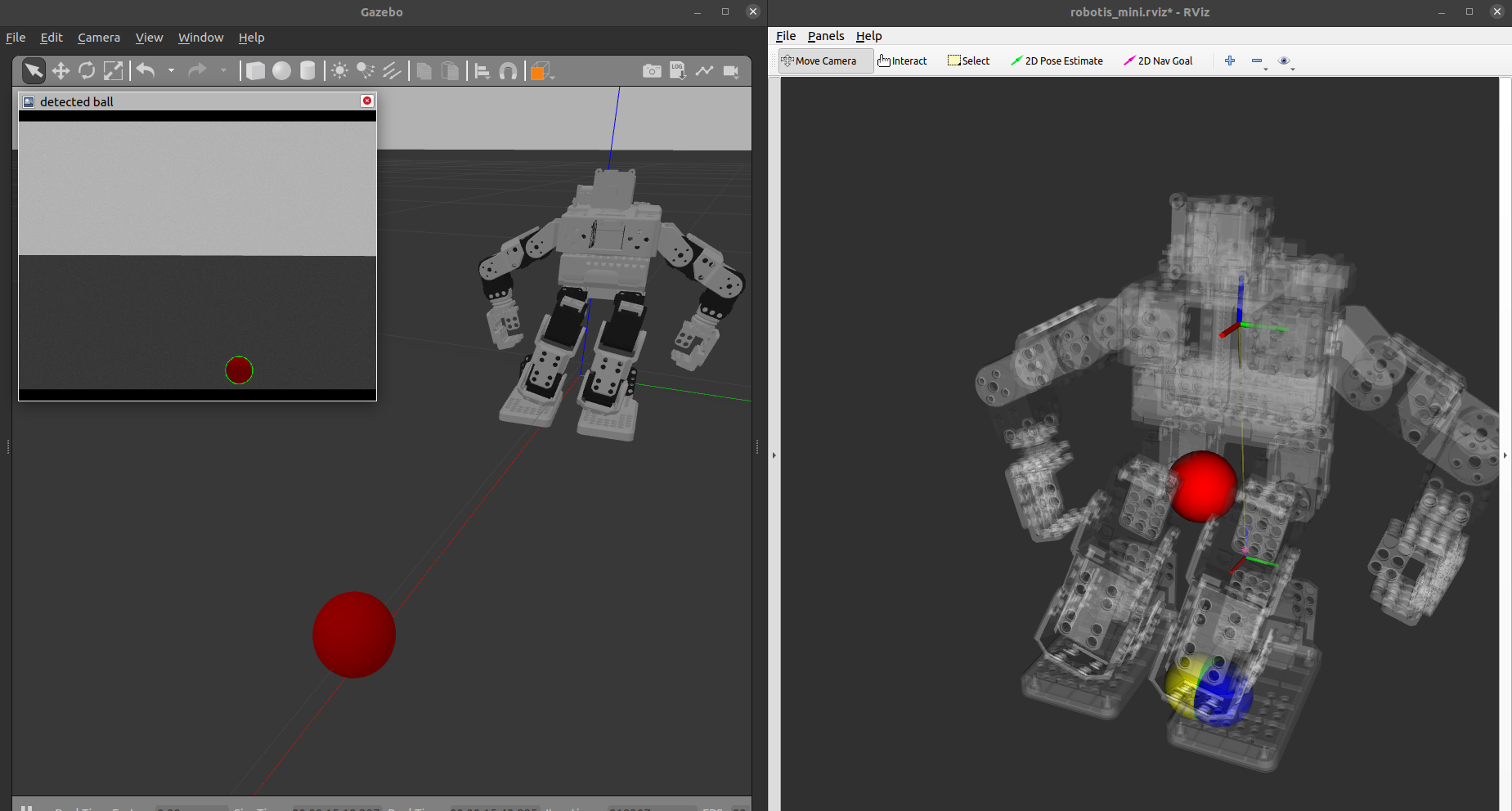
For this assignment you will be working in the following files.
~/ws_mini_assn4/src/mini_ros/scripts/measured_zmp.py~/ws_mini_assn4/src/mini_ros/scripts/approx_zmp_multi_mass.py~/ws_mini_assn4/src/mini_ros/scripts/approx_zmp_single_mass.py~/ws_mini_assn4/src/mini_ros/config/walkingParam.yaml~/ws_mini_assn4/src/mini_ros/scripts/ball_detection.py
Implement the parts of the code marked TODO in each file and follow the instructions listed in the code and instruction pdf. The starter code setup and commands to run the simulation and hardware are outlined below.
Clone mini-ros-assn4 repo from Github
Create a new workspace for assignment 4 as the code structure has changed from the previous assignment.
mkdir -p ~/ws_mini_assn4/src && cd ~/ws_mini_assn4/src
git clone https://github.com/uiuckimlab/mini-ros-assn4.git
Install dependency
sudo apt-get install ros-noetic-dynamixel-toolbox
Make using catkin and source ros workspace env
cd ~/ws_mini_assn4 && catkin_make
Terminal A: launch simulator and ros controller nodes
cd ~/ws_mini_assn4 && source devel/setup.bash && roslaunch mini_ros sim_bringup.launch
Start the simulation by clicking the play button on the botton left of the Gazebo UI.
Terminal B: start sensors.launch that start the below nodes. Note that you will need to rerun this launch file whenever you make changes to the zmp and perception scripts.
- rviz node
- com calc + viz node
- odometry node (
mini_ros/scripts/odom.py) - approx zmp calc + viz node (
mini_ros/scripts/approx_zmp.py) - measured zmp calc + viz node (
mini_ros/scripts/measured_zmp.py) - ball_detection node (
mini_ros/scripts/ball_detection.py)
cd ~/ws_mini_assn4 && source devel/setup.bash && roslaunch mini_ros sensors.launch
Set is_sim to True in walkingParams.yaml
Set all stabilizer gains to 0 in walkingParams.yaml
cd ~/ws_mini_assn4 && source devel/setup.bash && roslaunch mini_ros walking.launch
Find and set optimal stabilizer gains params in walkingParams.yaml
cd ~/ws_mini_assn4 && source devel/setup.bash && roslaunch mini_ros walking.launch
Set use_perception to True in walkingParams.yaml
cd ~/ws_mini_assn4 && source devel/setup.bash && roslaunch mini_ros walking.launch
ssh mini@{ORANGEPI_IP_ADDRESS}
mkdir -p ~/ws_mini_assn4/src && cd ~/ws_mini_assn4/src
git clone https://github.com/uiuckimlab/mini-ros-assn4.git
The ros workspace in orangepi cannot catkin_make with gazebo related dependencies. Make it ignore the mini_ros_gazebo repo by adding an empty CATKIN_IGNORE file.
touch ~/ws_mini_assn4/src/mini-ros-assn4/mini_ros_gazebo/CATKIN_IGNORE
cd ~/ws_mini_assn4 && catkin_make
Set use_sim to False and use_perception to True in walkingParams.yaml
Terminal A: launch hw and ros controller nodes
cd ~/ws_mini_assn4 && source devel/setup.bash && roslaunch mini_ros hw_bringup.launch imu:=true camera:=true
cd ~/ws_mini_assn4 && source devel/setup.bash && roslaunch mini_ros walking.launch
Install ROS Noetic
sudo apt-get update
sudo apt-get upgrade
sudo sh -c 'echo "deb http://packages.ros.org/ros/ubuntu $(lsb_release -sc) main" > /etc/apt/sources.list.d/ros-latest.list'
sudo apt install curl # if you haven't already installed curl
sudo apt update
curl -s https://raw.githubusercontent.com/ros/rosdistro/master/ros.asc | sudo apt-key add -
sudo apt update
sudo apt install ros-noetic-desktop-full
Install tools and setup env paths
echo "source /opt/ros/noetic/setup.bash" >> ~/.bashrc
source ~/.bashrc
sudo apt install python3-rosdep python3-rosinstall python3-rosinstall-generator python3-wstool build-essential
sudo rosdep init
rosdep update
Install Terminator
sudo apt install terminator
VScode
sudo snap install code --classic
code ~/ws_mini_assn4/src/mini-ros-assn4
Install dependencies
sudo apt-get install ros-noetic-dynamixel-sdk \
    ros-noetic-ros-control \
    ros-noetic-ros-controllers \
    ros-noetic-rqt-joint-trajectory-controller \
    ros-noetic-plotjuggler-ros
sudo apt install python3-pip
pip3 install urdf_parser_py scipy
cd ~/ws_mini_assn4 && source devel/setup.bash && rosrun plotjuggler plotjuggler
Streaming -> ROS Topic Subscriber -> Add topics of interest
robotis_mini/joint_states/l_ankle_joint/position
/l_foot_Fz and /l_foot_Fz
right click on plot -> split vertically -> apply filter to data
rosrun rqt_graph rqt_graph
Hide Debug, Unreachable, and Params
rosrun rqt_joint_trajectory_controller rqt_joint_trajectory_controller
controller manager ns -> /robotis_mini/controller_manager controller -> full_body_controller click power button and set speed scaling to 100%
rosrun rviz rviz
- Global Fixed Visualization Frame
- RobotModel
- TF
- Marker
- Camera
Place object in from of the mini in Gazebo World
rosbag record -O robotis_mini_demo.bag l_foot_Fz r_foot_Fz robotis_mini/joint_states
rosbag info robotis_mini_demo.bag
rosbag info -y -k duration robotis_mini_demo.bag
rosbag play robotis_mini_demo.bag
rostopic echo -b robotis_mini_demo.bag -p /joint_states robotis_mini_demo.csv
rqt
- Topics
- Message publisher
- Topic Monitor
- Visualization
- Plot
- TF Tree
- Image View
- Other
- Bag
- rqt_joint_trajectory_controller
- Dynamic reconfigure
- Process monitor
- Message Type Browser