Input Display
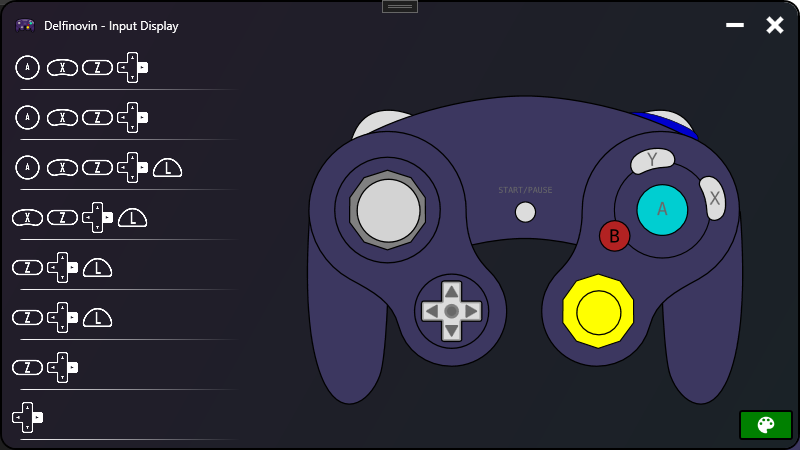
Delfinovin has a fighting game-esque input display that can be enabled to view inputs as they are pressed. The window can also enable a greenscreen for easy Chroma-keying and use in applications such as OBS.
Activate the input display by clicking on a controller button from the controller list at the bottom, and clicking "Open Input Viewer." This will open the input display window with its own controller dialog and input button list. By clicking the button at the bottom right of the window, the window will activate a greenscreen for chroma-keying.